
· Server · 2 min read
How to change the PHP version on your web hosting
If you run a website or work with web development, it's important to ensure that your web hosting runs the correct PHP version. In the control panel, it's easy to switch between different PHP versions.
Why you should change the PHP version on your web hosting
At Duelhost, we make several versions of PHP available. As a starting point, there are the following benefits to keeping your PHP version upgraded:
- Performance and security
- Compatibility with your CMS (such as WordPress, Joomla, Laravel, etc.)
- Support for newer functions and libraries
Step by step, how to change the PHP version on your web hosting.
Start by logging into your web hosting
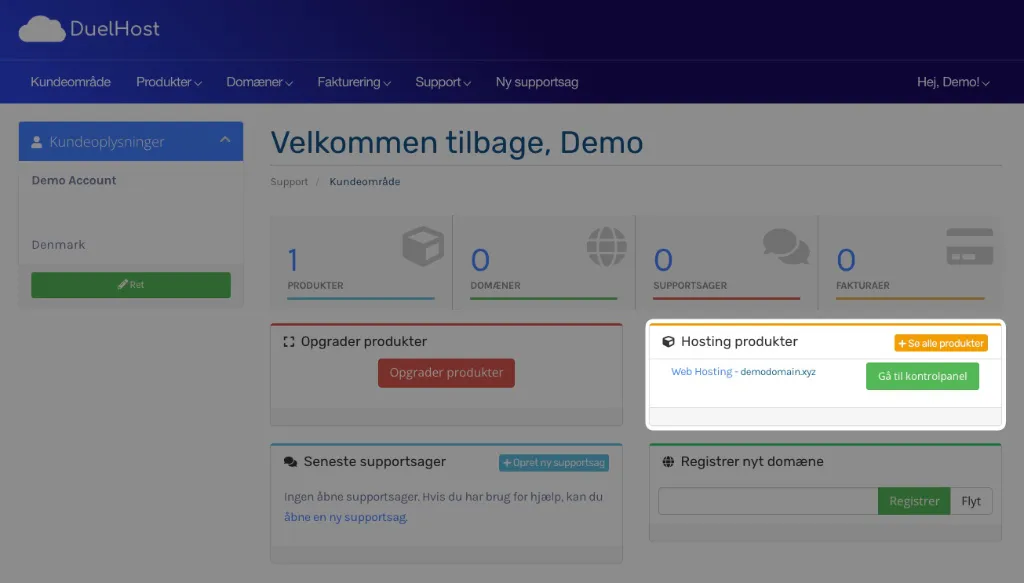
To change the PHP version on your web hosting, you must start by logging into the control panel. This can be done directly from https://customer.duelhost.dk or via the information you received in your welcome email.
If you do it via https://customer.duelhost.dk you will see the following dashboard where there will be a green login button for your web hosting. Just click here and you will be taken directly to the control panel.
Navigate in the control panel
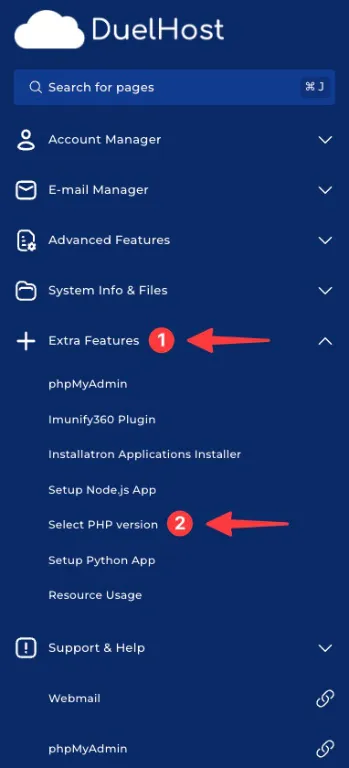
When you get to the control panel, you will need to expand the Extra Features menu as shown in the image below and then click on Select PHP version as shown in the image.
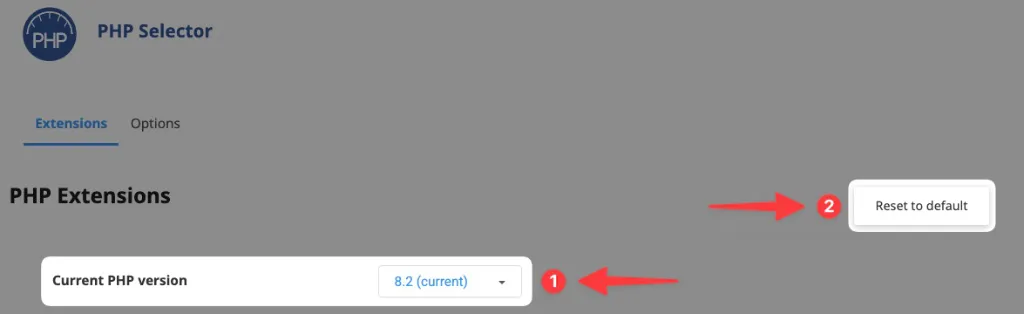
Then you come to the page where you can select the PHP version. Which version you should choose depends on what you want to run. If your website is built in WordPress, we generally recommend PHP 8.2 - it’s not the very newest, but it is well supported by themes and plugins, which is often where support can lag.
An extra tip
If you are unsure whether you have previously changed some PHP extensions, you can, as shown in the image as point 2, click Reset to default and then your PHP settings will be reset to default.
A change of PHP version typically takes a short moment and then your site will run with the selected PHP version (and any changed PHP extensions).