
· Backup · 1 min read
How to create a backup
Learn how to create a backup of your files, databases, and email in DirectAdmin, so you always have a copy ready.
Regular backups are essential for protecting your website and data. DirectAdmin lets you create backups of your files, databases, and emails, so you can quickly restore everything if something goes wrong.
Prerequisite: You need an active web hosting plan with DuelHost.
Step-by-step guide
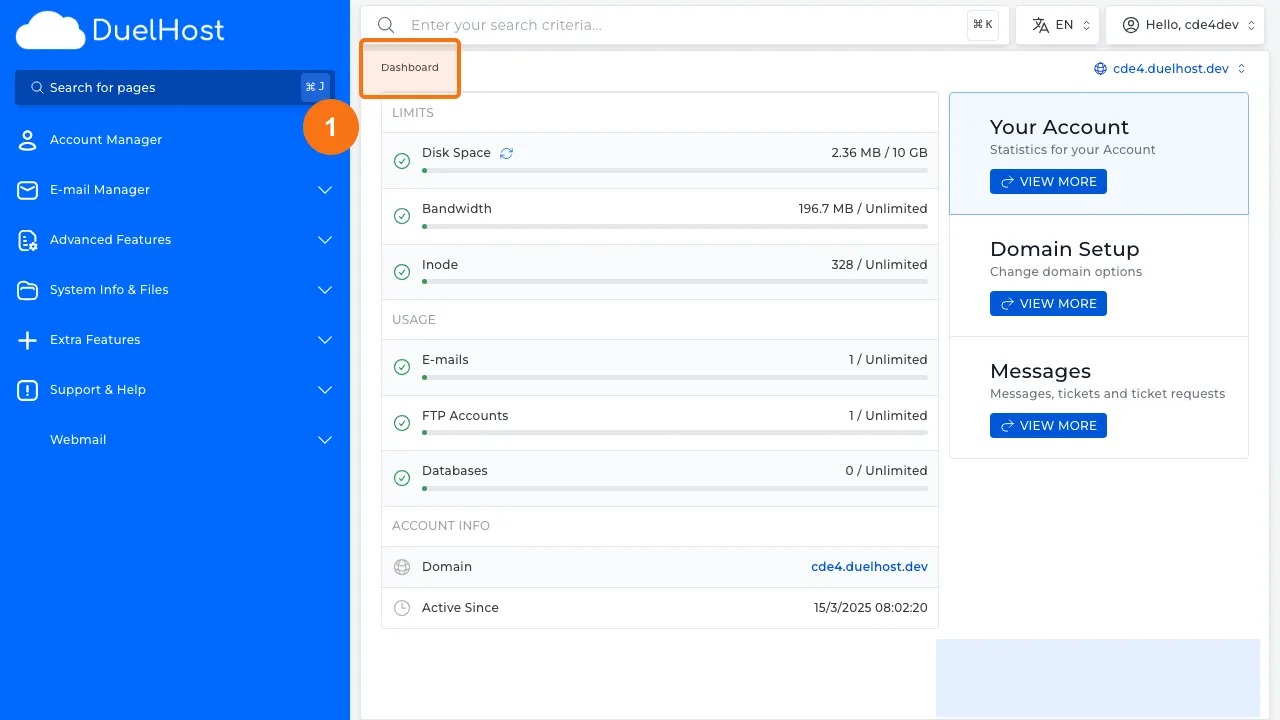
Step 1: Log in to DirectAdmin
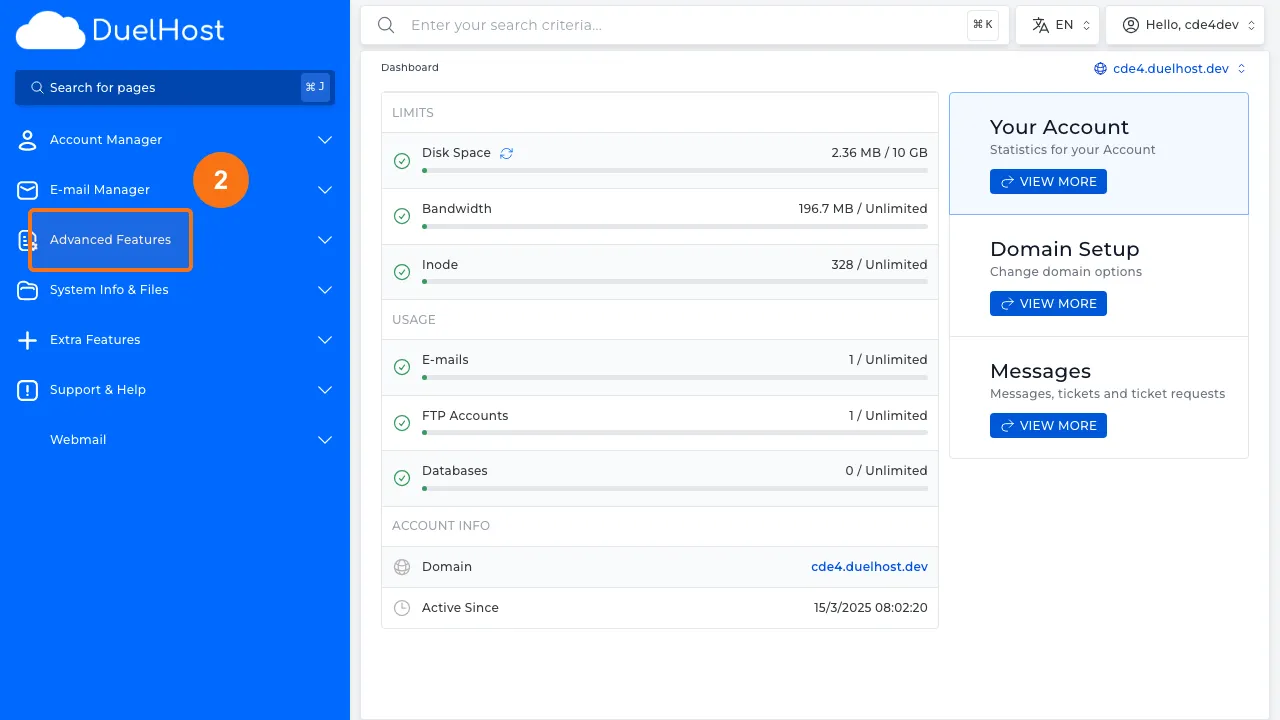
Step 2: Click “Advanced Features” in the sidebar
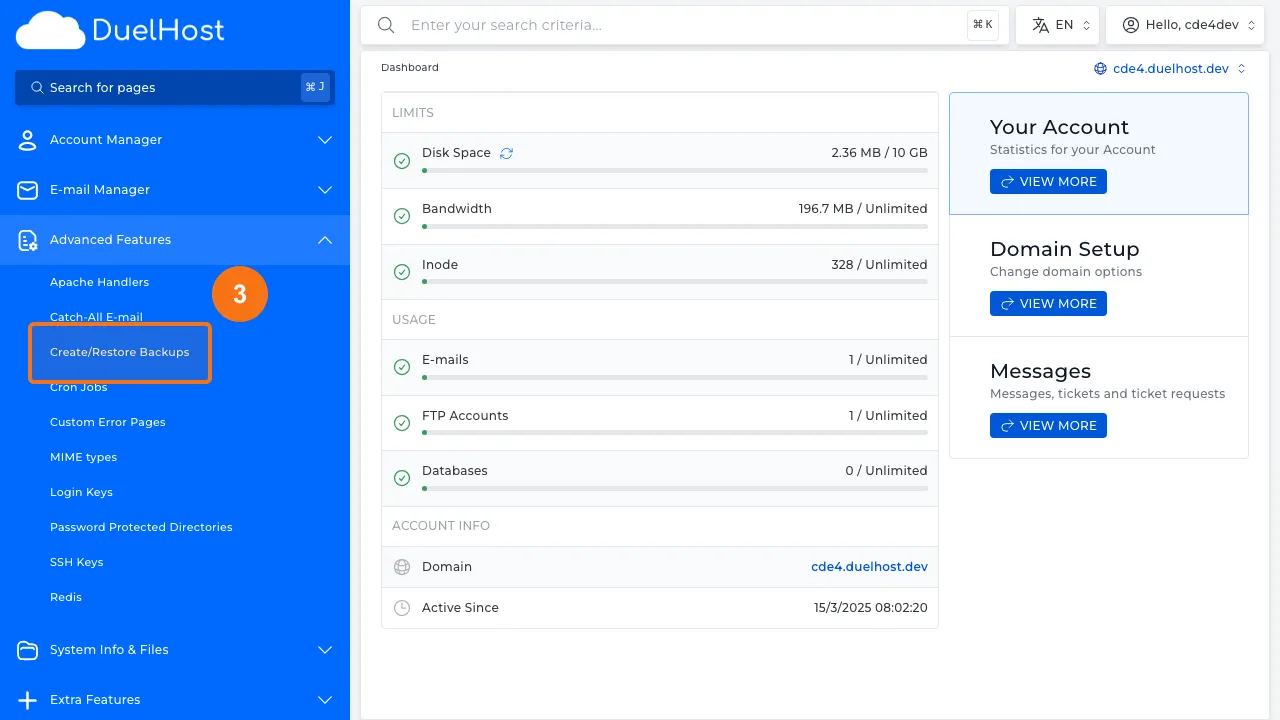
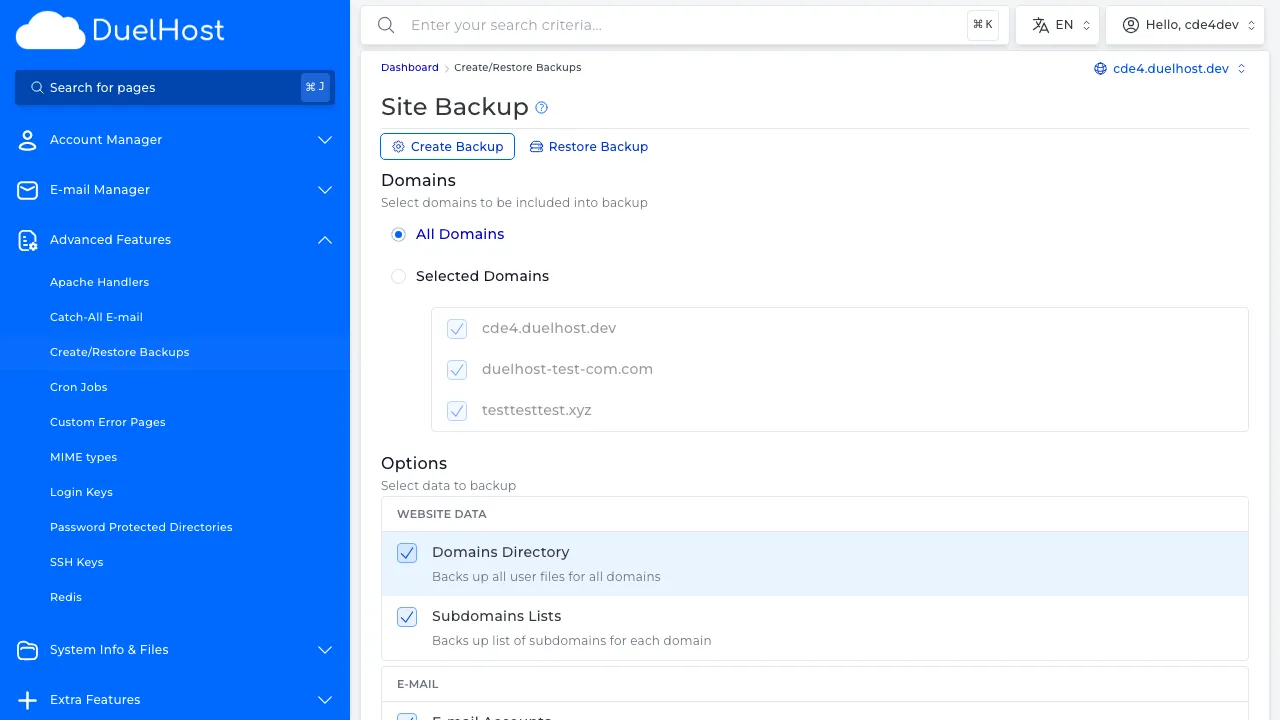
Step 3: Click “Create/Restore Backups”
Step 4: View backup options for files, databases, and email — do NOT click “Create Backup”
Tips and notes
- Schedule regular backups to avoid data loss
- Store backups in a safe external location
- Always create a backup before making major changes to your site
Need help?
If you run into any issues, our support team is ready to help. Contact us at support@duelhost.dk or through our contact form.