
· Email · 2 min read
How to set up catch-all email
Learn how to set up a catch-all email address in DirectAdmin to receive messages sent to any address at your domain.

A catch-all email address captures all messages sent to non-existent addresses at your domain. This can be useful if you want to make sure no emails are lost, especially when people mistype an email address.
Prerequisite: You need an active web hosting plan with DuelHost.
Step-by-step guide
Step 1: Log in to DirectAdmin
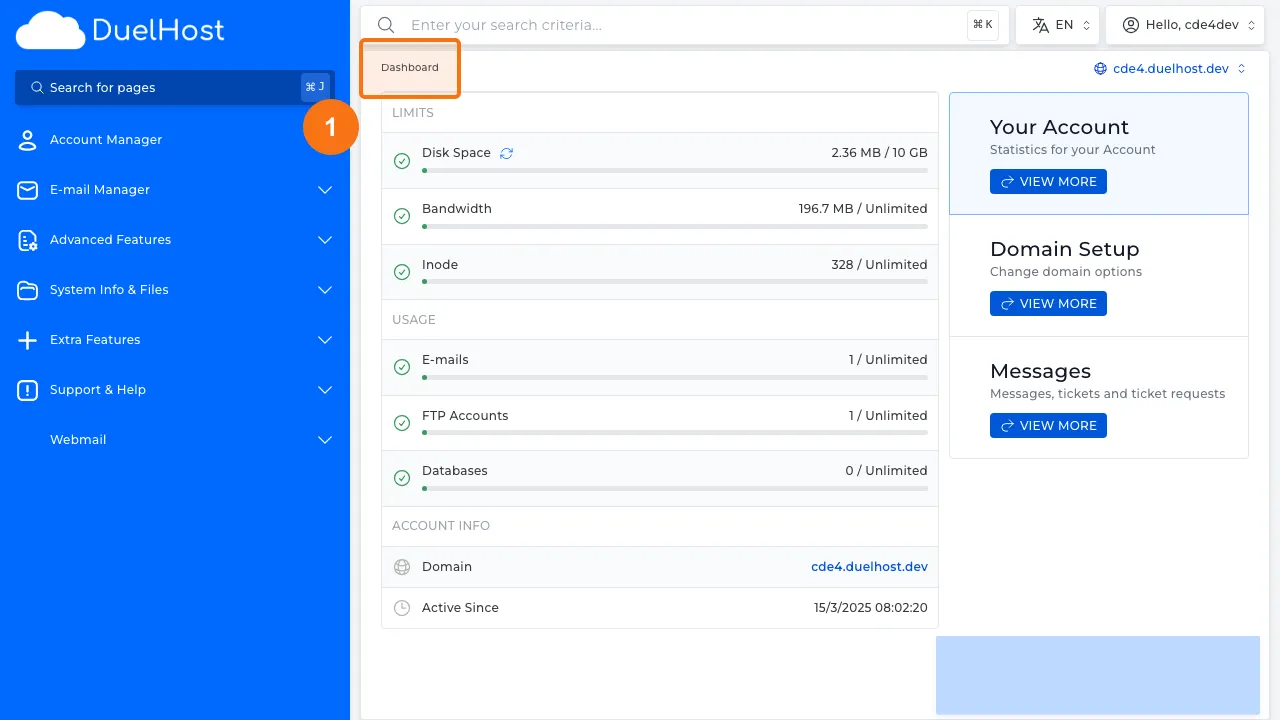
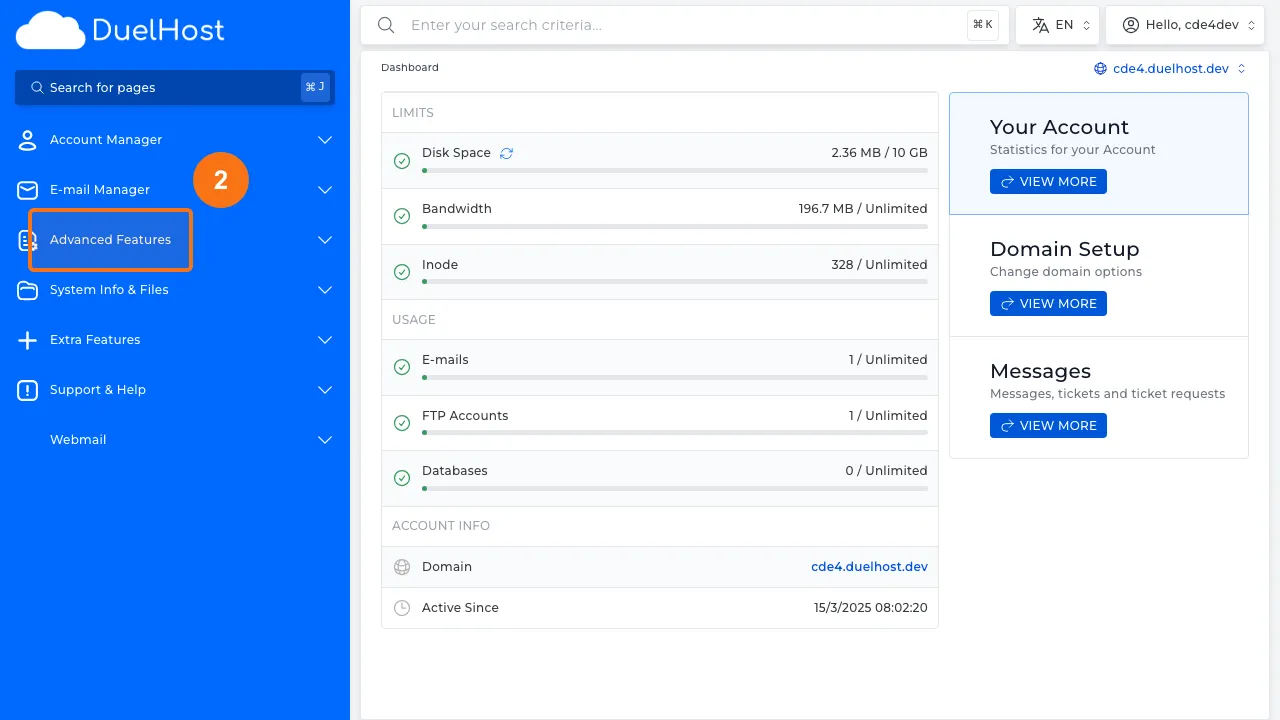
Step 2: Click “Advanced Features” in the sidebar
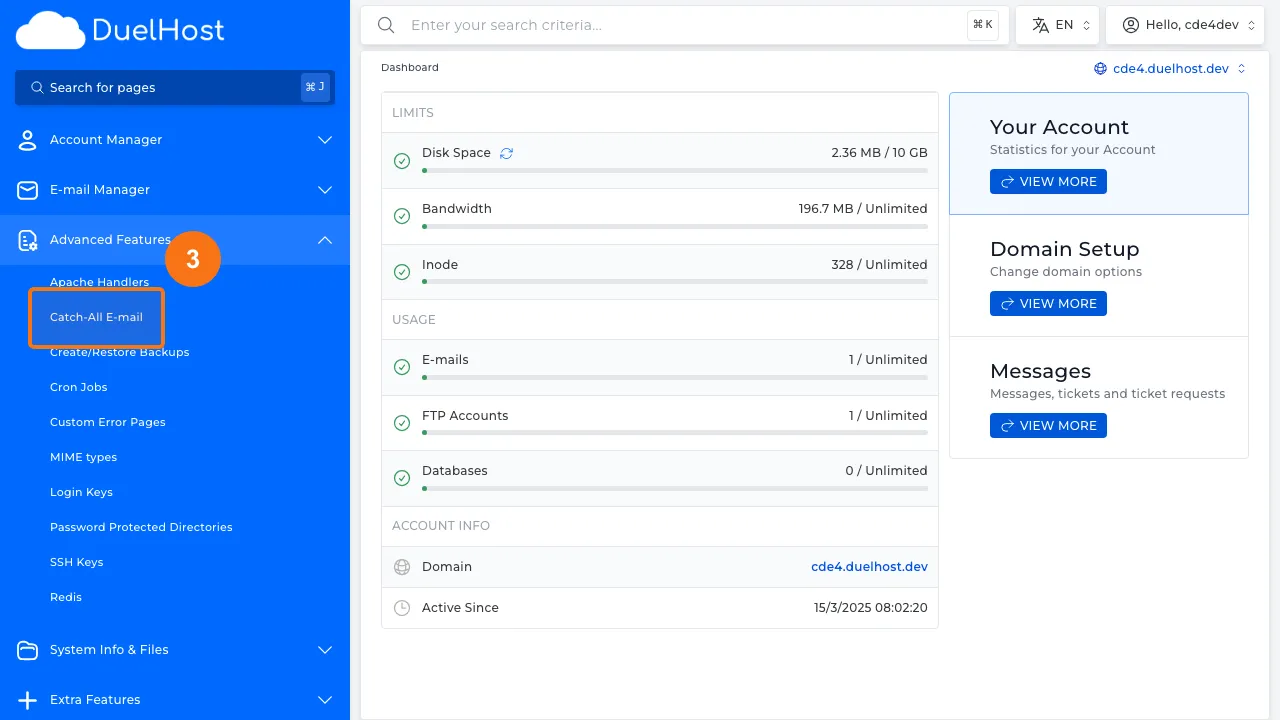
Step 3: Click “Catch-All E-mail”
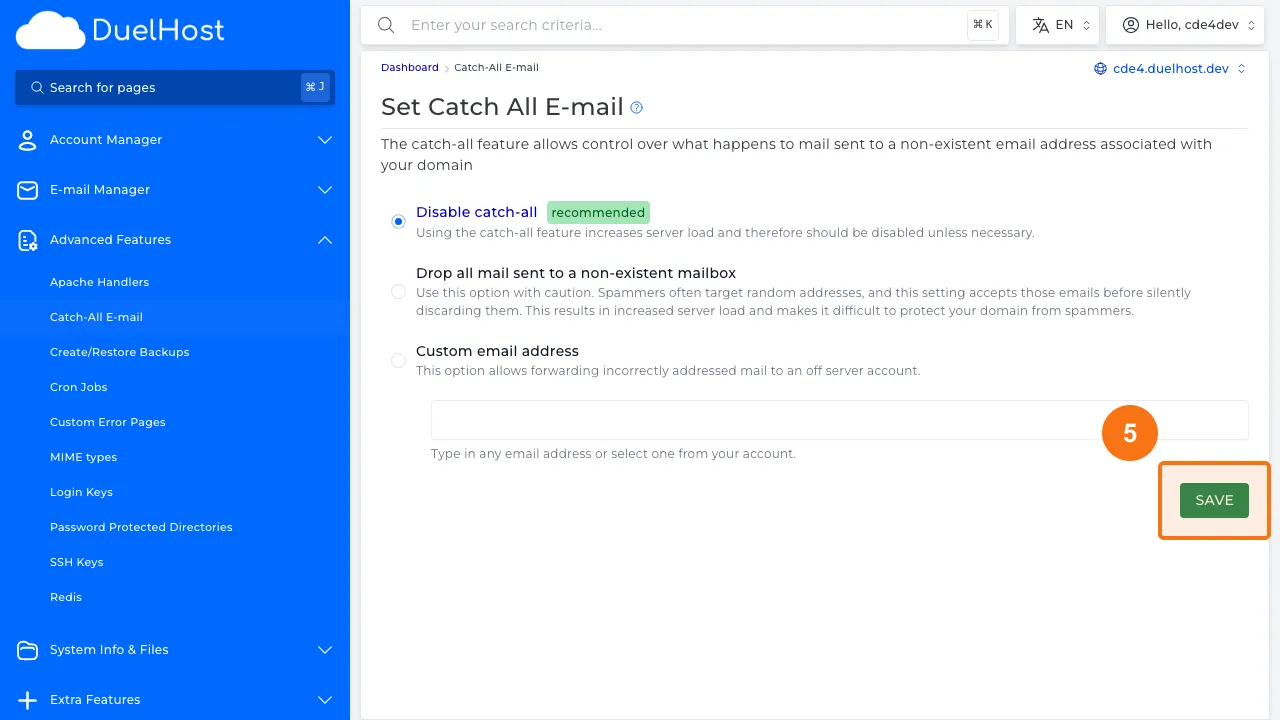
Step 4: View the catch-all settings — here you can choose what happens to emails sent to non-existent addresses
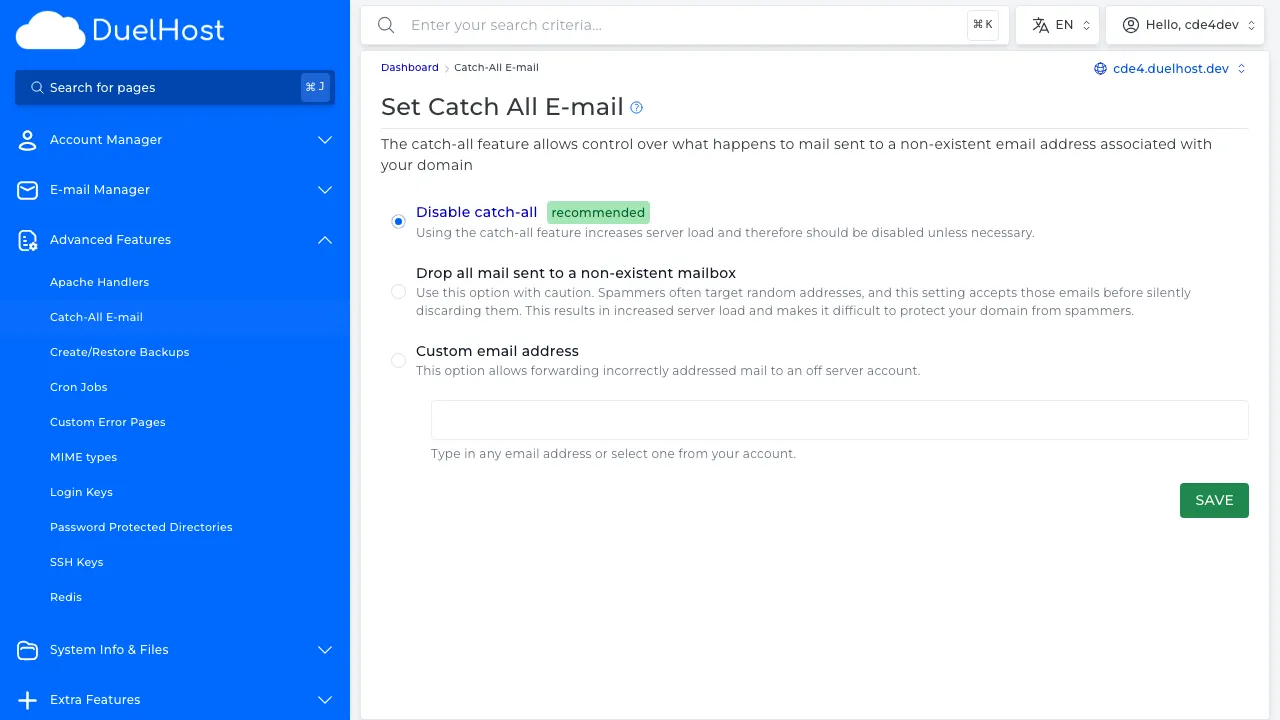
Step 5: Select an action (e.g. ‘Forward to address’ and specify an email) — then click ‘SAVE’ to save
Tips and notes
- Be aware that catch-all addresses tend to receive more spam
- Consider using specific email addresses and forwarders instead if spam becomes a problem
- You can always disable the catch-all later if needed
Need help?
If you run into any issues, our support team is ready to help. Contact us at support@duelhost.dk or through our contact form.
Del: