
· Server · 2 min read
How to set up cron jobs
Learn how to schedule automated tasks using cron jobs in DirectAdmin to run scripts on a regular schedule.

Cron jobs let you automate repetitive tasks on your server, such as running cleanup scripts, sending scheduled emails, or updating databases. In DirectAdmin, you can easily create and manage cron jobs without needing SSH access.
Prerequisite: You need an active web hosting plan with DuelHost.
Step-by-step guide
Step 1: Log in to DirectAdmin
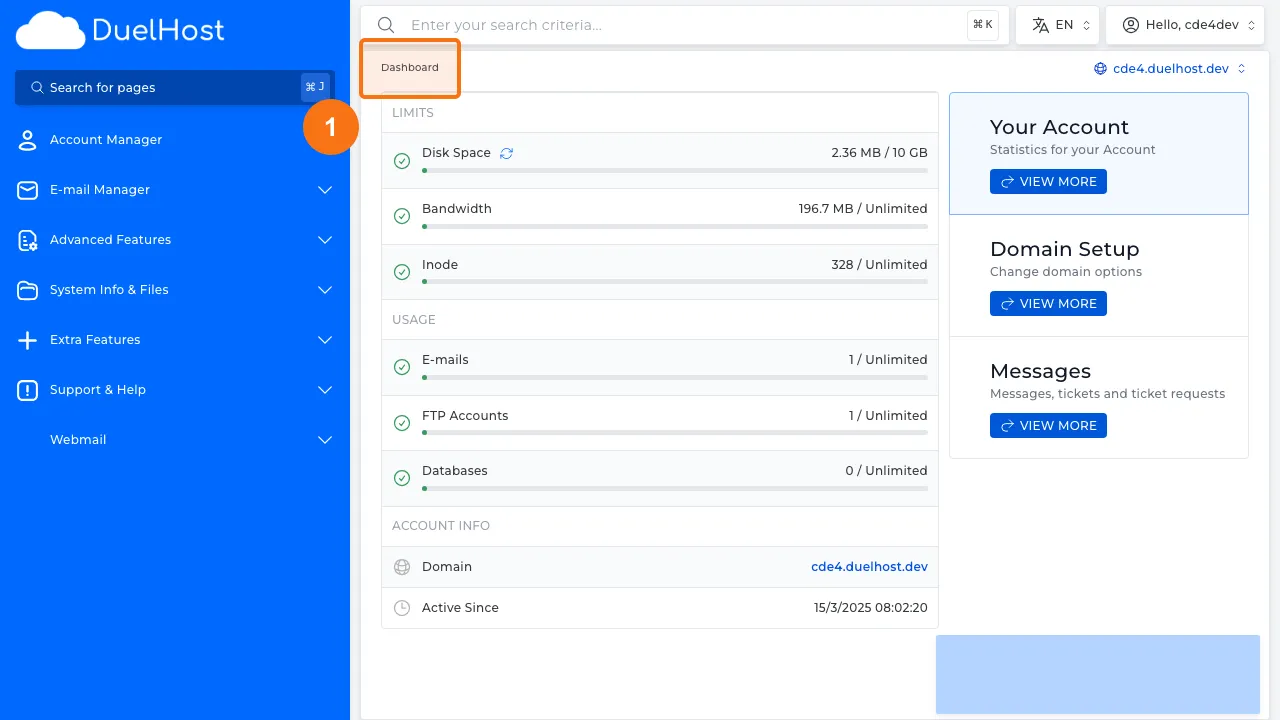
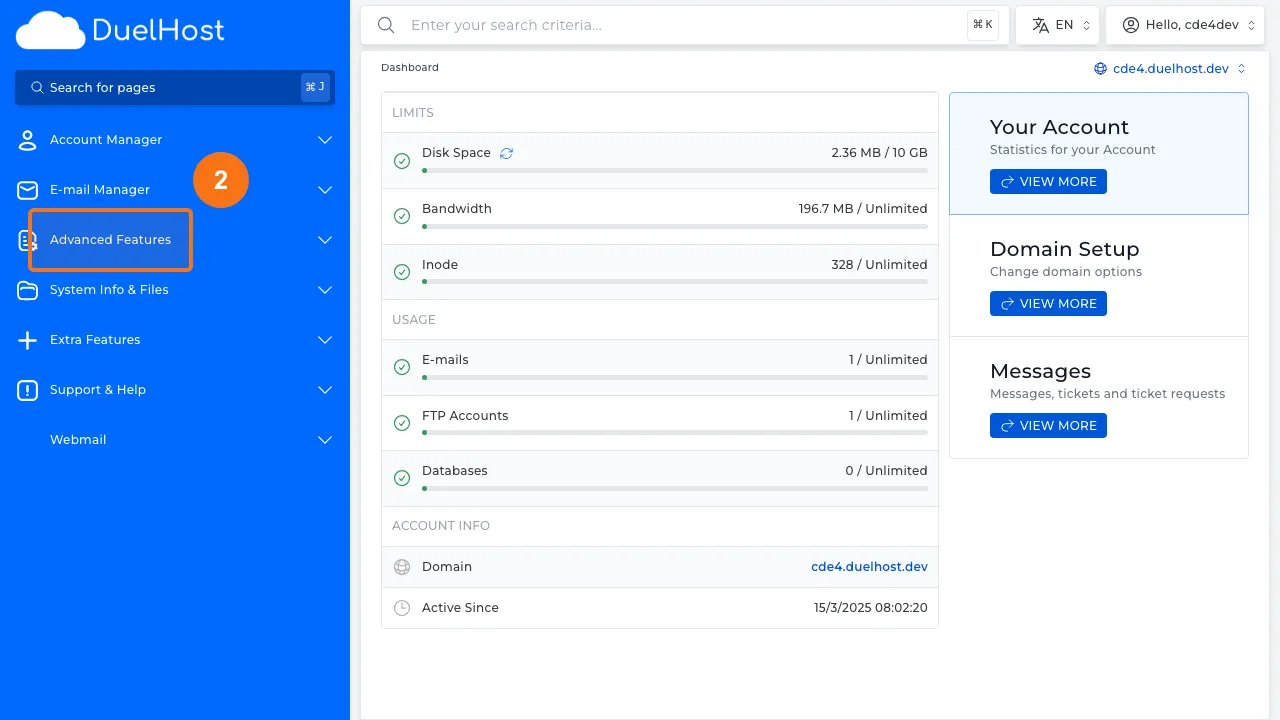
Step 2: Click “Advanced Features” in the sidebar
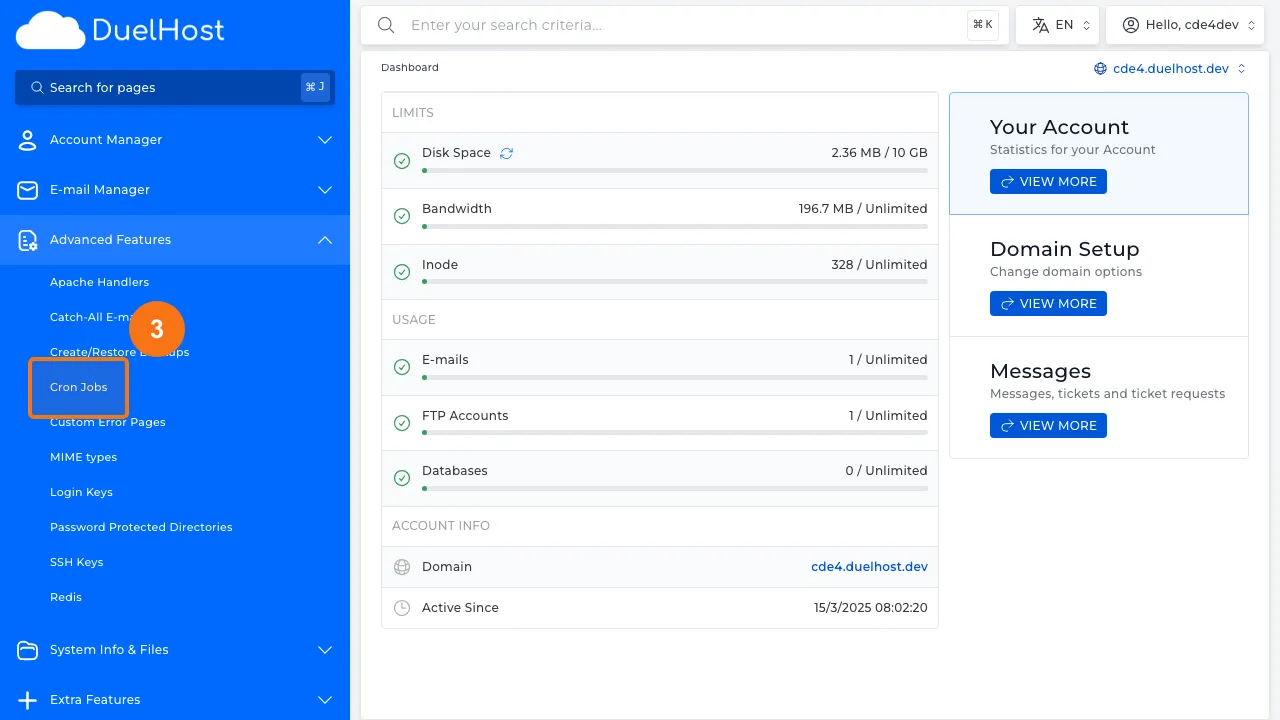
Step 3: Click “Cron Jobs” to open cron job settings
Step 4: View the cron jobs overview
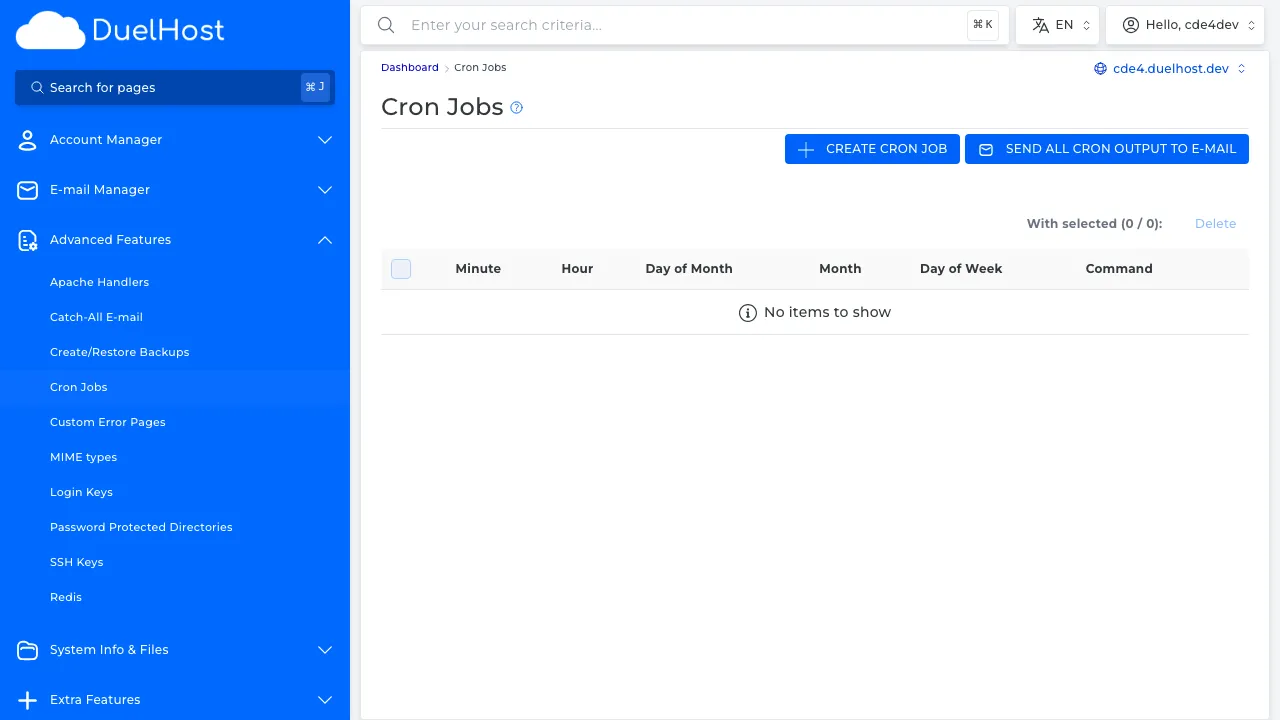
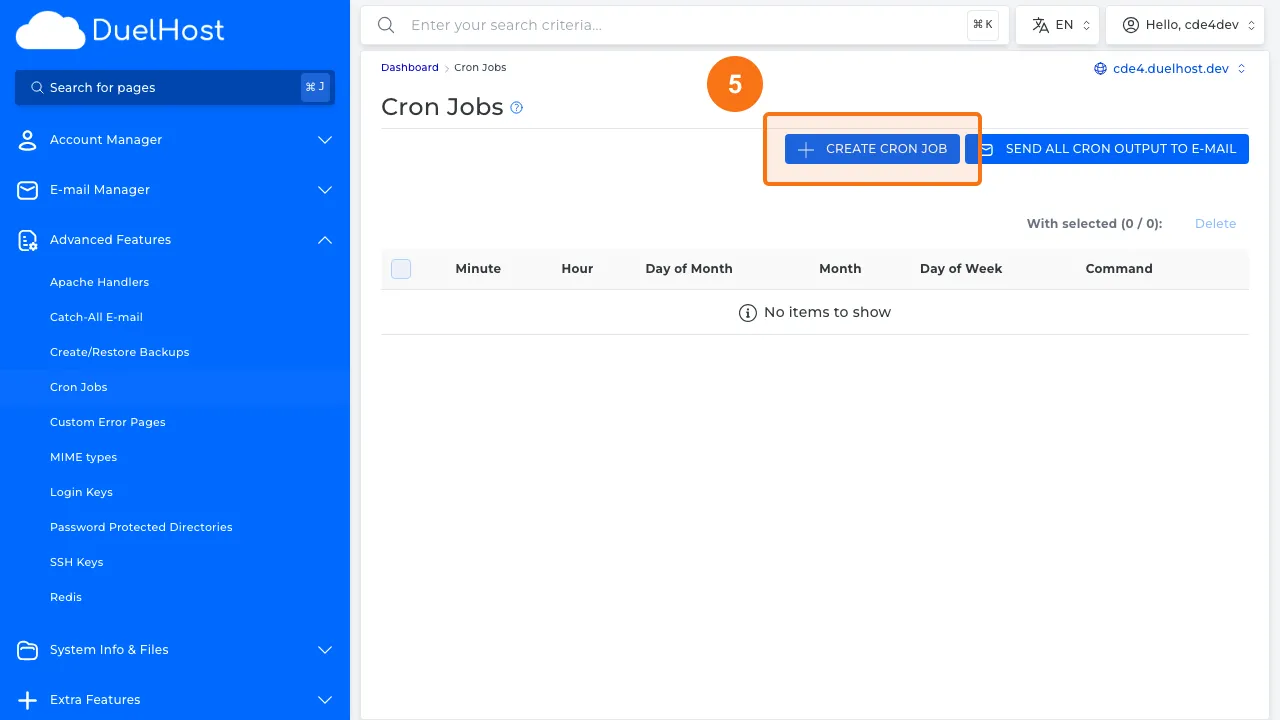
Step 5: Click to create a new cron job
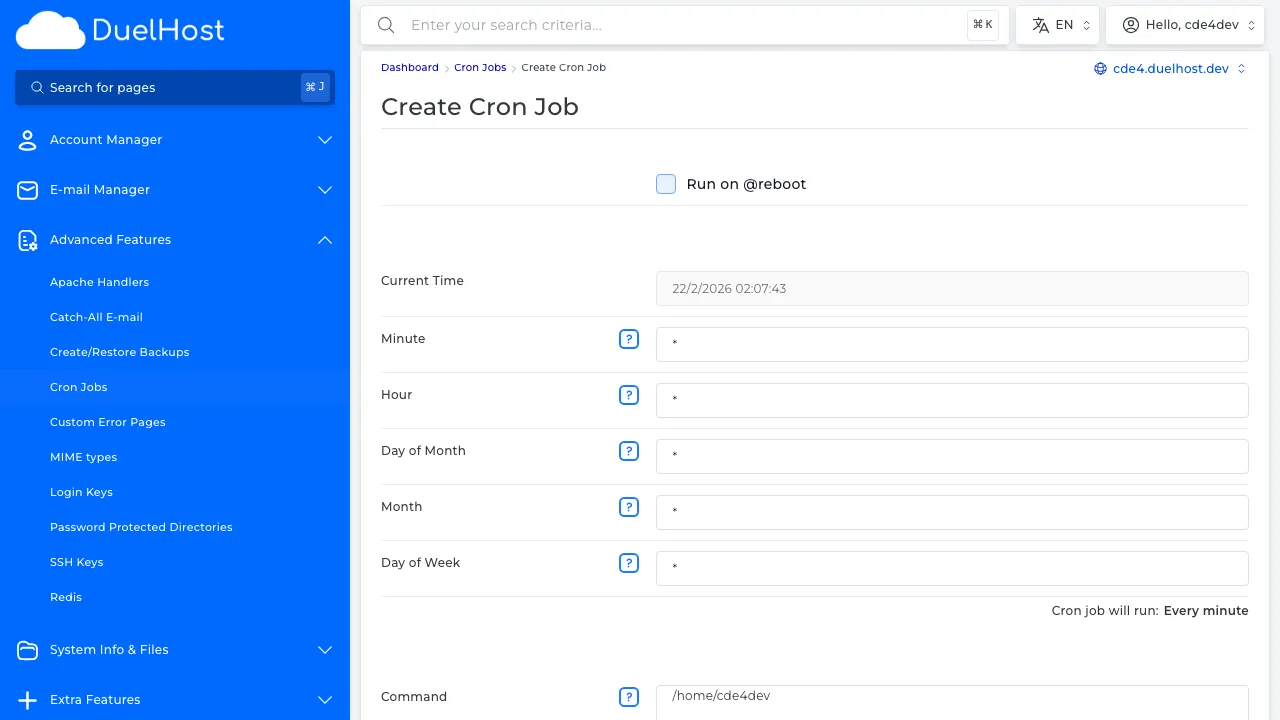
Step 6: View the form — specify the schedule and command, then click ‘CREATE’ to save
Tips and notes
- Use the full path to PHP or other executables in your cron commands
- Start with less frequent schedules and adjust as needed
- Check your error logs if a cron job does not seem to be running
- Avoid scheduling resource-intensive tasks during peak traffic hours
Need help?
If you run into any issues, our support team is ready to help. Contact us at support@duelhost.dk or through our contact form.