
· Server · 2 min read
How to create a custom error page
Learn how to create custom error pages (404, 500, etc.) in DirectAdmin to give visitors a better experience.
Custom error pages let you display a branded, helpful message when visitors encounter errors like 404 (page not found) or 500 (server error). Instead of a generic server message, you can guide users back to your site.
Prerequisite: You need an active web hosting plan with DuelHost.
Step-by-step guide
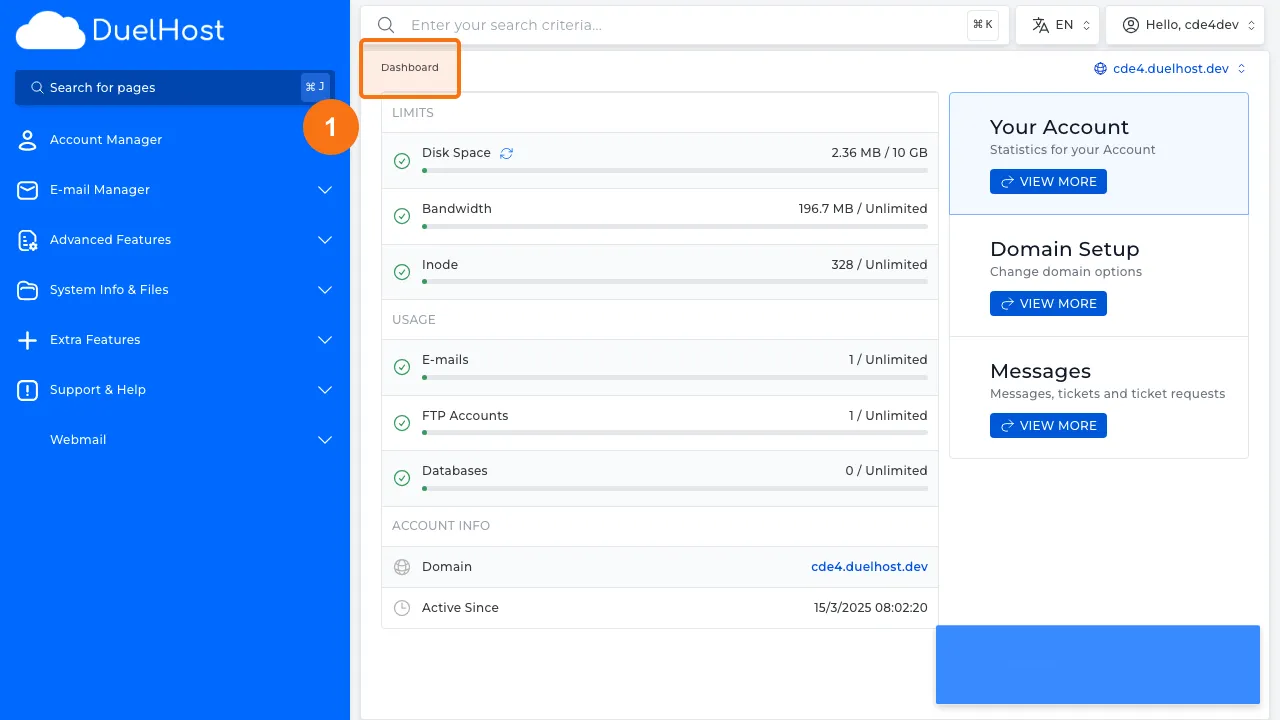
Step 1: Log in to DirectAdmin
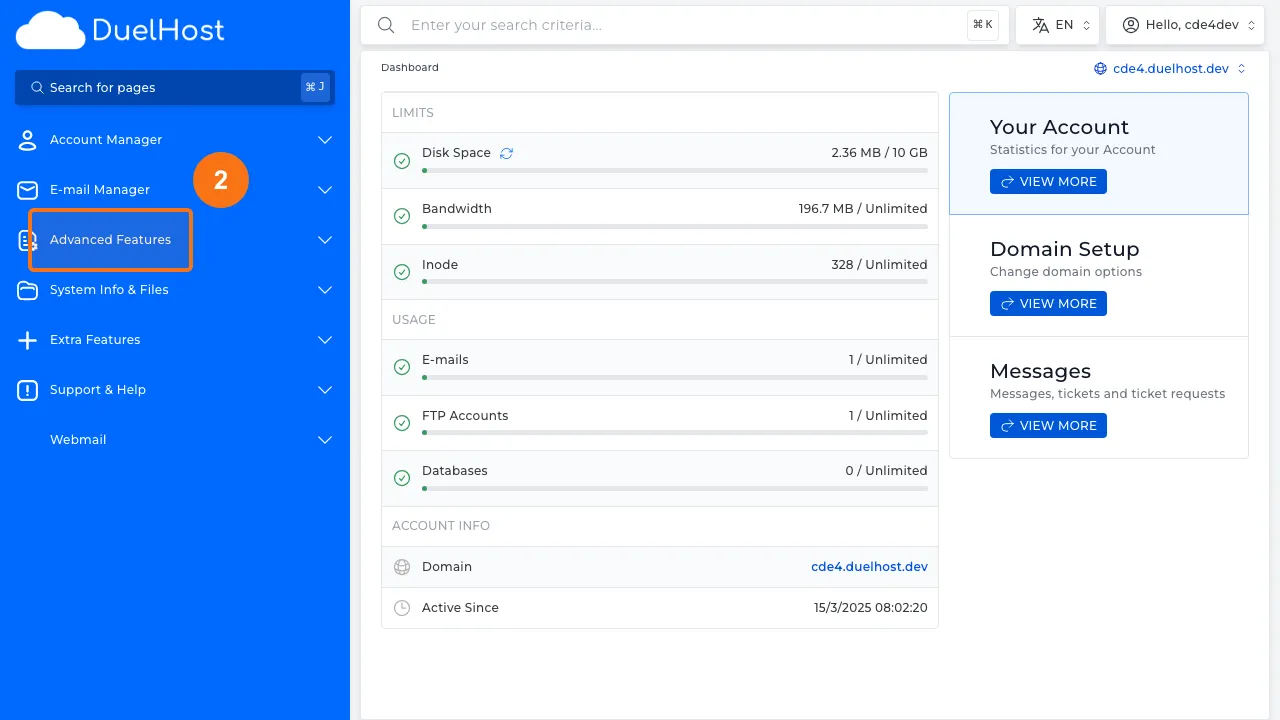
Step 2: Click “Advanced Features” in the sidebar
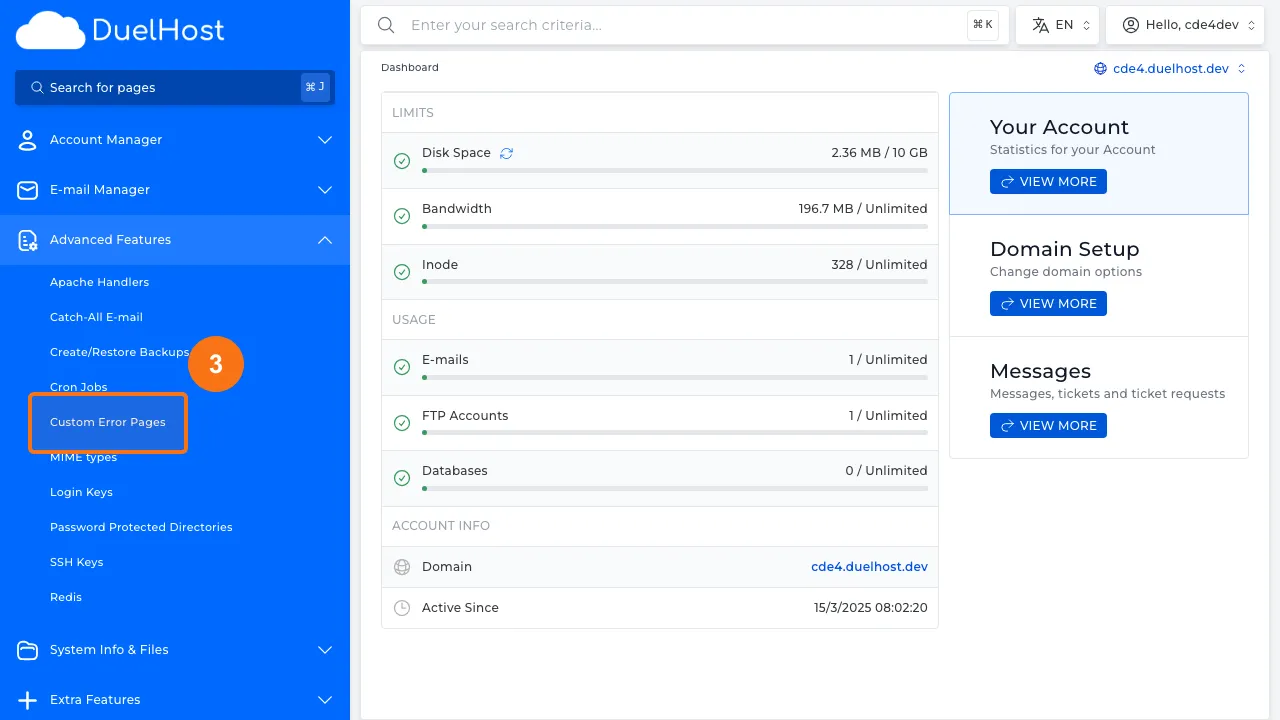
Step 3: Click “Custom Error Pages” to open error page settings
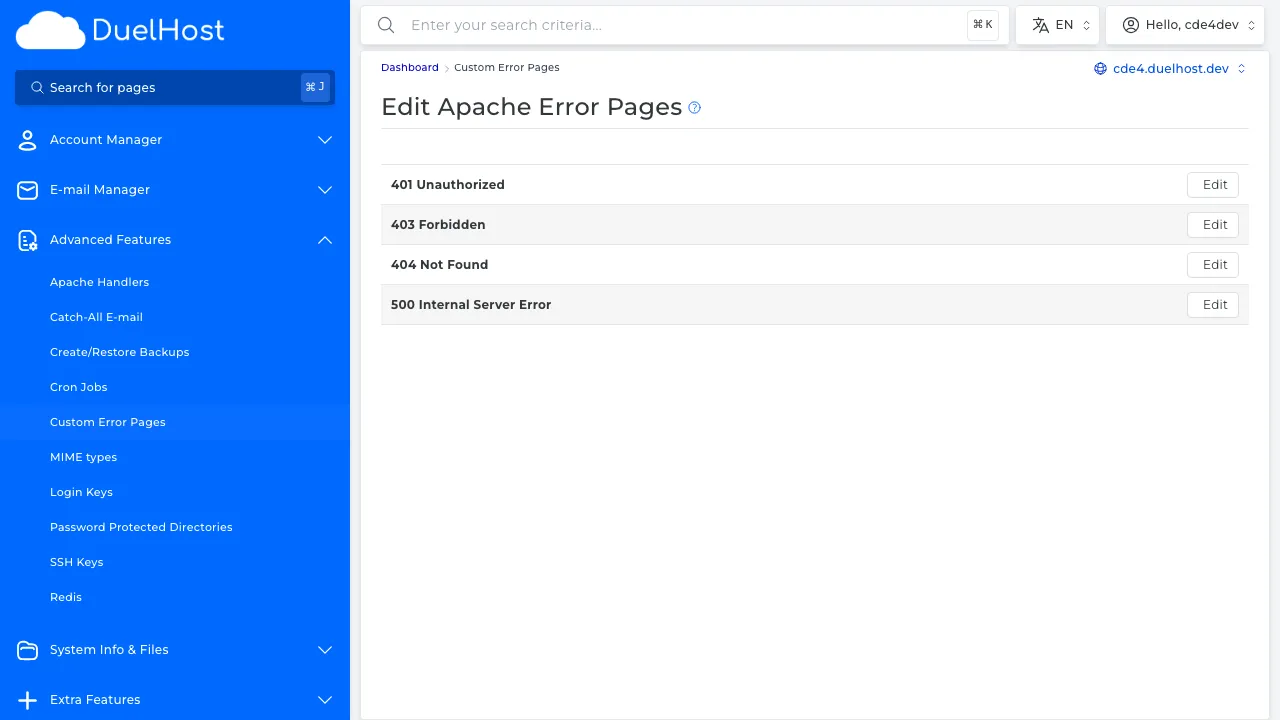
Step 4: View the list of error codes you can customize
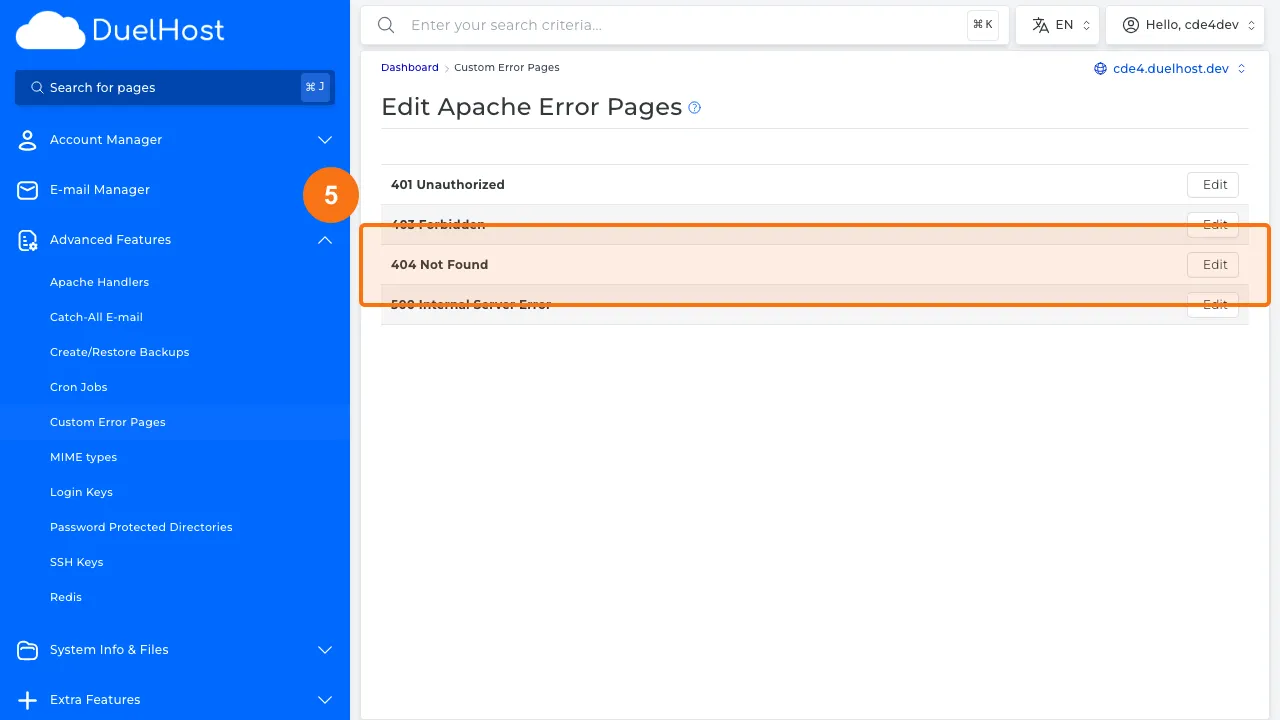
Step 5: Click the 404 error code to edit the custom error page
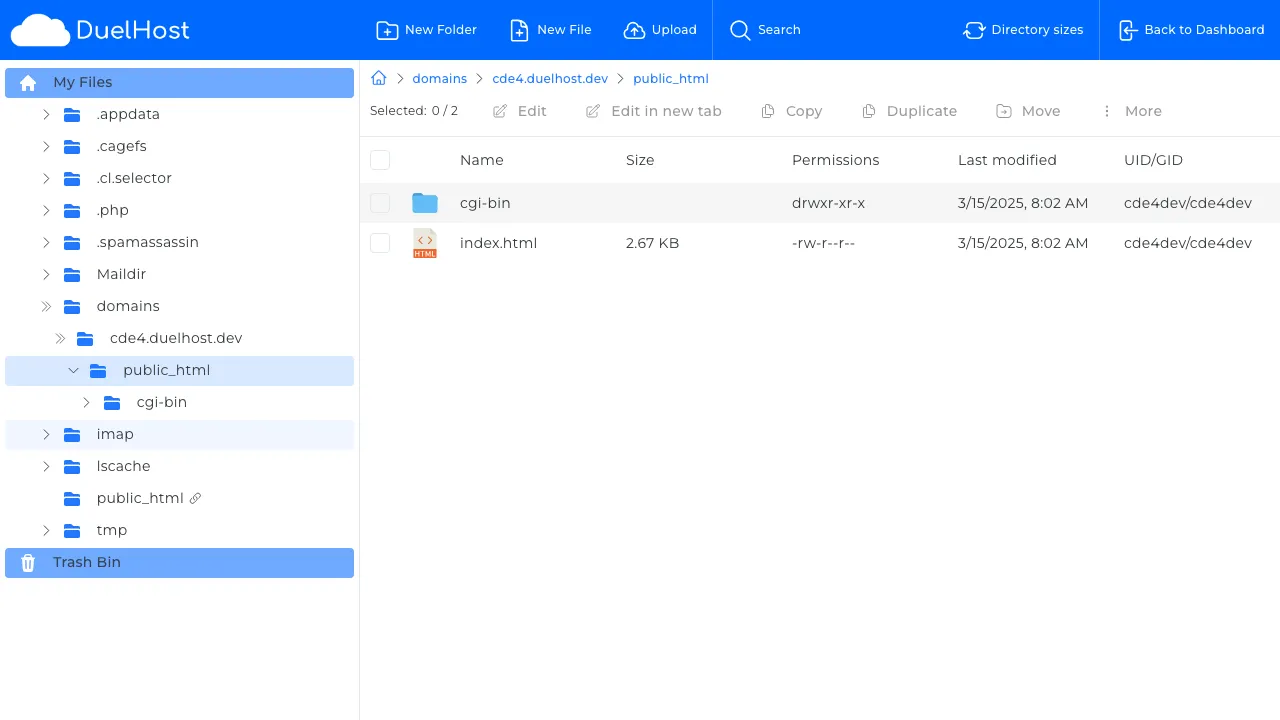
Step 6: File Manager opens in public_html — create or edit the 404.shtml file here with your own error page HTML
Tips and notes
- Include navigation links on your error pages so visitors can find their way back
- Keep the design consistent with the rest of your website
- A friendly 404 page with a search box can greatly improve user experience
Need help?
If you run into any issues, our support team is ready to help. Contact us at support@duelhost.dk or through our contact form.