
· Email · 1 min read
How to create an email account
Learn how to create a new email account in DirectAdmin and start sending and receiving emails with your domain.
Creating an email account with your own domain gives your communication a professional look. DirectAdmin makes it straightforward to set up new email accounts, set passwords, and configure storage quotas.
Prerequisite: You need an active web hosting plan with DuelHost.
Step-by-step guide
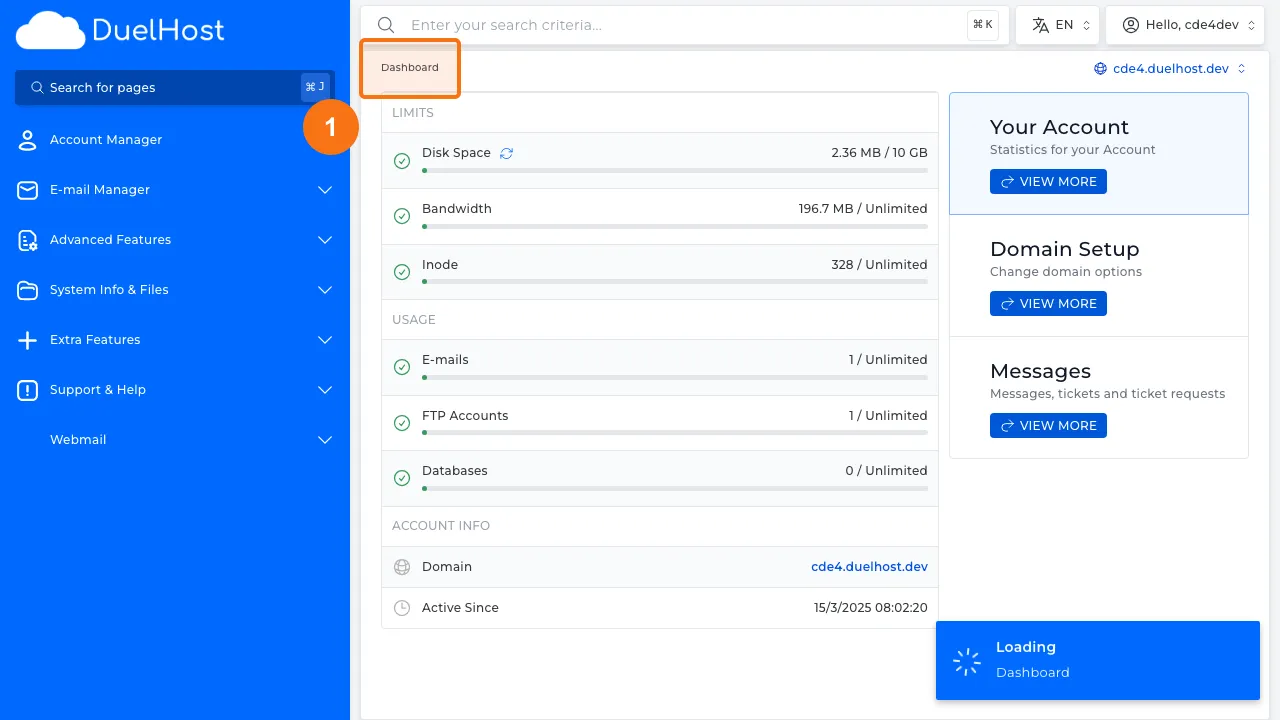
Step 1: Log in to DirectAdmin
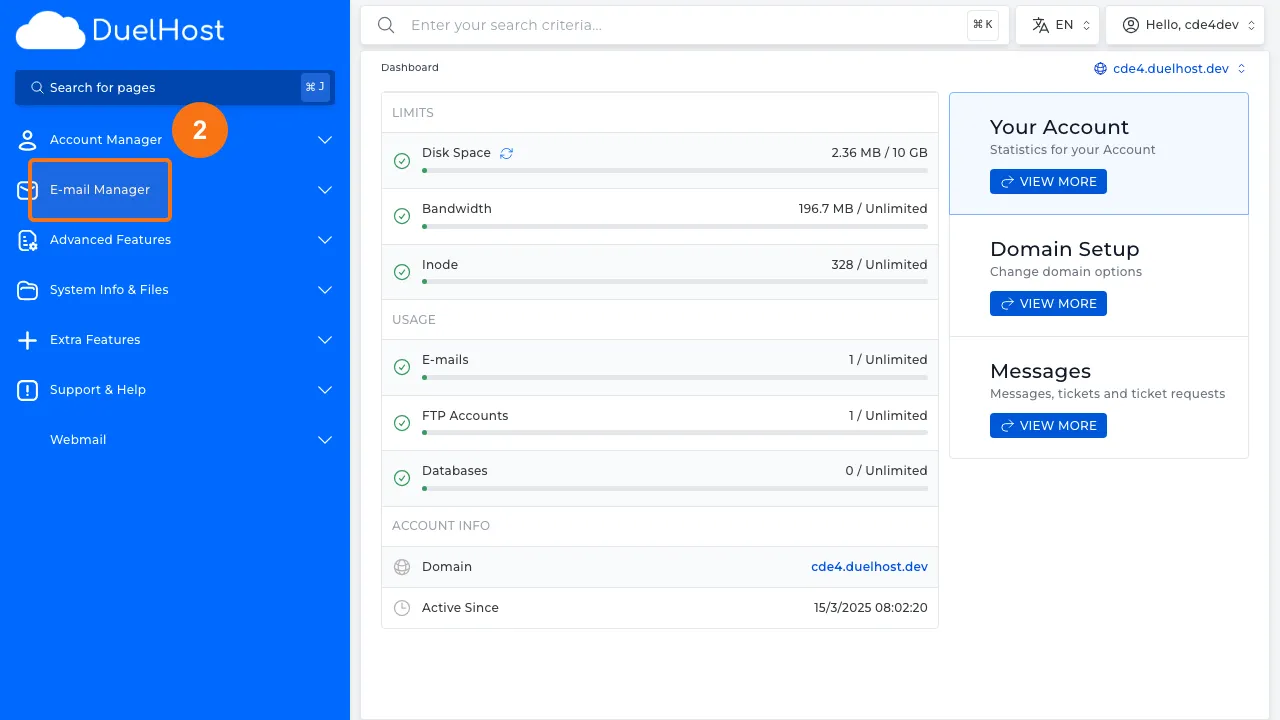
Step 2: Click “E-mail Manager” in the sidebar
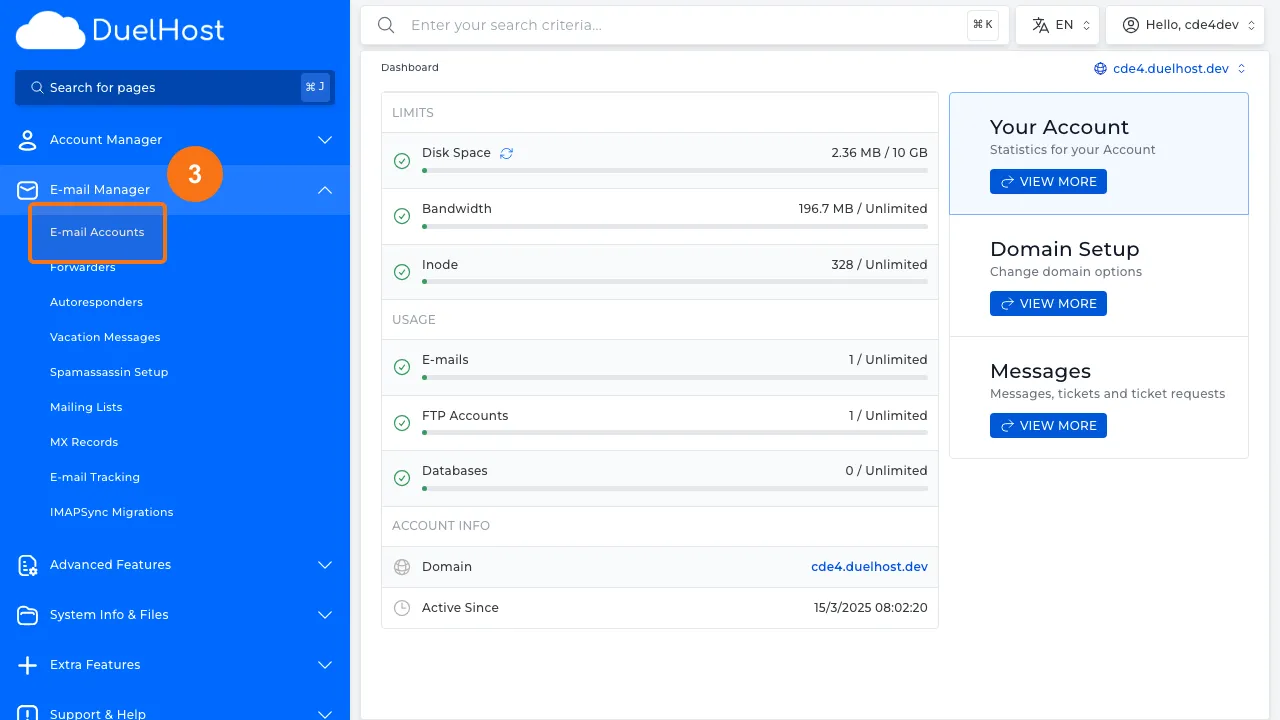
Step 3: Click “E-mail Accounts”
Step 4: View the list of existing email accounts
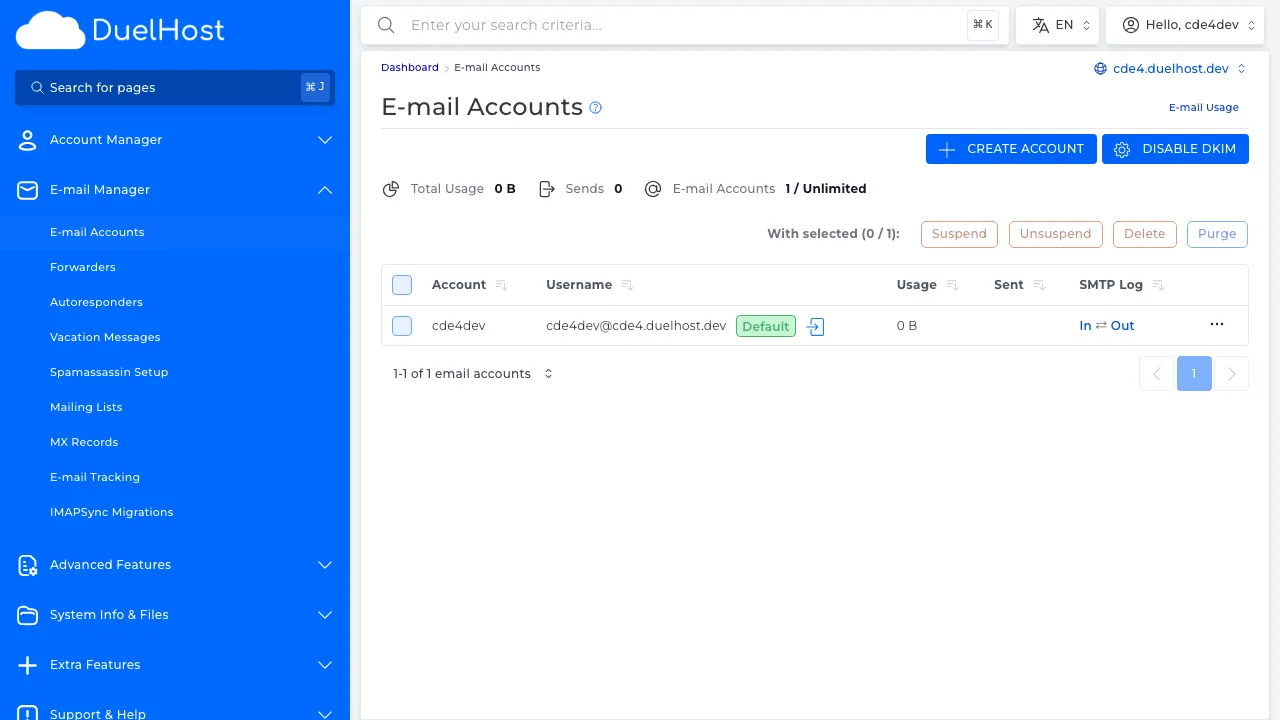
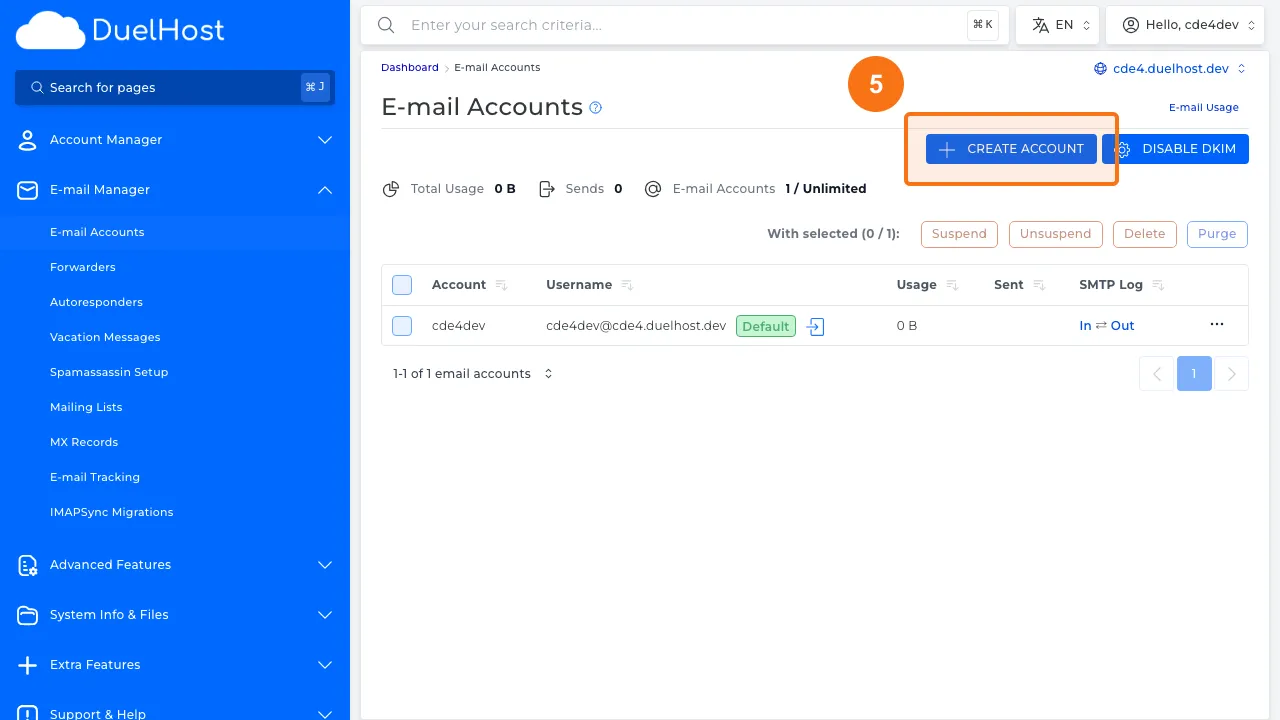
Step 5: Click “Create Account” to create a new email account
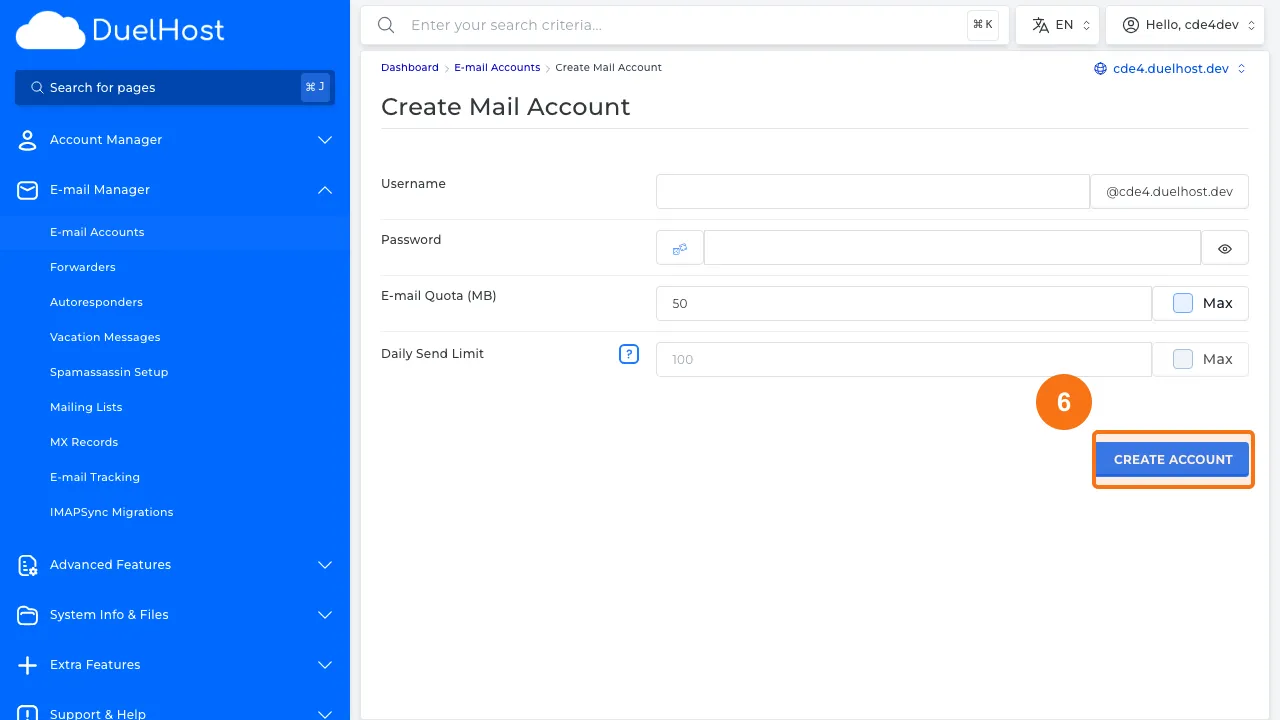
Step 6: Fill in the username, password, and quota — then click “CREATE ACCOUNT”
Tips and notes
- Choose a strong password for your email account
- Set a reasonable mailbox quota to avoid storage issues
- After creating the account, configure it in your email client using IMAP or POP3 settings
Need help?
If you run into any issues, our support team is ready to help. Contact us at support@duelhost.dk or through our contact form.
Del: