
· Email · 2 min read
How to set up email forwarding
Learn how to forward emails from your domain email address to another email account in DirectAdmin.
Email forwarding lets you automatically send a copy of incoming emails to another address. This is useful if you want to manage all your emails from a single inbox, such as your personal Gmail or Outlook account.
Prerequisite: You need an active web hosting plan with DuelHost.
Step-by-step guide
Step 1: Log in to DirectAdmin
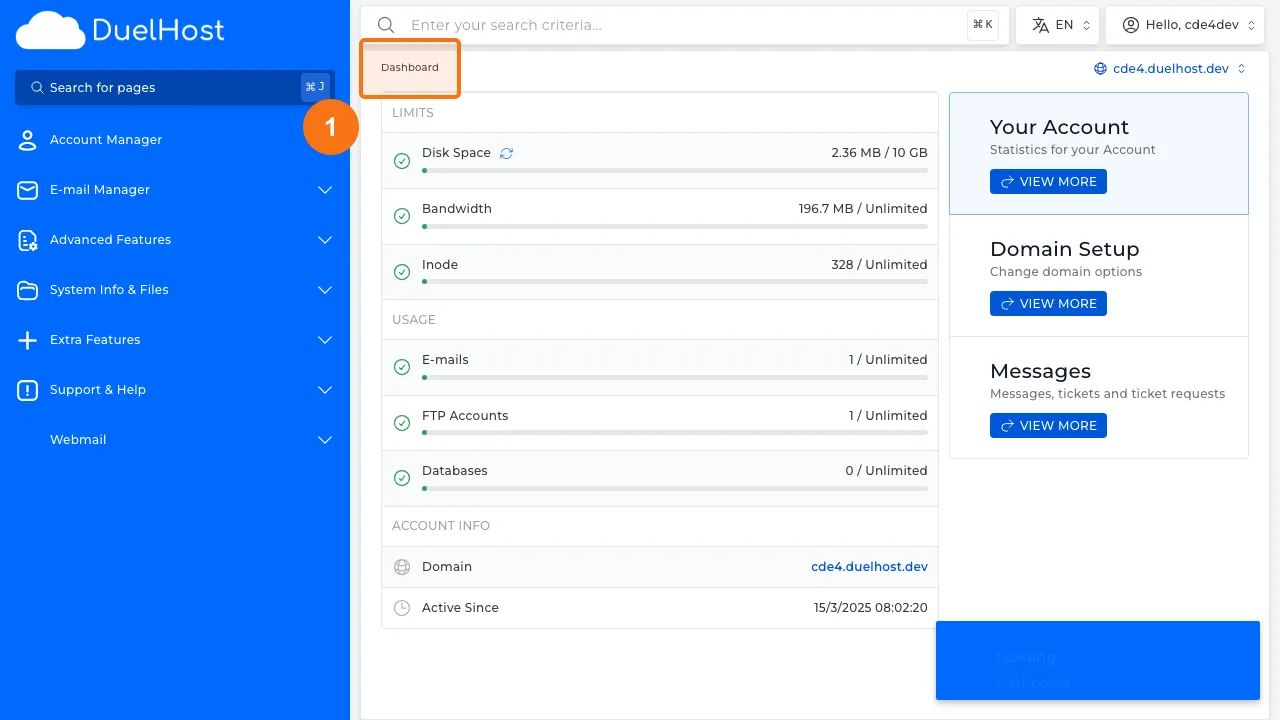
Step 2: Click “E-mail Manager” in the sidebar
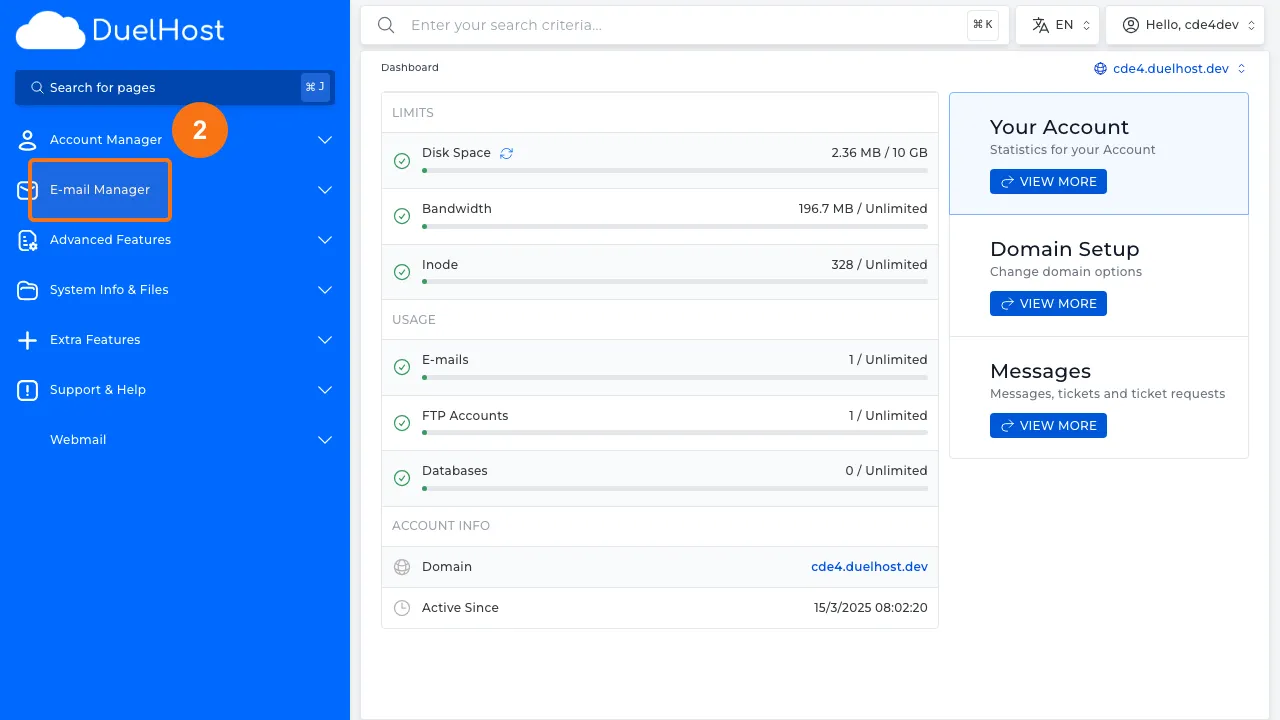
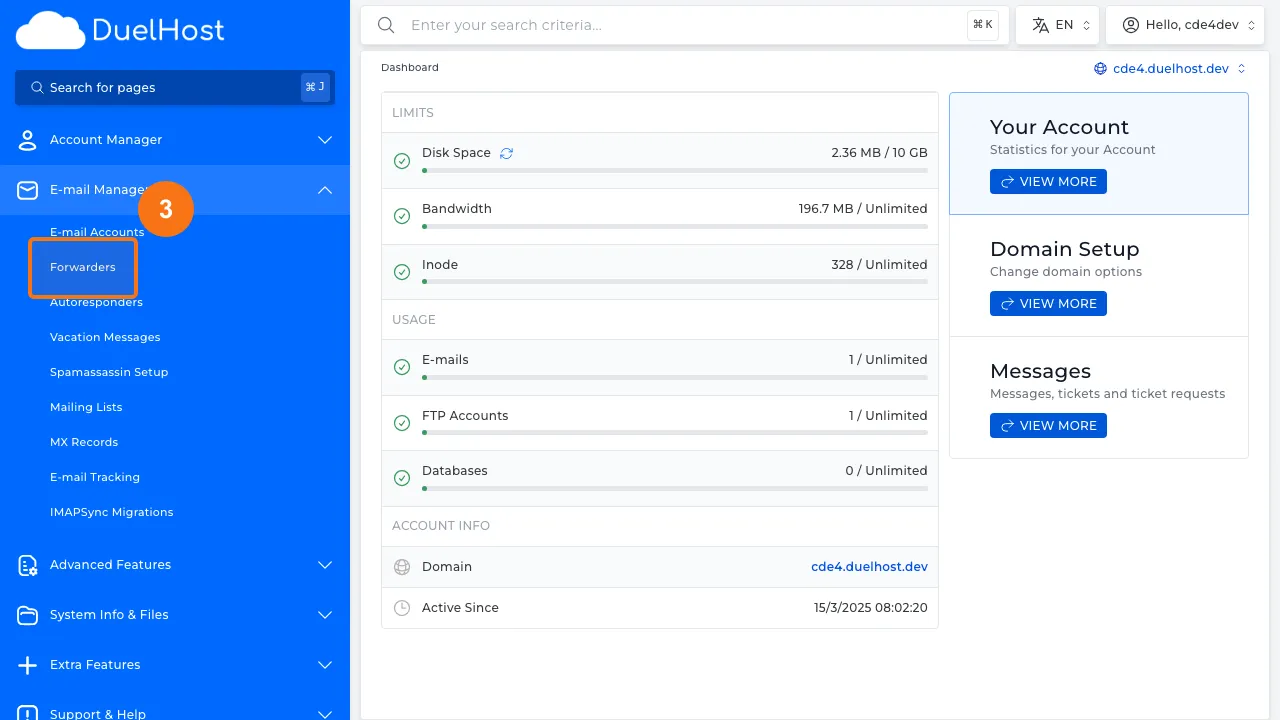
Step 3: Click “Forwarders” to view email forwards
Step 4: View the list of existing forwards
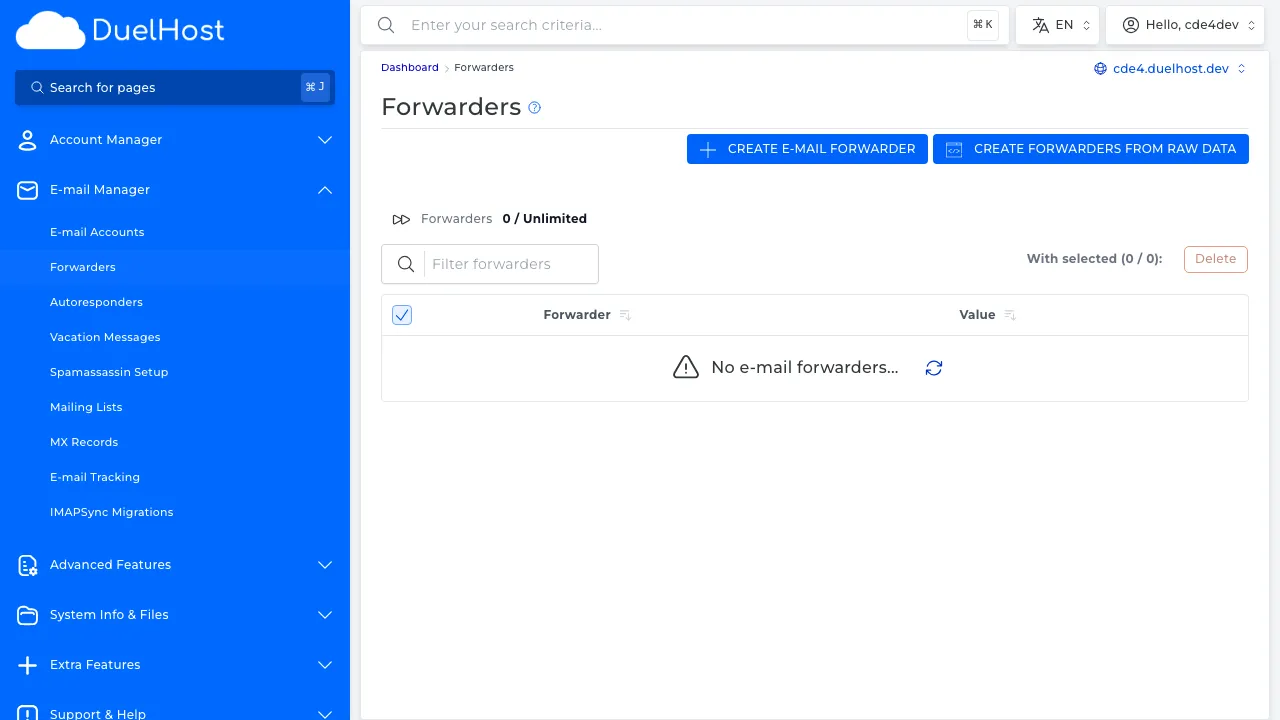
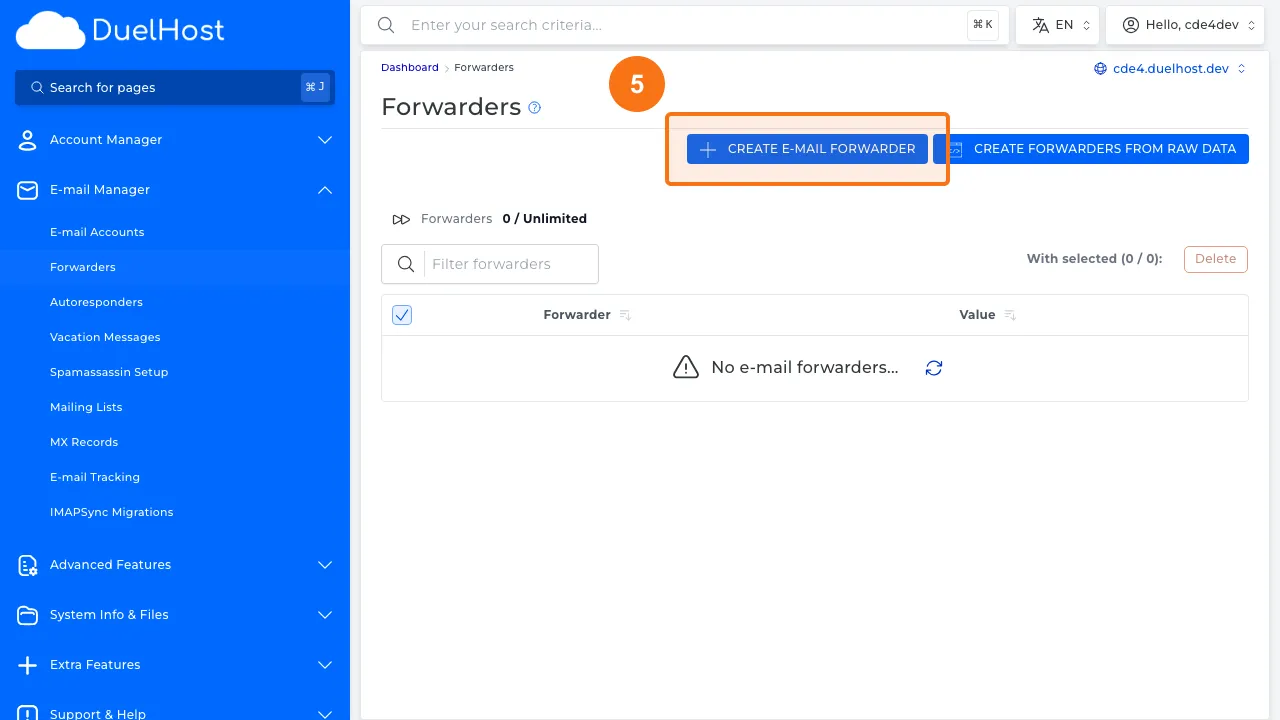
Step 5: Click “CREATE E-MAIL FORWARDER” to open the form
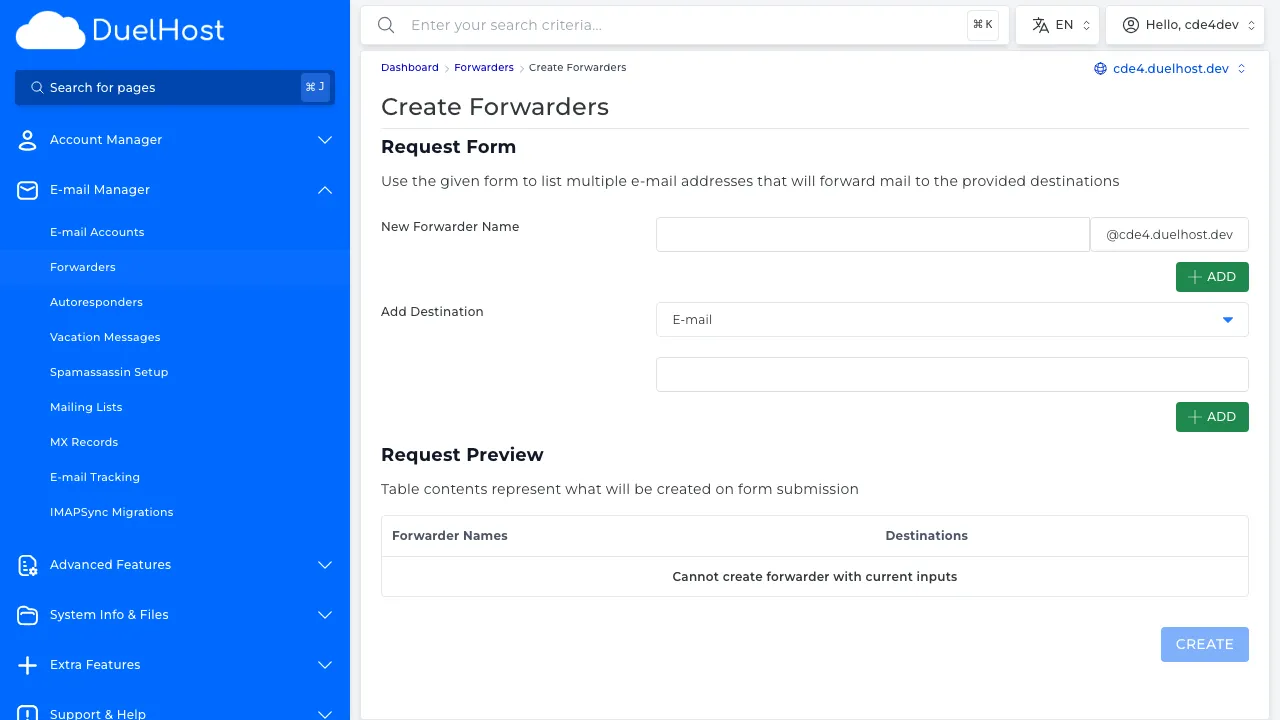
Step 6: View the form — enter the sender email and destination email, then click ‘CREATE FORWARDER’ to create
Tips and notes
- You can forward to multiple addresses at once
- Consider keeping a local copy of emails in addition to forwarding
- Test the forwarding by sending a test email after setup
Need help?
If you run into any issues, our support team is ready to help. Contact us at support@duelhost.dk or through our contact form.
Del: