
· SSL & Security · 1 min read
How to force HTTPS on your website
Learn how to redirect all HTTP traffic to HTTPS in DirectAdmin to ensure your website is always served securely.
Forcing HTTPS ensures that all visitors access your website over a secure, encrypted connection. This is important for protecting user data, improving SEO rankings, and building trust with your visitors.
Prerequisite: You need an active web hosting plan with DuelHost.
Step-by-step guide
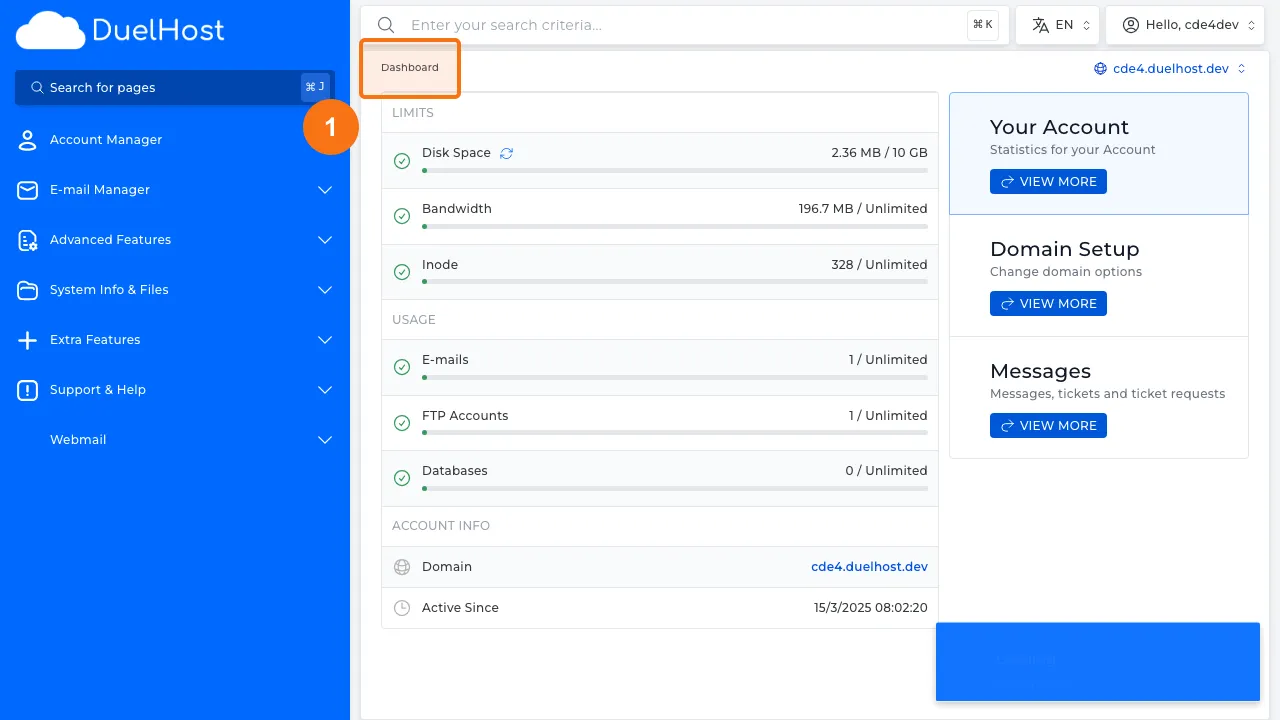
Step 1: Log in to DirectAdmin
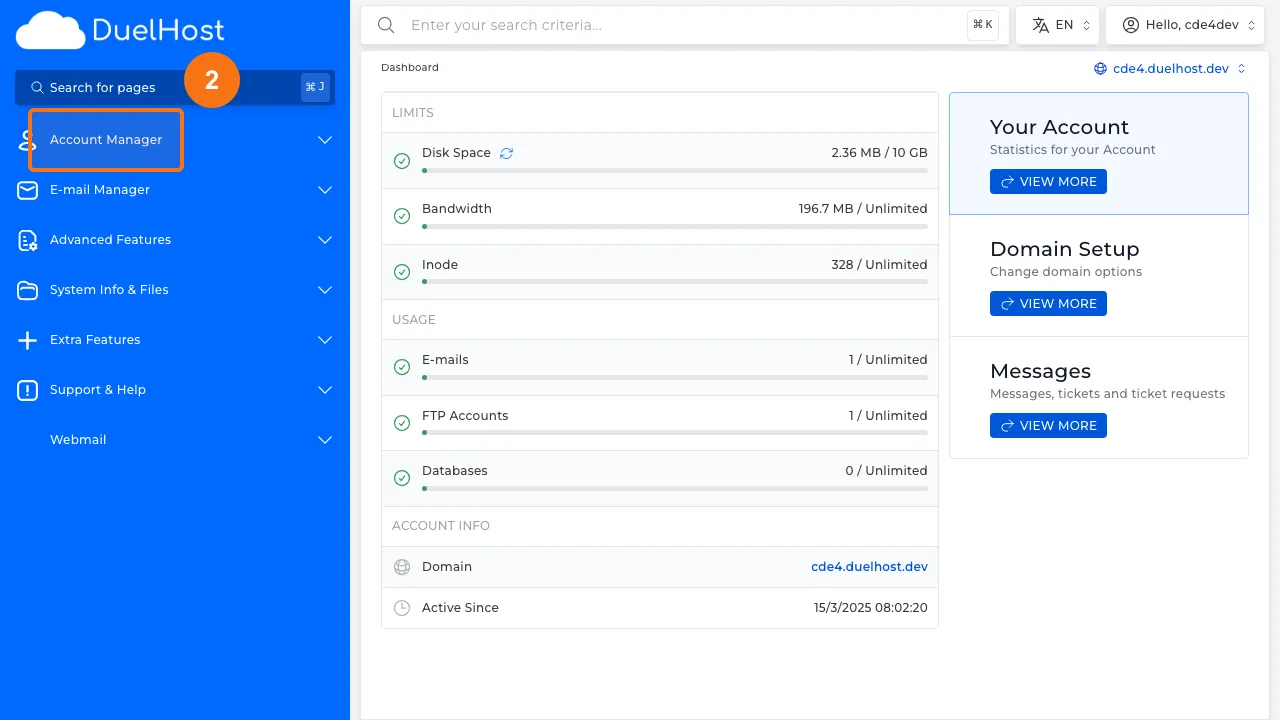
Step 2: Click “Account Manager” in the sidebar
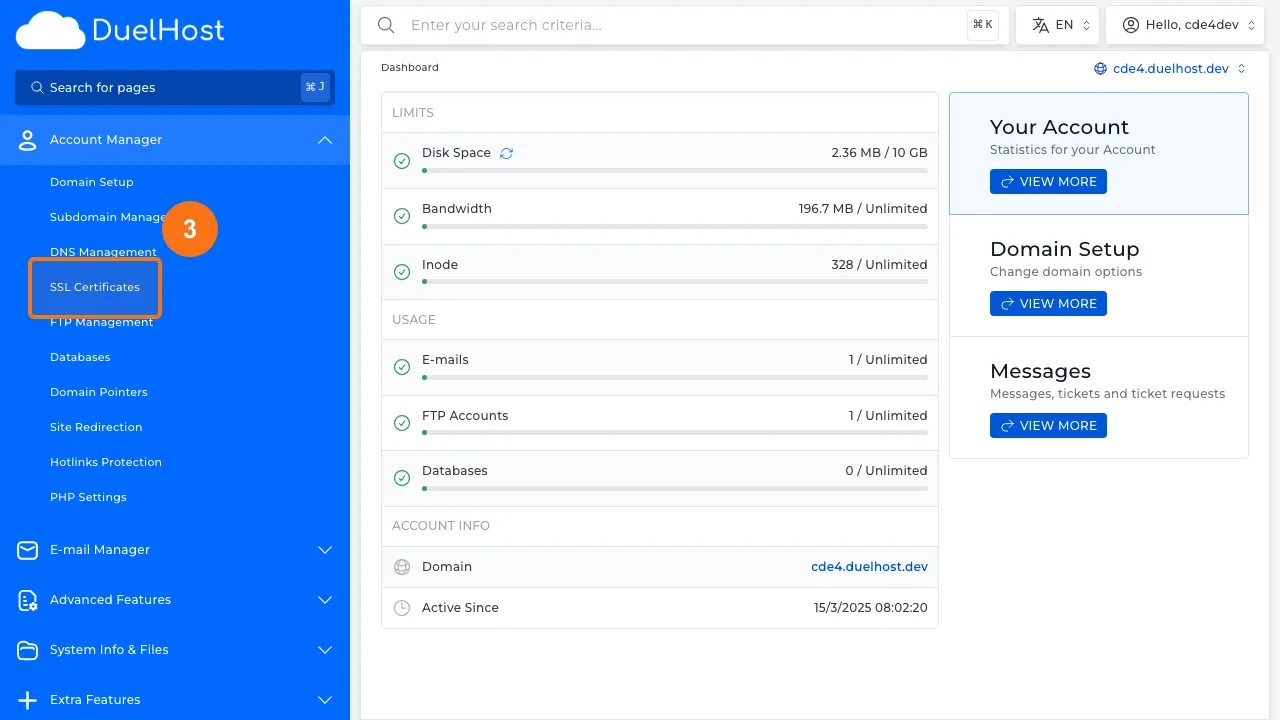
Step 3: Click “SSL Certificates”
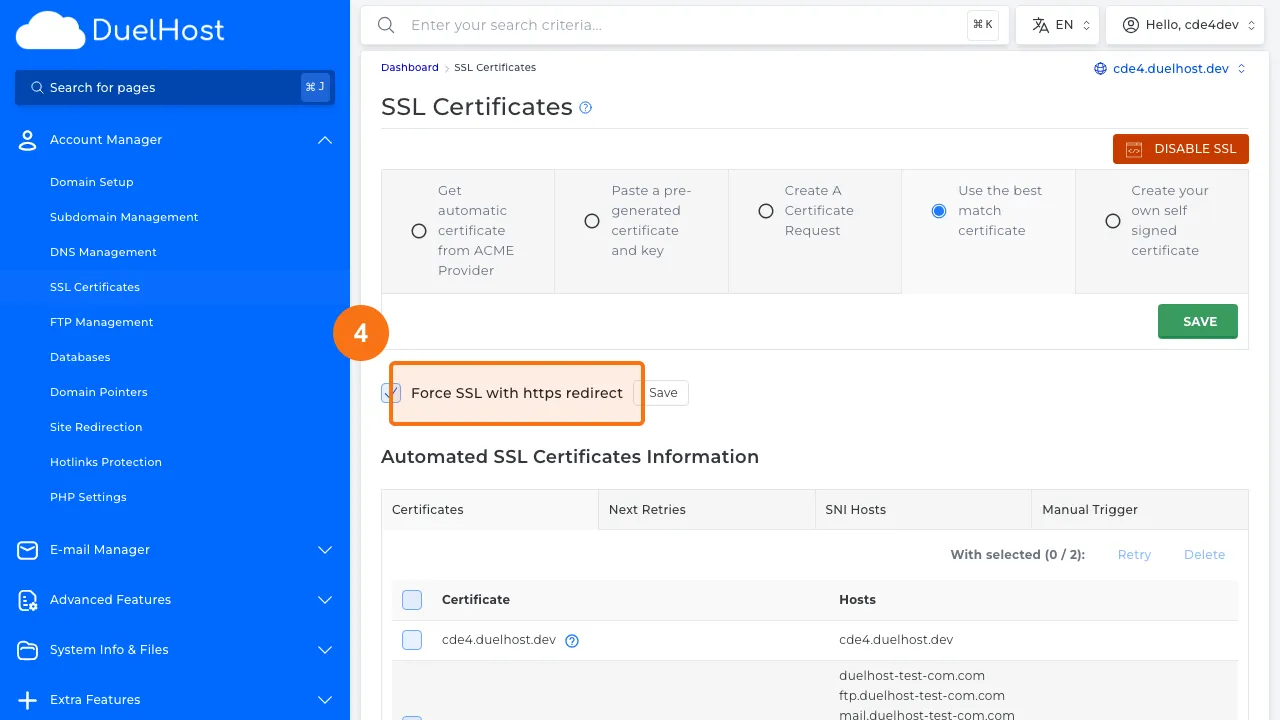
Step 4: View the SSL page and the “Force HTTPS” option — do not enable without confirmation
Tips and notes
- Make sure you have a valid SSL certificate installed before forcing HTTPS
- After enabling HTTPS, test your site to ensure all resources load correctly without mixed content warnings
- Forcing HTTPS also helps with SEO, as search engines prefer secure websites
Need help?
If you run into any issues, our support team is ready to help. Contact us at support@duelhost.dk or through our contact form.
Del: