
· Security · 2 min read
How to use Login Keys in DirectAdmin
Learn how to create and manage Login Keys in DirectAdmin for secure, limited-access authentication.
Login Keys allow you to create temporary or limited-access credentials for your DirectAdmin account. This is useful when you need to grant someone access to specific features without sharing your main password.
Prerequisite: You need an active web hosting plan with DuelHost.
Step-by-step guide
Step 1: Log in to DirectAdmin
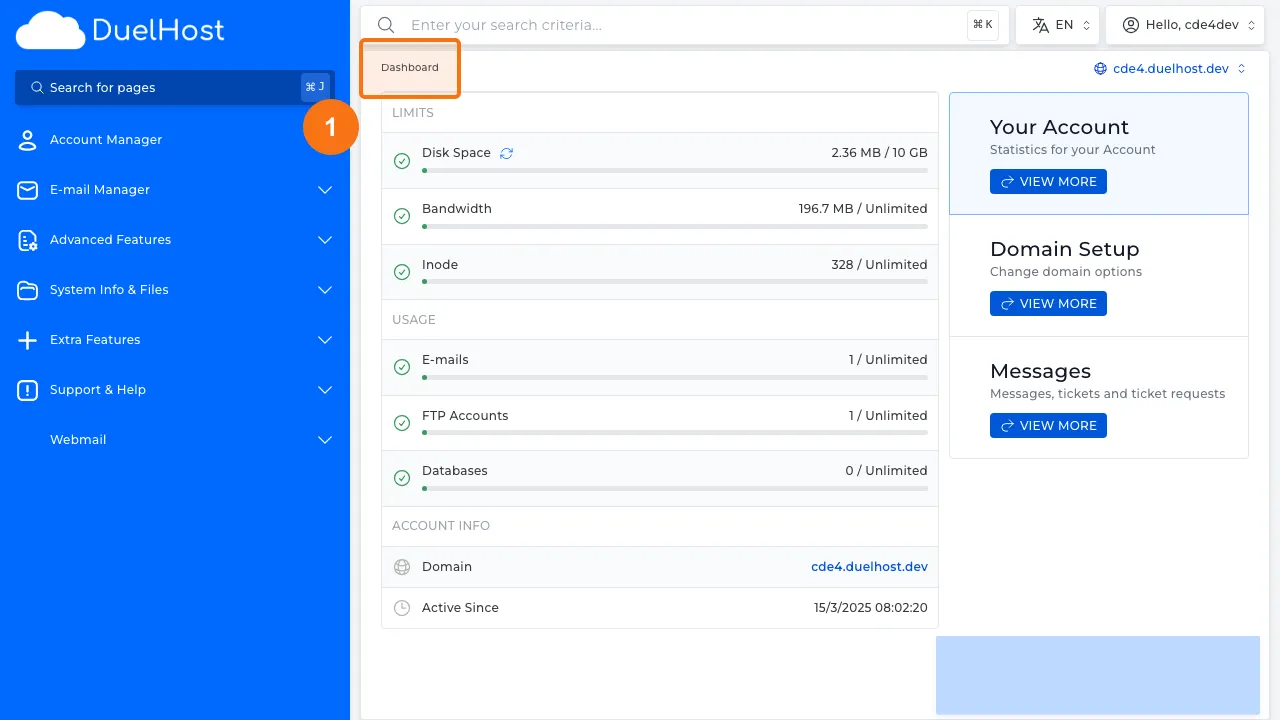
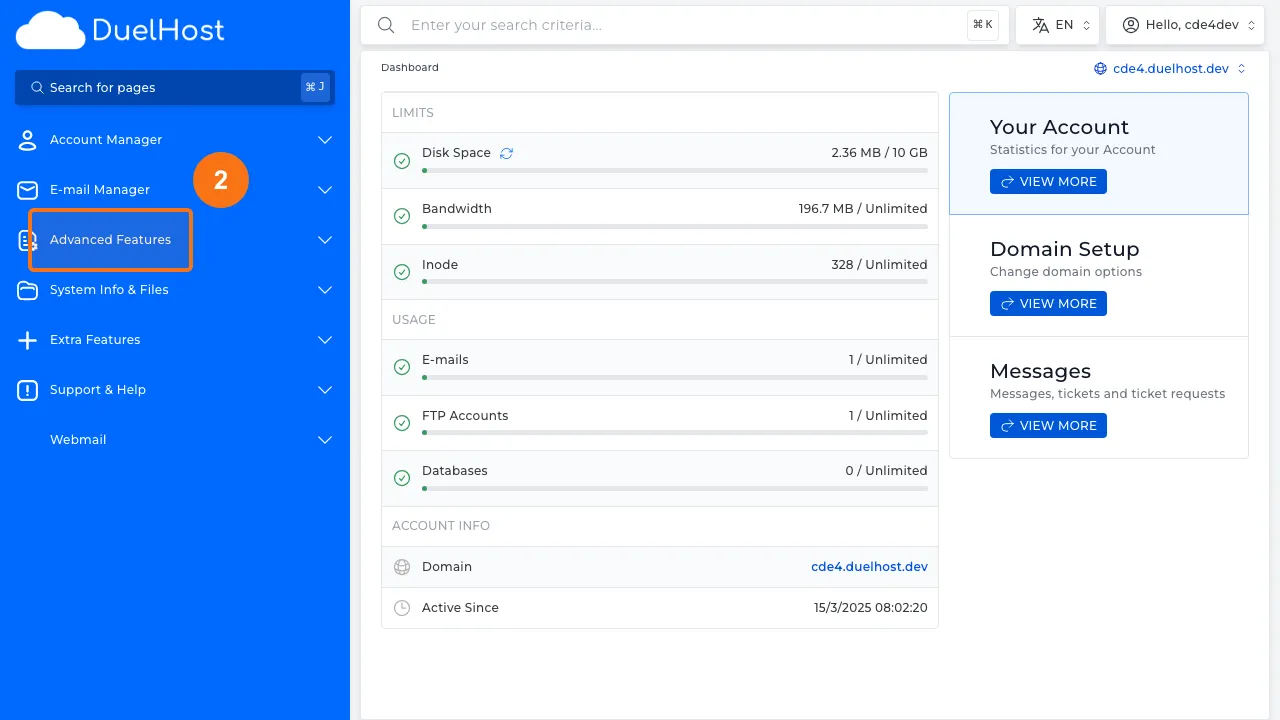
Step 2: Click “Advanced Features” in the sidebar
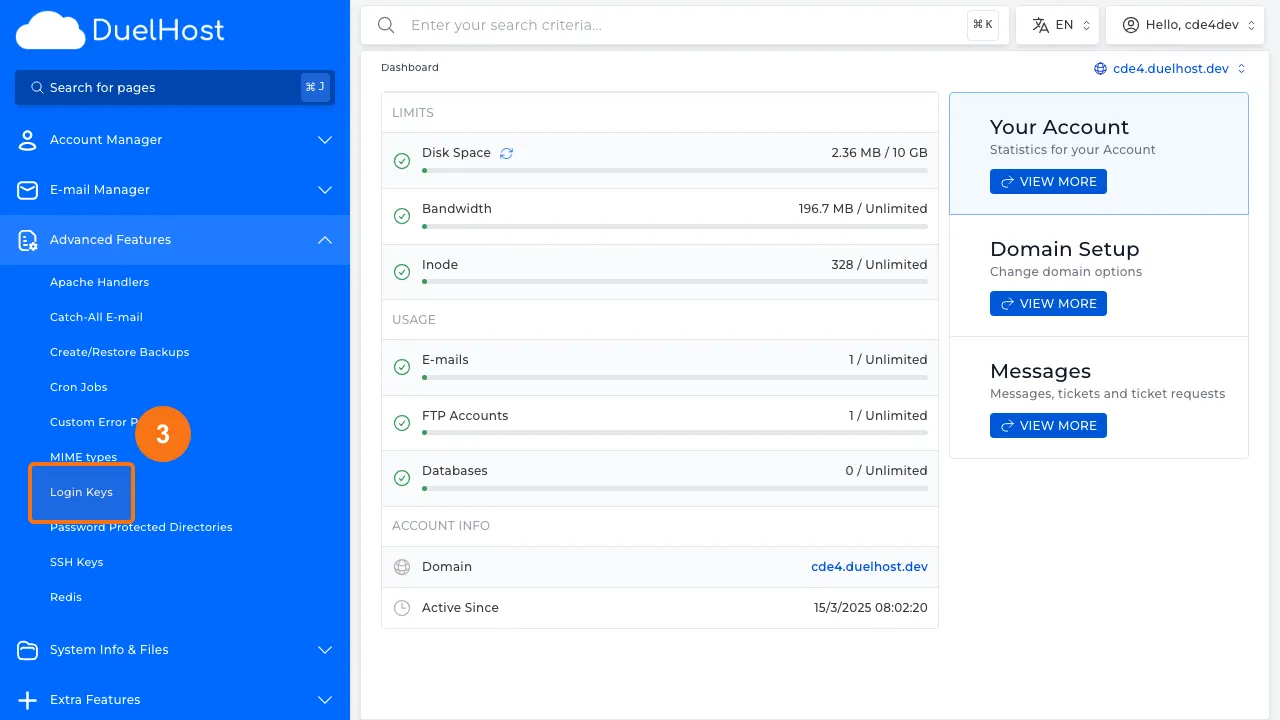
Step 3: Click “Login Keys” to manage login keys
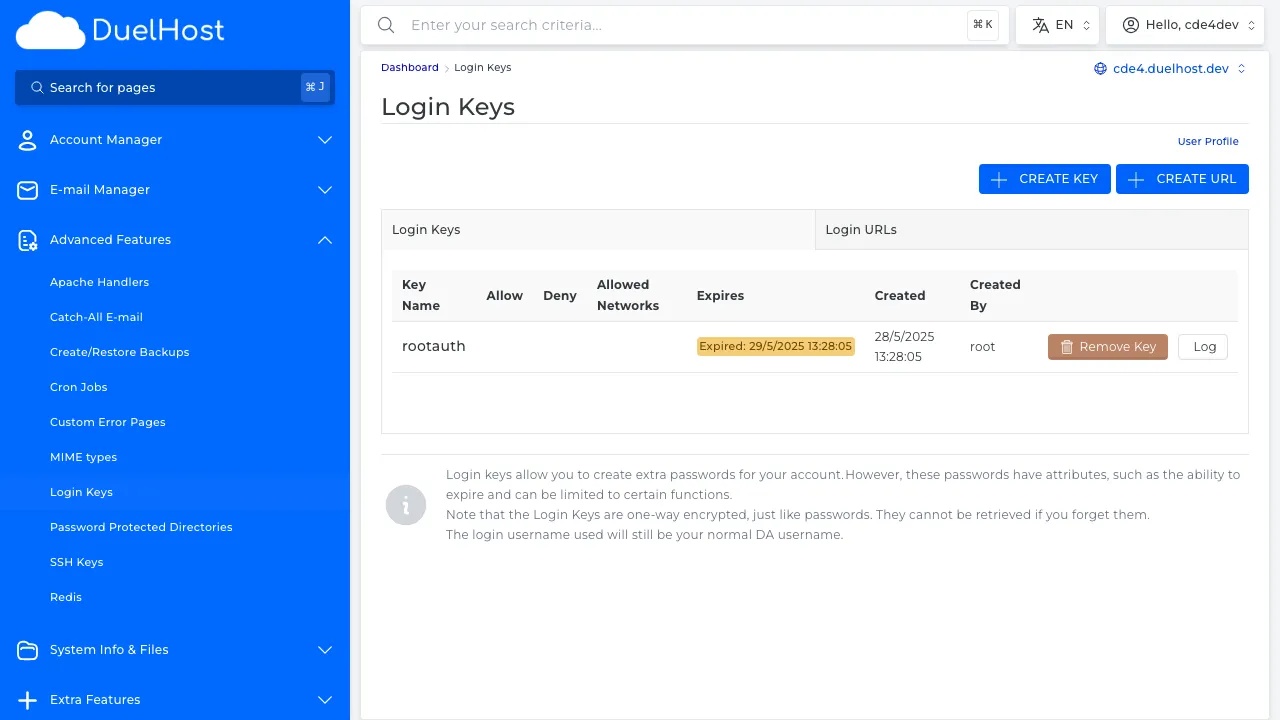
Step 4: View the Login Keys overview
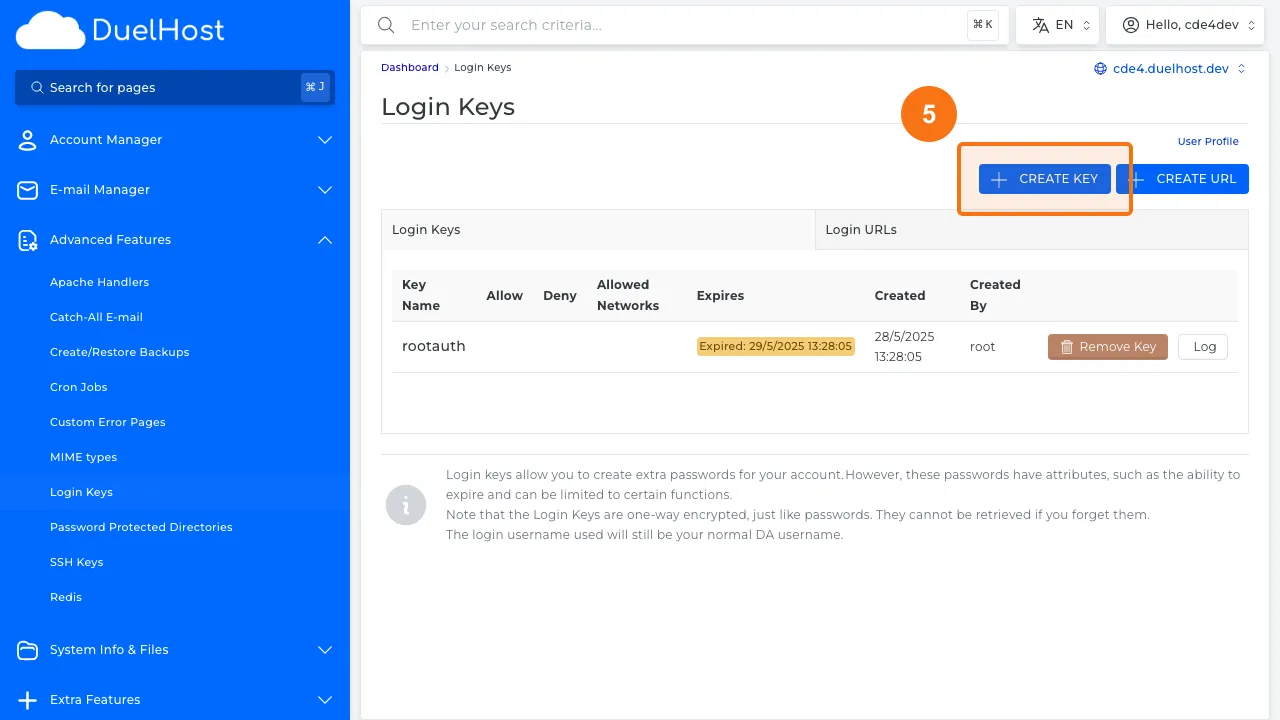
Step 5: Click to create a new Login Key
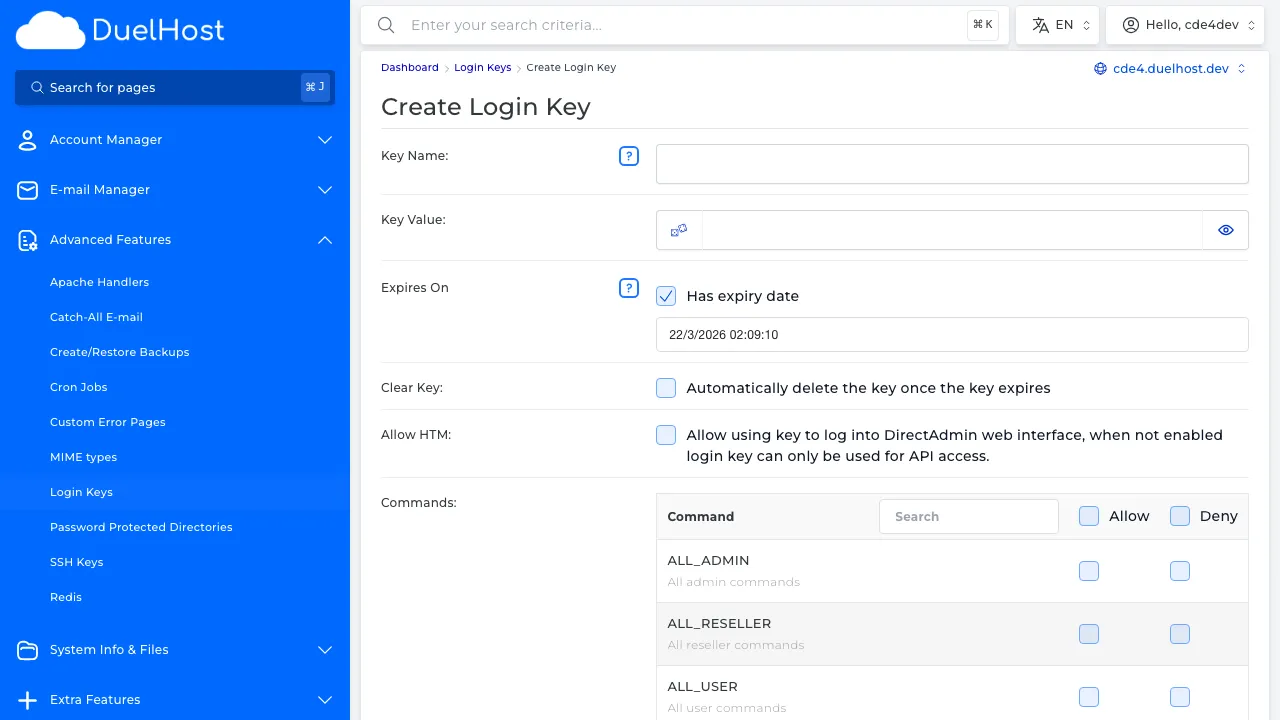
Step 6: View the form — specify the key name, permissions, and expiration date, then click to create
Tips and notes
- Always set an expiration date on Login Keys for security
- Limit the key’s permissions to only what is needed
- Revoke keys immediately when they are no longer needed
- Login Keys are a great way to give a developer temporary access to your account
Need help?
If you run into any issues, our support team is ready to help. Contact us at support@duelhost.dk or through our contact form.