
· Email · 1 min read
How to manage mailing lists
Learn how to create and manage mailing lists in DirectAdmin to send emails to groups of subscribers.
Mailing lists let you send a single email to a group of recipients at once. DirectAdmin provides built-in mailing list management, making it easy to communicate with teams, customers, or community members.
Prerequisite: You need an active web hosting plan with DuelHost.
Step-by-step guide
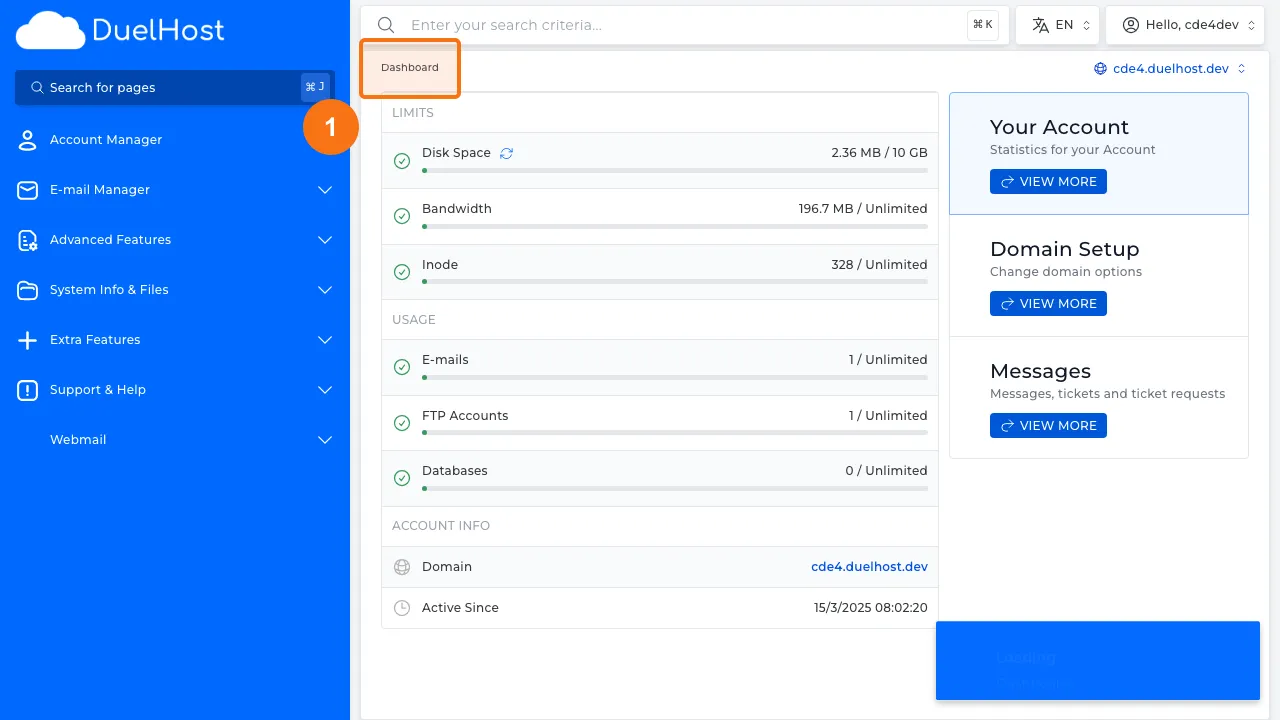
Step 1: Log in to DirectAdmin
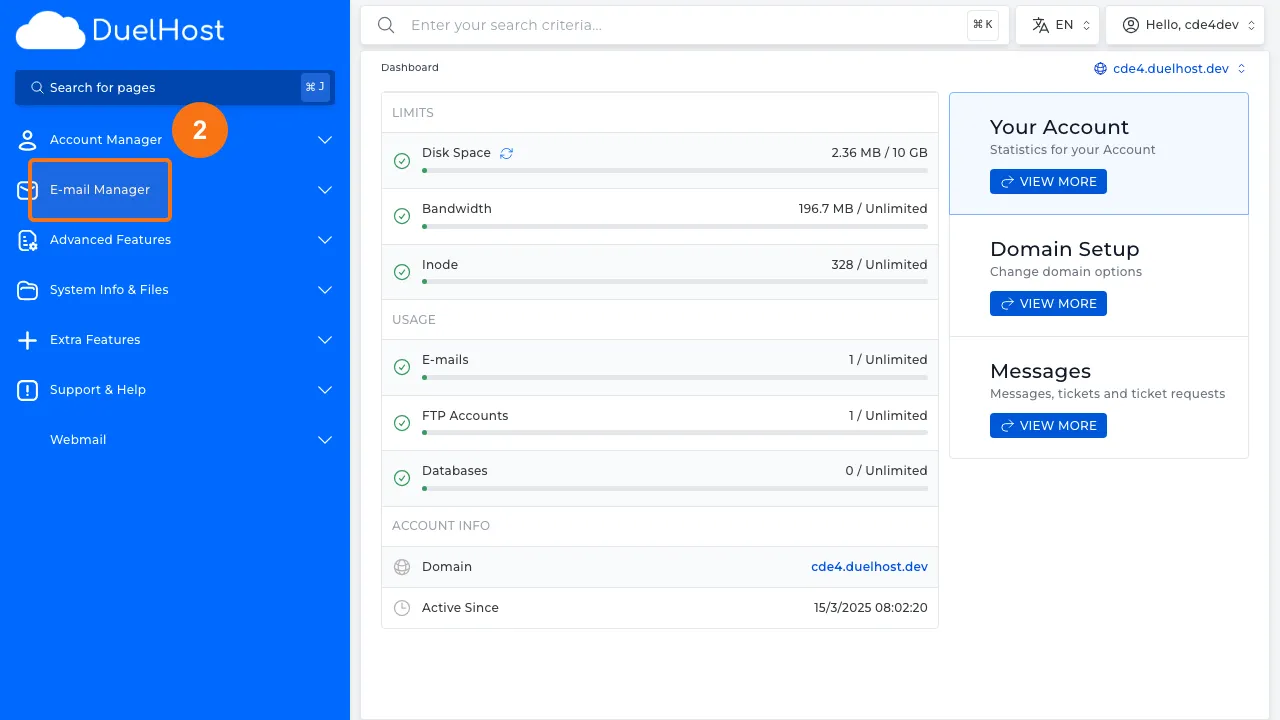
Step 2: Click “E-mail Manager” in the sidebar
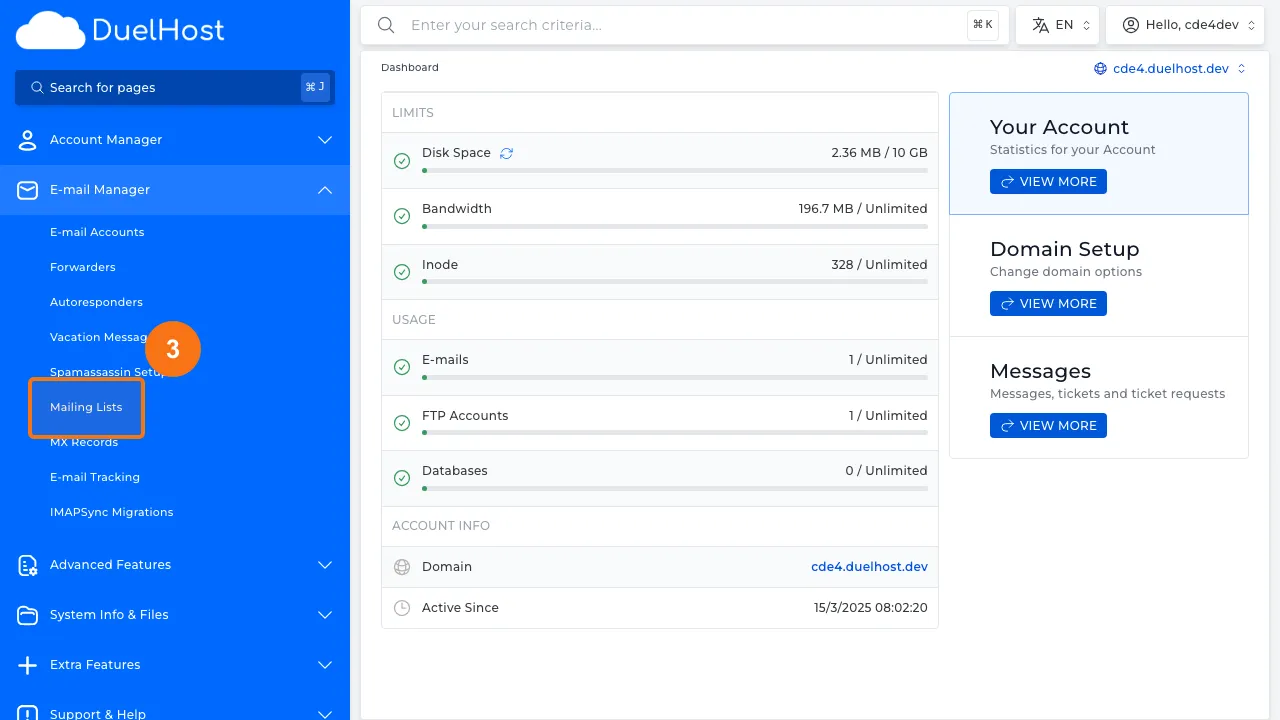
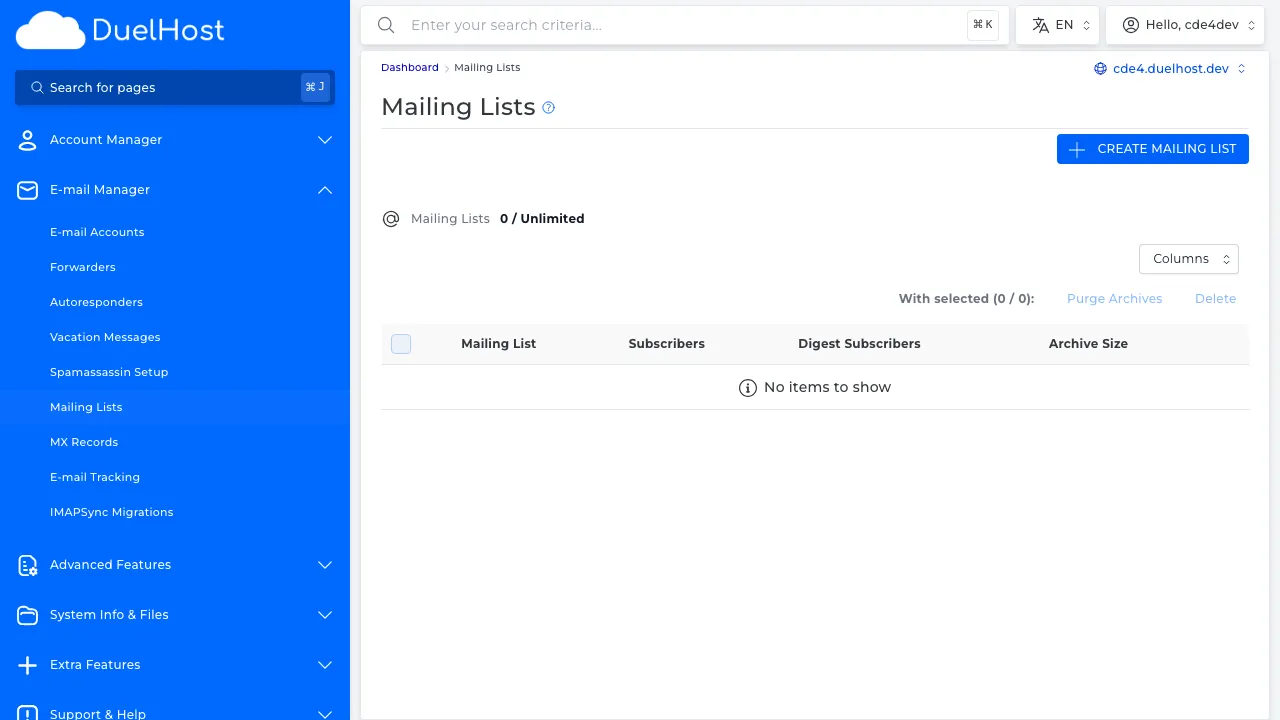
Step 3: Click “Mailing Lists” to view mailing lists
Step 4: View the mailing list overview
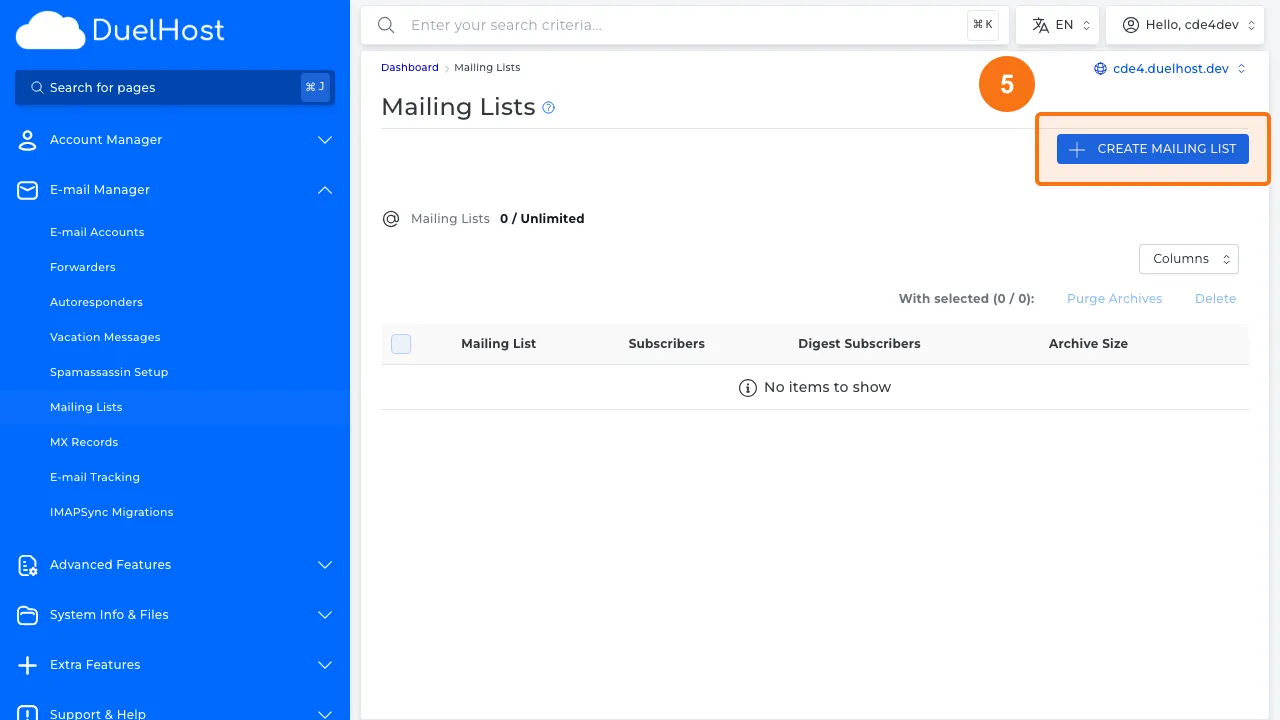
Step 5: Click to create a new mailing list
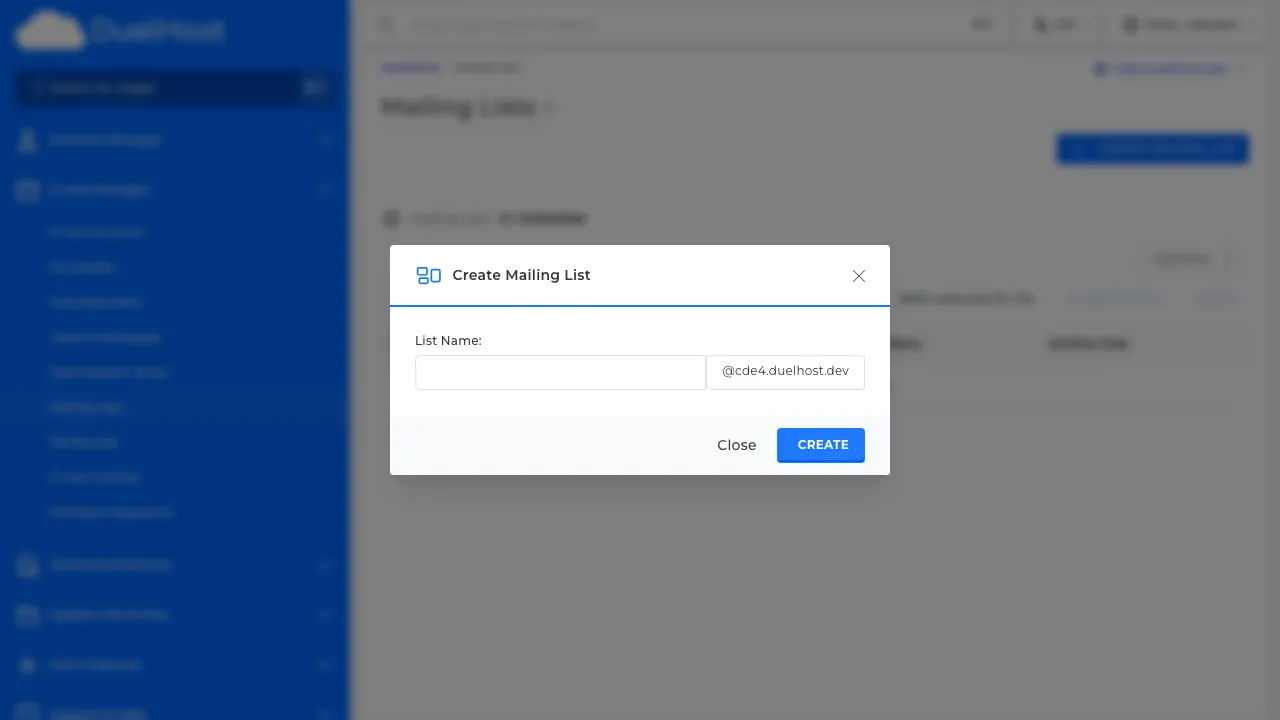
Step 6: View the form — enter the list name and admin password, then click ‘CREATE’ to save
Tips and notes
- Keep your mailing list subscriber count manageable to avoid server resource issues
- Always get consent before adding someone to a mailing list
- Consider using a dedicated email marketing service for large lists
Need help?
If you run into any issues, our support team is ready to help. Contact us at support@duelhost.dk or through our contact form.
Del: