
· Security · 1 min read
How to password-protect a directory
Learn how to add password protection to a directory on your website using DirectAdmin.
Password-protecting a directory adds an extra layer of security by requiring a username and password to access specific folders on your website. This is useful for staging areas, admin sections, or private content.
Prerequisite: You need an active web hosting plan with DuelHost.
Step-by-step guide
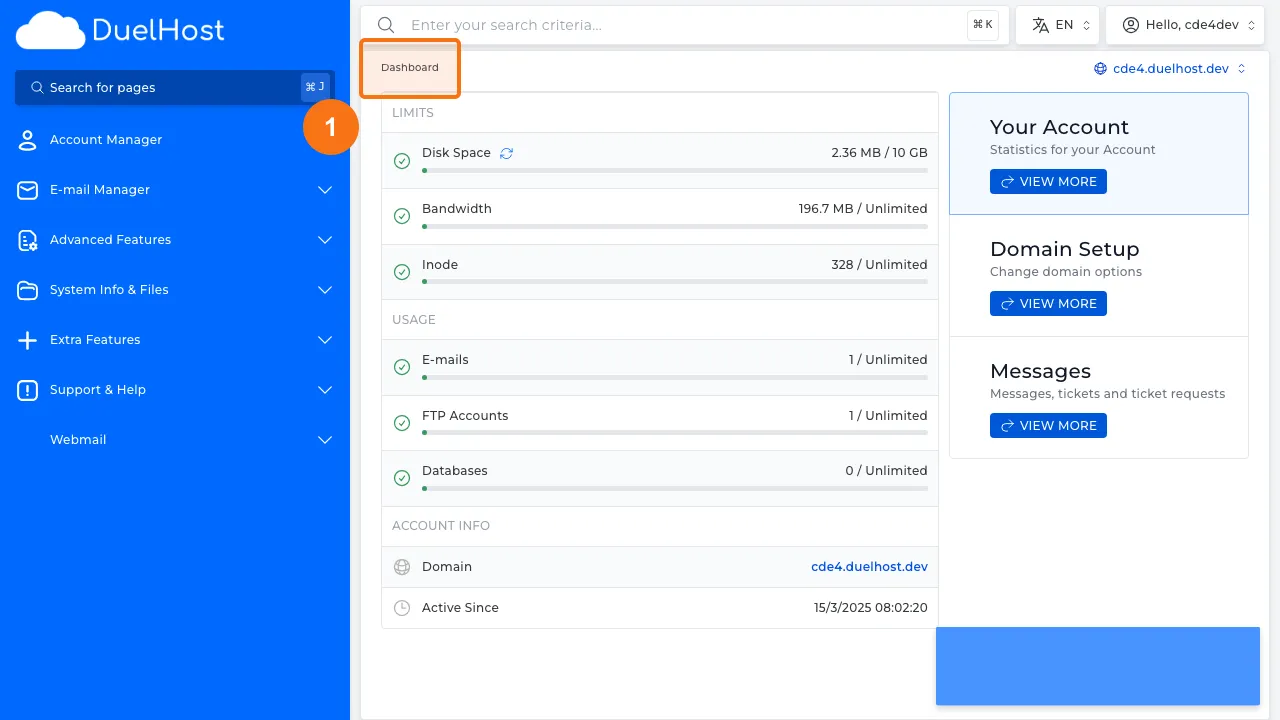
Step 1: Log in to DirectAdmin
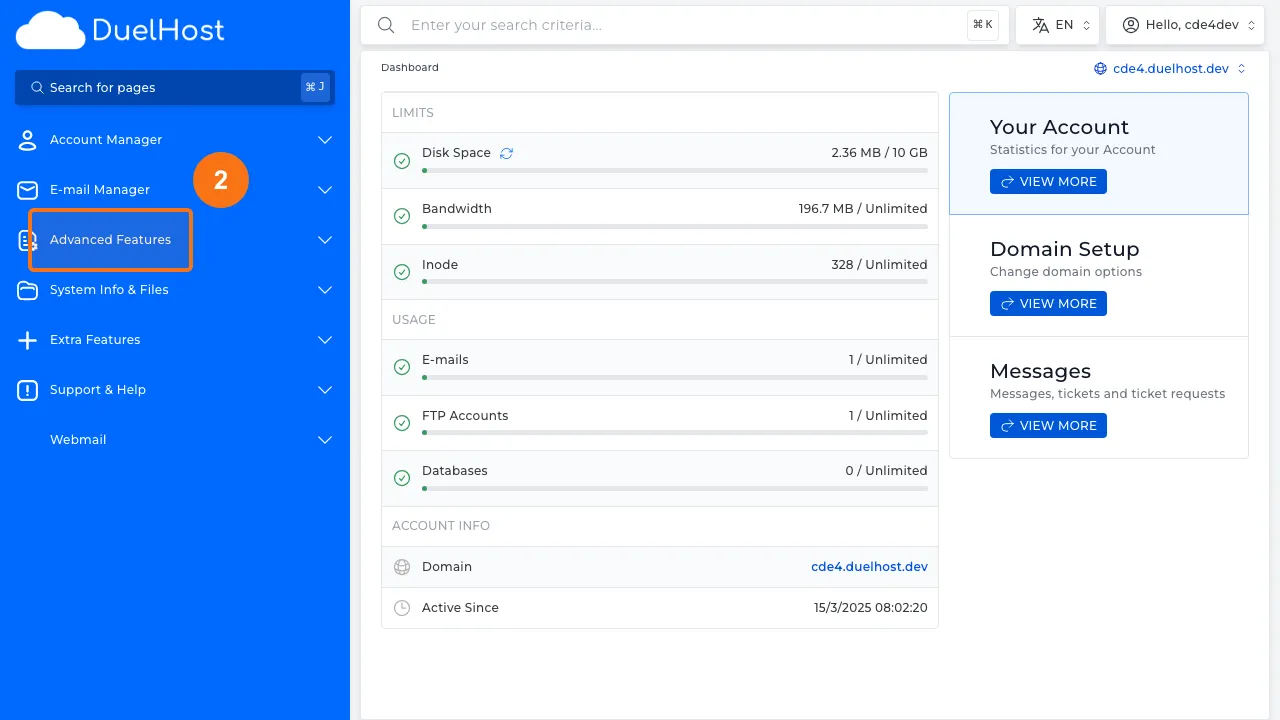
Step 2: Click “Advanced Features” in the sidebar
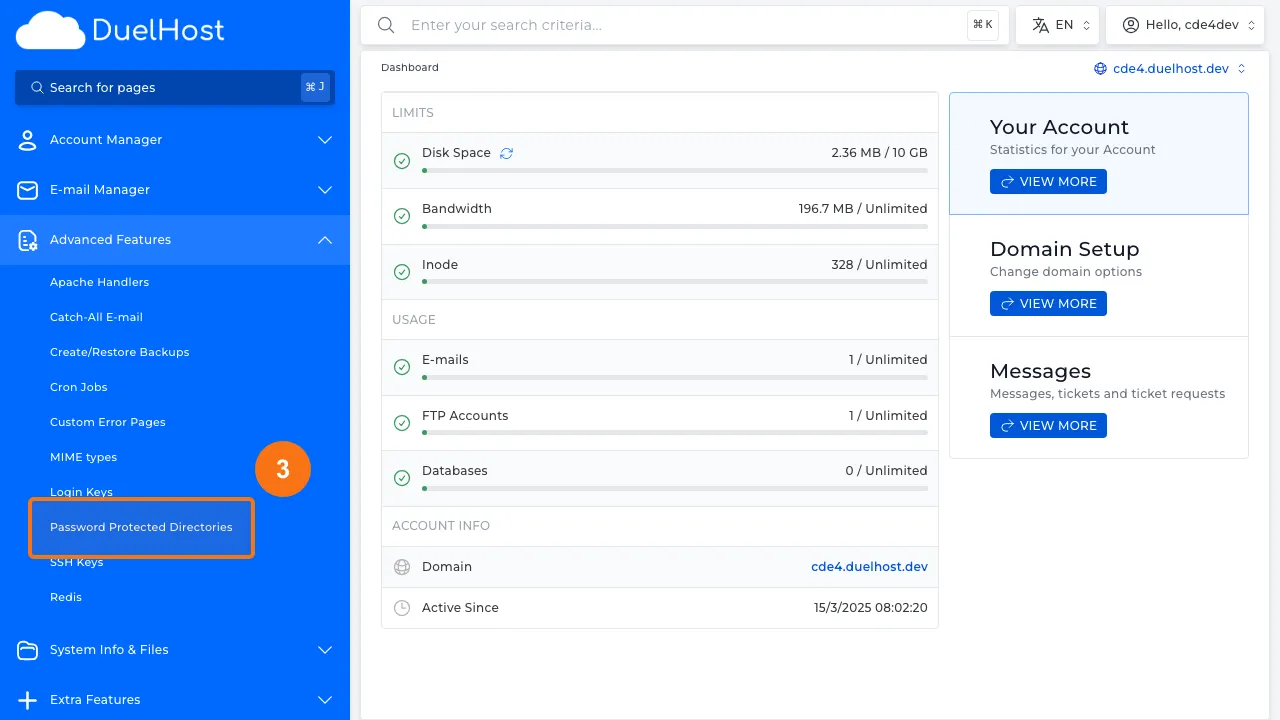
Step 3: Click “Password Protected Directories”
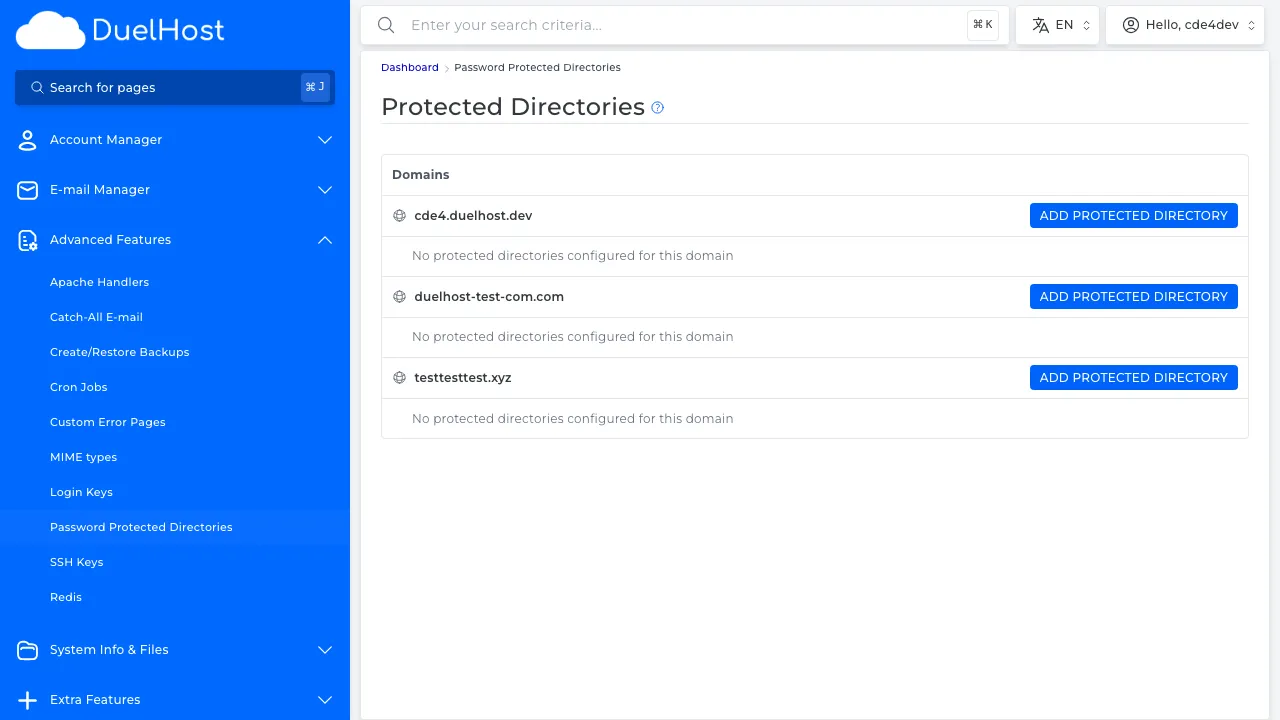
Step 4: View password-protected directories
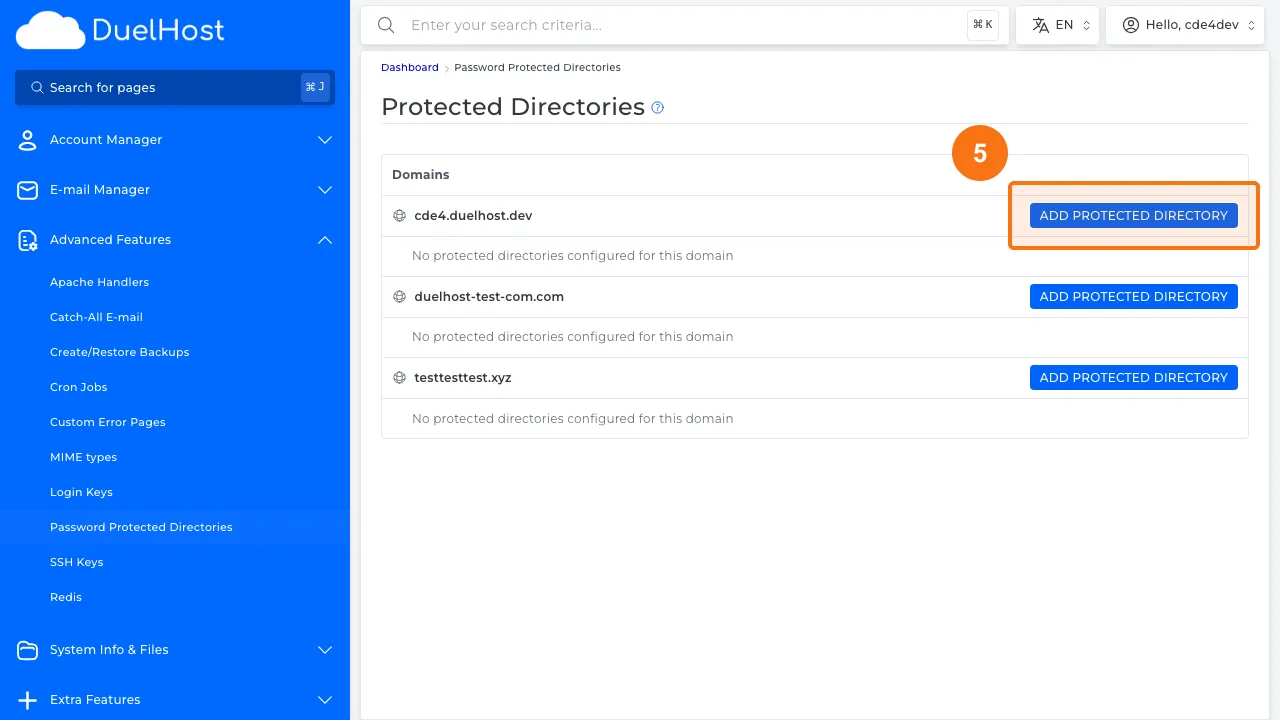
Step 5: Click to protect a new directory
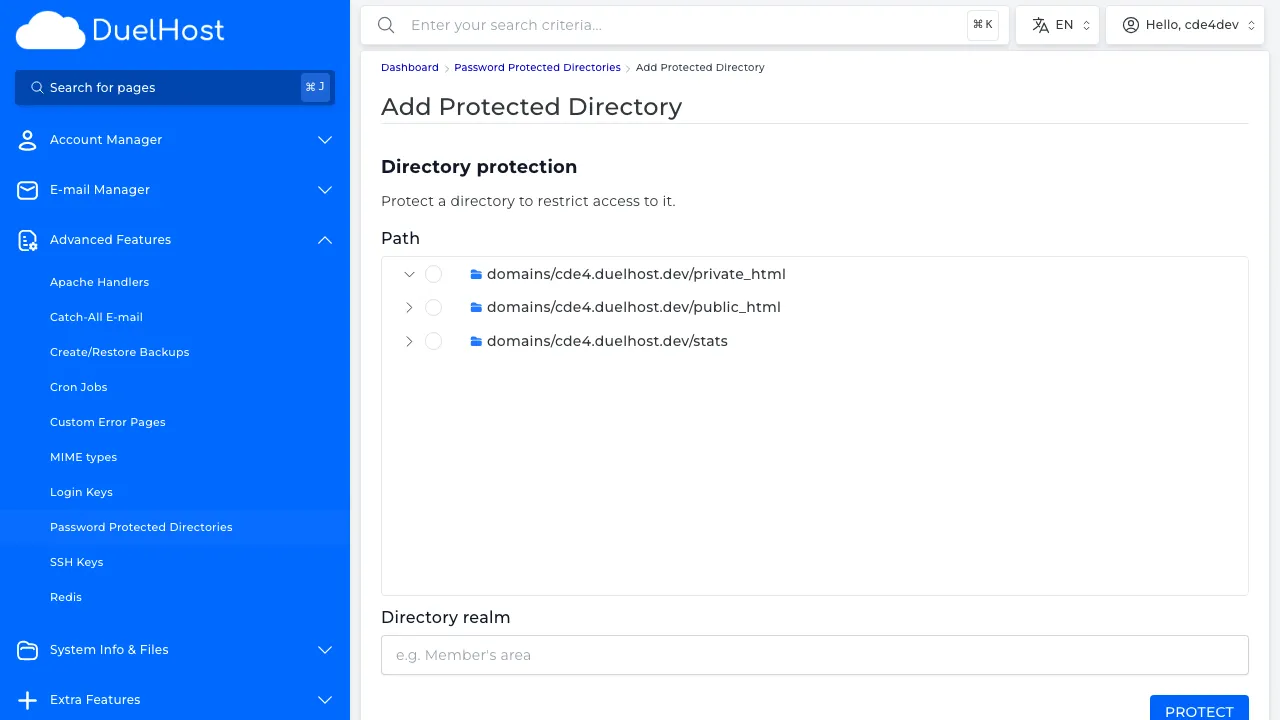
Step 6: View the form — select the directory, create a username and password, then click to save
Tips and notes
- Choose a strong username and password for the protected directory
- Password protection works at the server level, making it very secure
- You can protect any directory, including subdirectories within public_html
Need help?
If you run into any issues, our support team is ready to help. Contact us at support@duelhost.dk or through our contact form.