
· Server · 1 min read
How to configure PHP settings
Learn how to adjust PHP settings like memory limit, upload size, and execution time in DirectAdmin.
PHP settings control how your web applications run on the server. Adjusting values like memory_limit, upload_max_filesize, and max_execution_time can resolve common errors and improve performance.
Prerequisite: You need an active web hosting plan with DuelHost.
Step-by-step guide
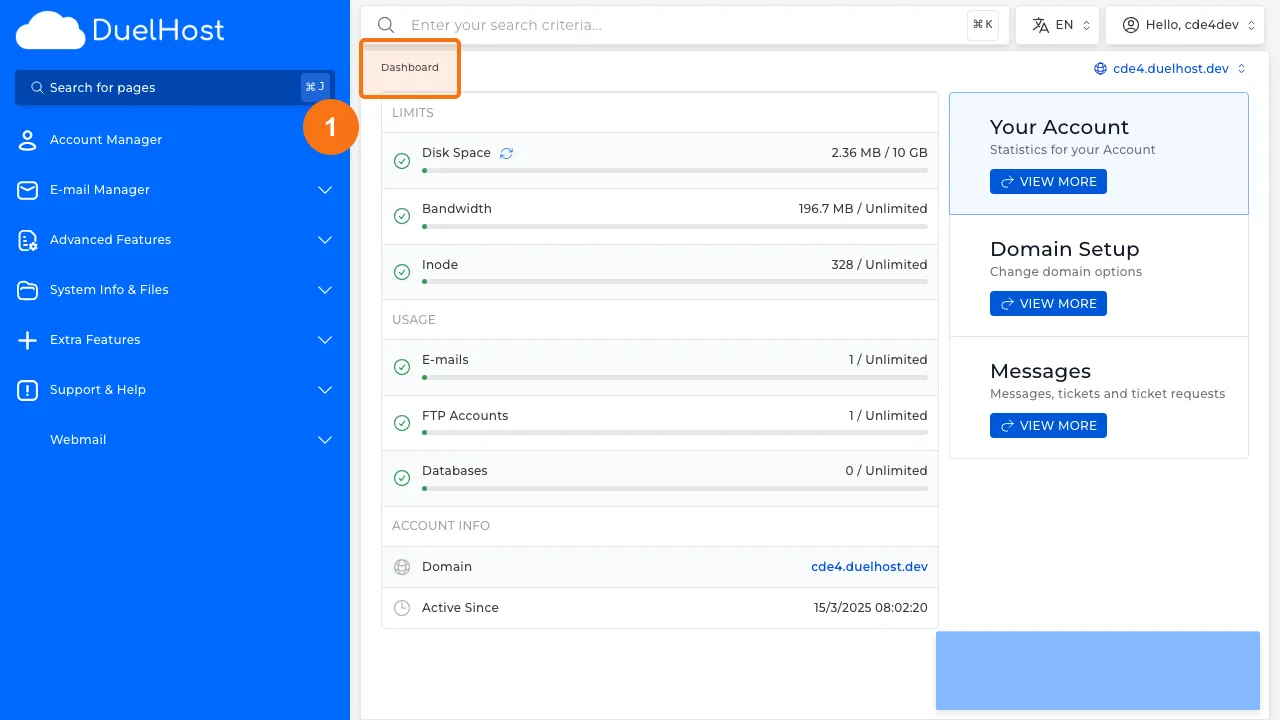
Step 1: Log in to DirectAdmin
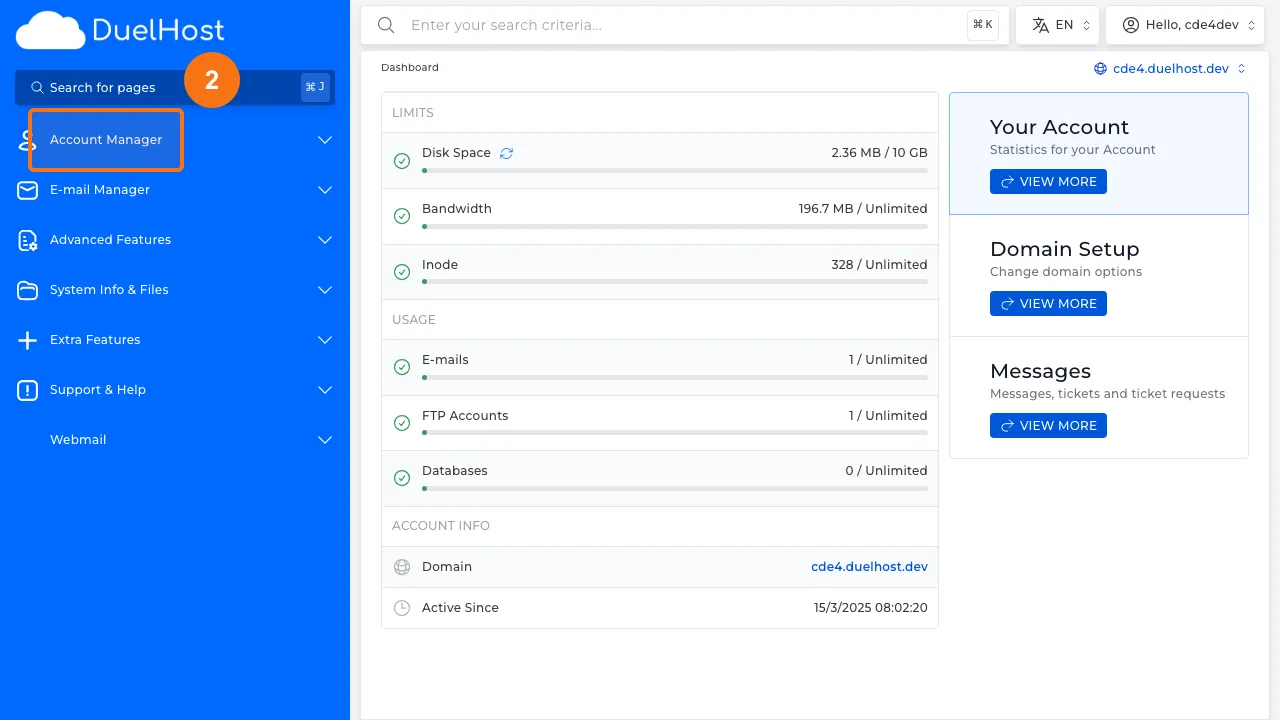
Step 2: Click “Account Manager” in the sidebar
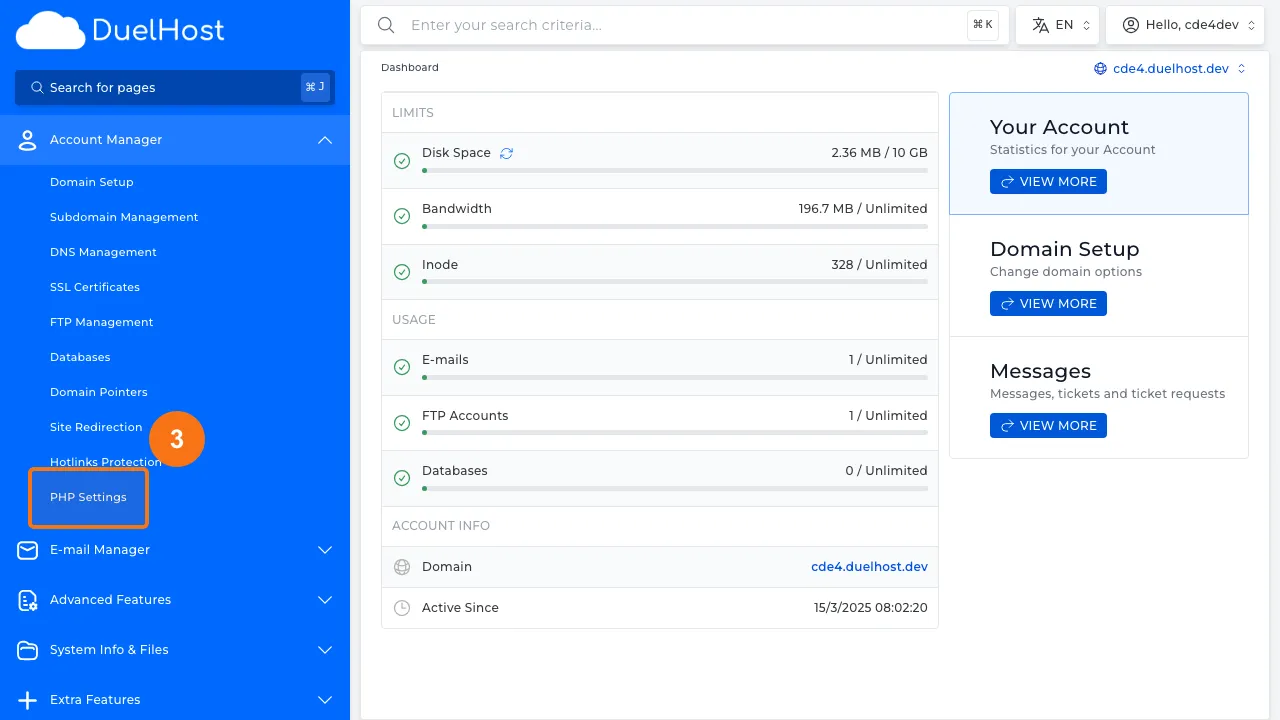
Step 3: Click “PHP Settings” to open PHP configuration
Step 4: View PHP settings — here you can add overrides for PHP directives like memory_limit and upload_max_filesize
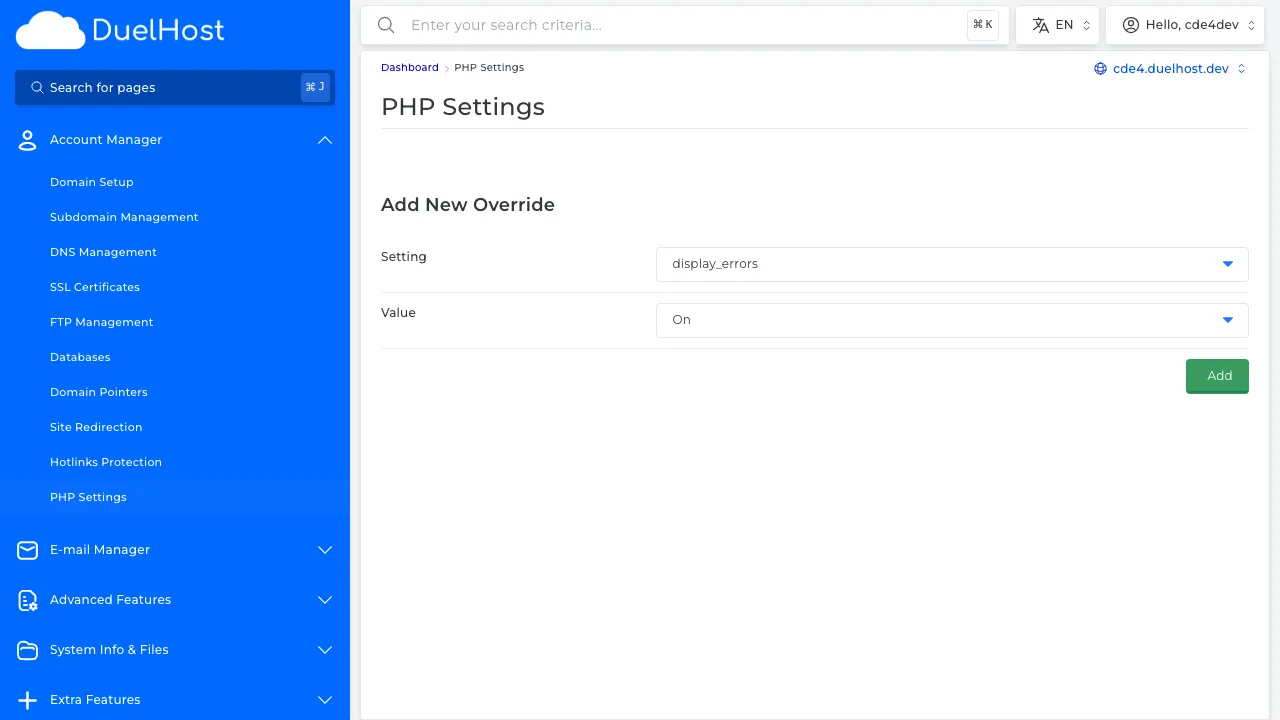
Step 5: Scroll down to see more settings — adjust values as needed and click ‘SAVE’ to save
Tips and notes
- Only change PHP settings if you know what they do, as incorrect values can cause issues
- Common settings to adjust include memory_limit, upload_max_filesize, and post_max_size
- Changes take effect immediately, so test your site after making adjustments
Need help?
If you run into any issues, our support team is ready to help. Contact us at support@duelhost.dk or through our contact form.