
· Databases · 1 min read
How to use phpMyAdmin
Learn how to access and use phpMyAdmin in DirectAdmin to manage your MySQL databases.
phpMyAdmin is a web-based tool for managing MySQL databases. You can use it to browse tables, run SQL queries, import and export data, and perform other database management tasks directly from your browser.
Prerequisite: You need an active web hosting plan with DuelHost.
Step-by-step guide
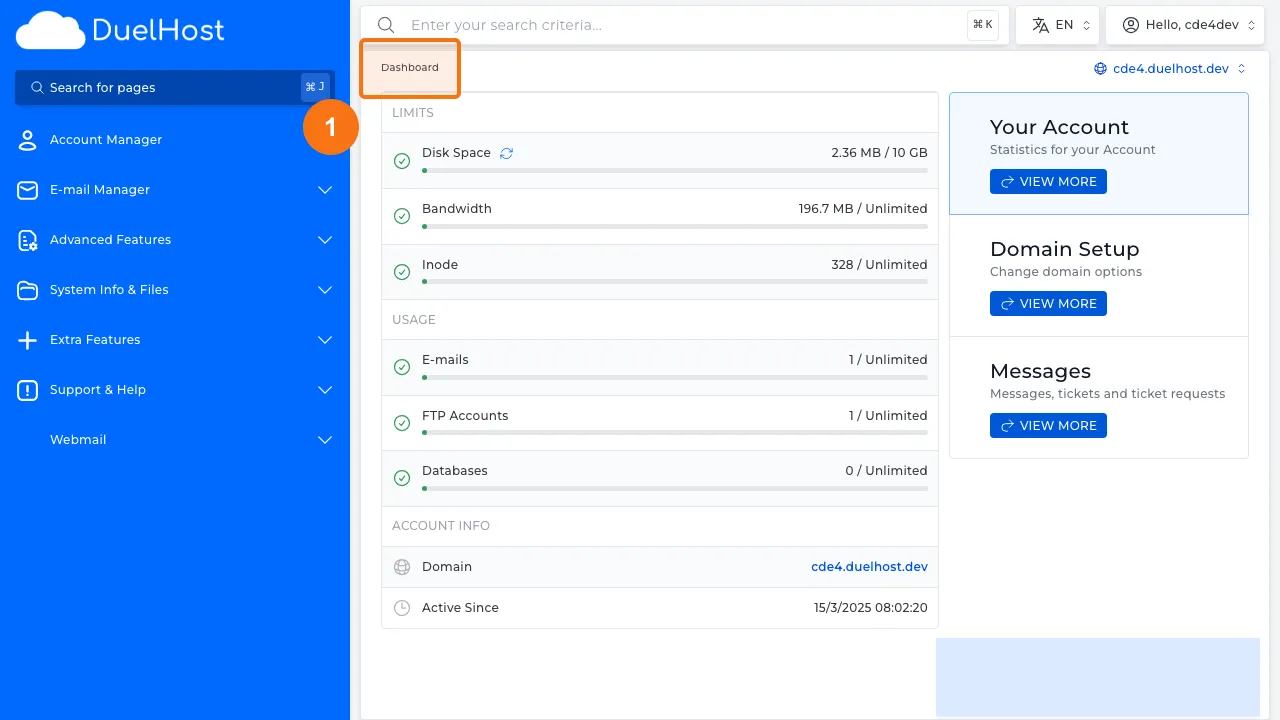
Step 1: Log in to DirectAdmin
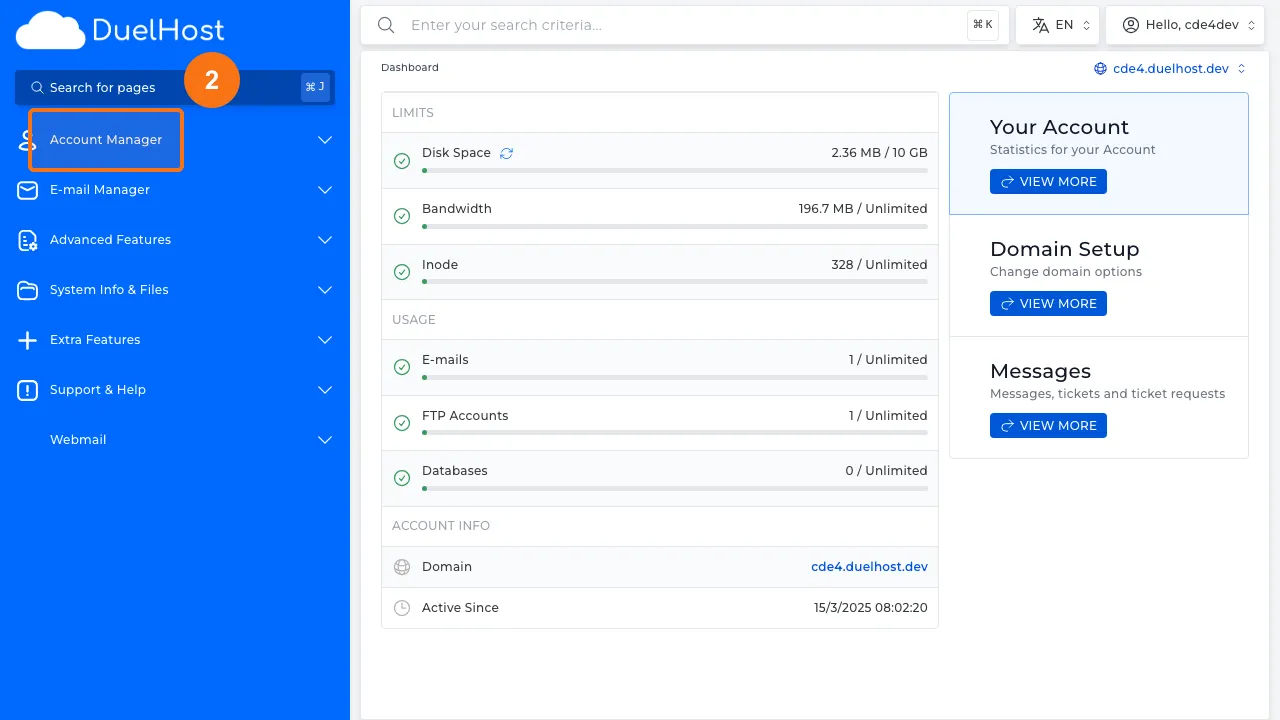
Step 2: Click “Account Manager” in the sidebar
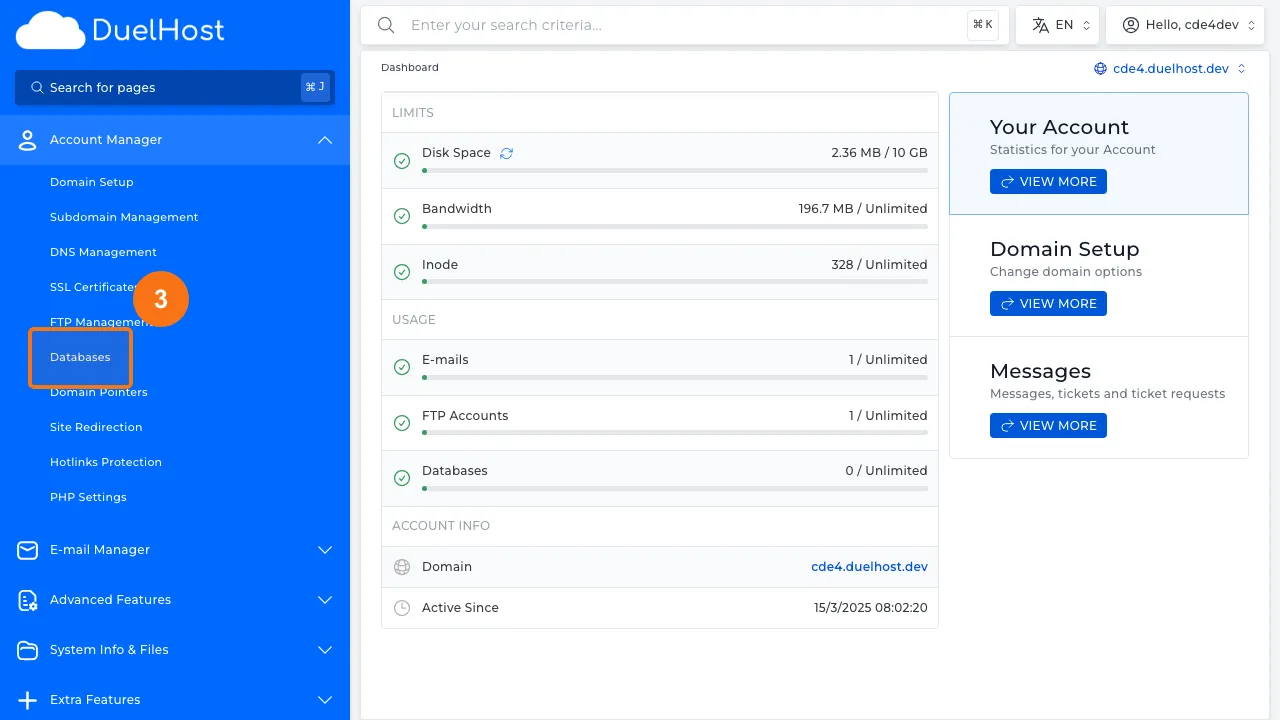
Step 3: Click “Databases” to view databases
Step 4: View the list of existing databases
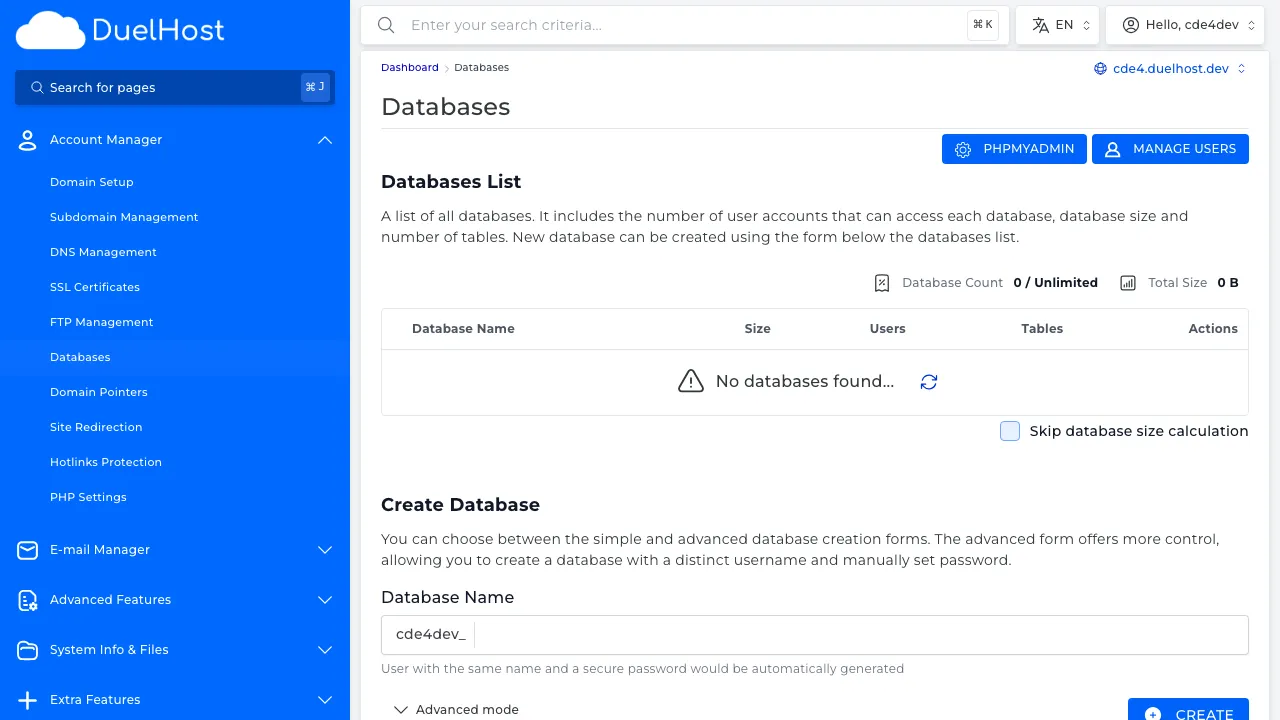
Step 5: View the “PHPMYADMIN” button in the top right — click to open phpMyAdmin
Tips and notes
- Always create a backup before making changes to your database
- Use the Export feature to download a copy of your database
- Be very careful with DELETE and DROP queries, as they cannot be undone
- phpMyAdmin is great for quick database inspections and small edits
Need help?
If you run into any issues, our support team is ready to help. Contact us at support@duelhost.dk or through our contact form.