
· Server · 1 min read
How to check your resource usage
Learn how to monitor your hosting resource usage in DirectAdmin, including disk space, bandwidth, and email accounts.

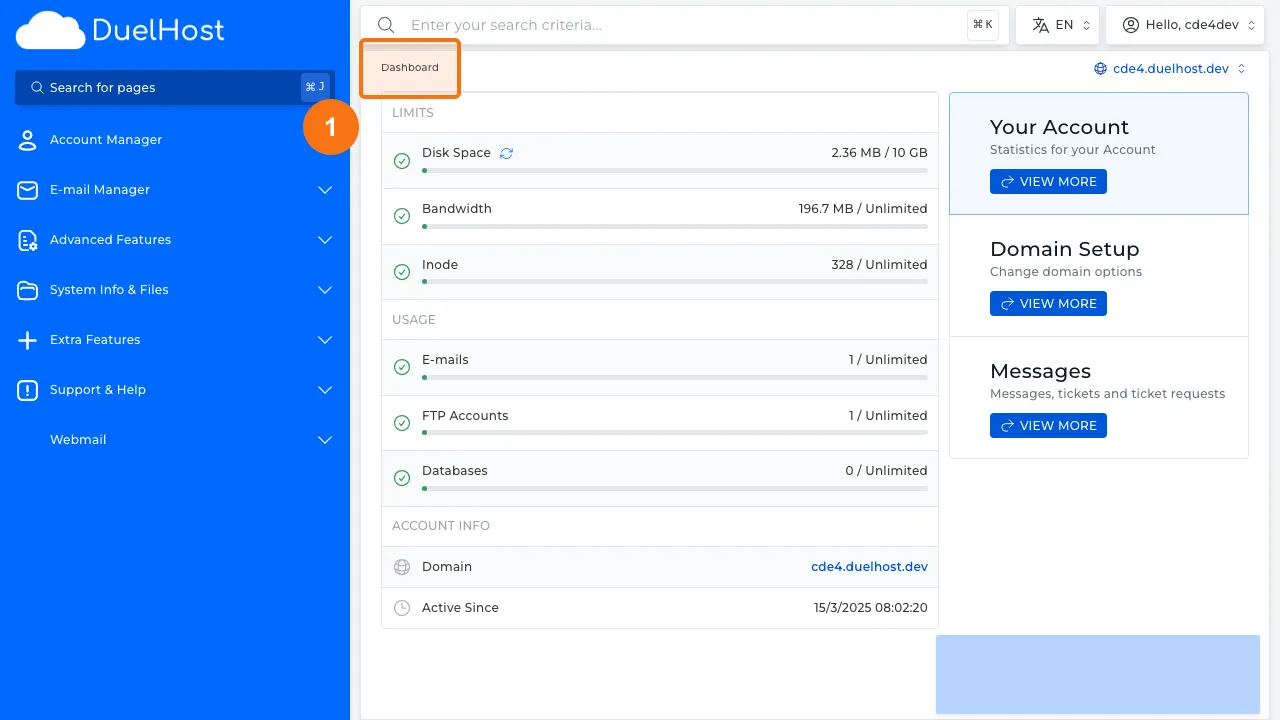
Keeping track of your resource usage helps you avoid hitting limits and ensures your website runs smoothly. DirectAdmin provides a clear overview of your disk space, bandwidth, email accounts, and other resource allocations.
Prerequisite: You need an active web hosting plan with DuelHost.
Step-by-step guide
Step 1: Log in to DirectAdmin
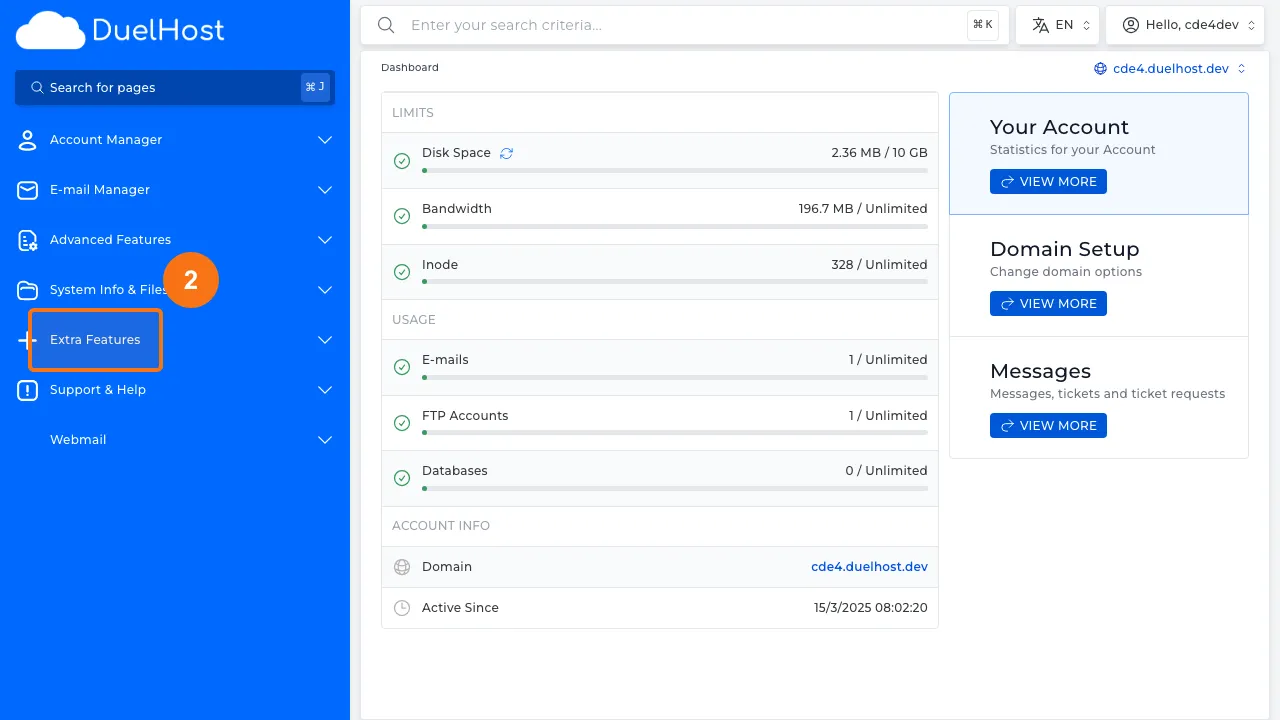
Step 2: Click “Extra Features” in the sidebar
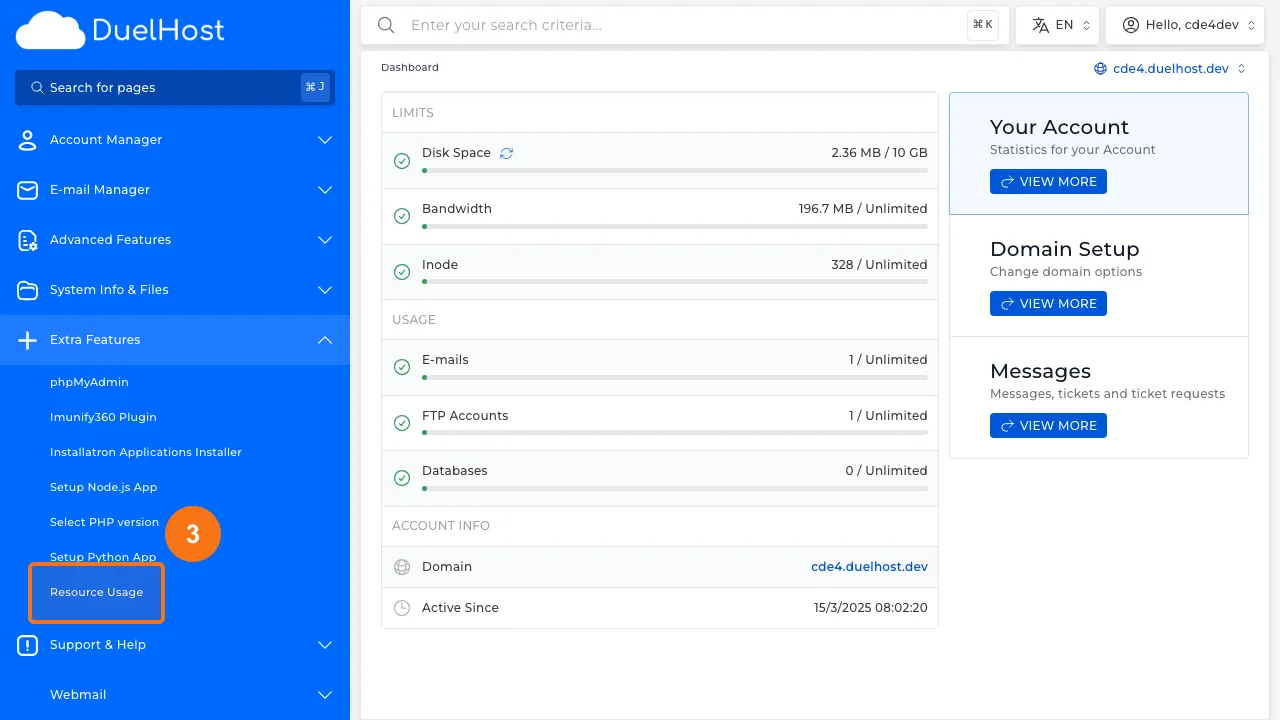
Step 3: Click “Resource Usage” to view resource usage
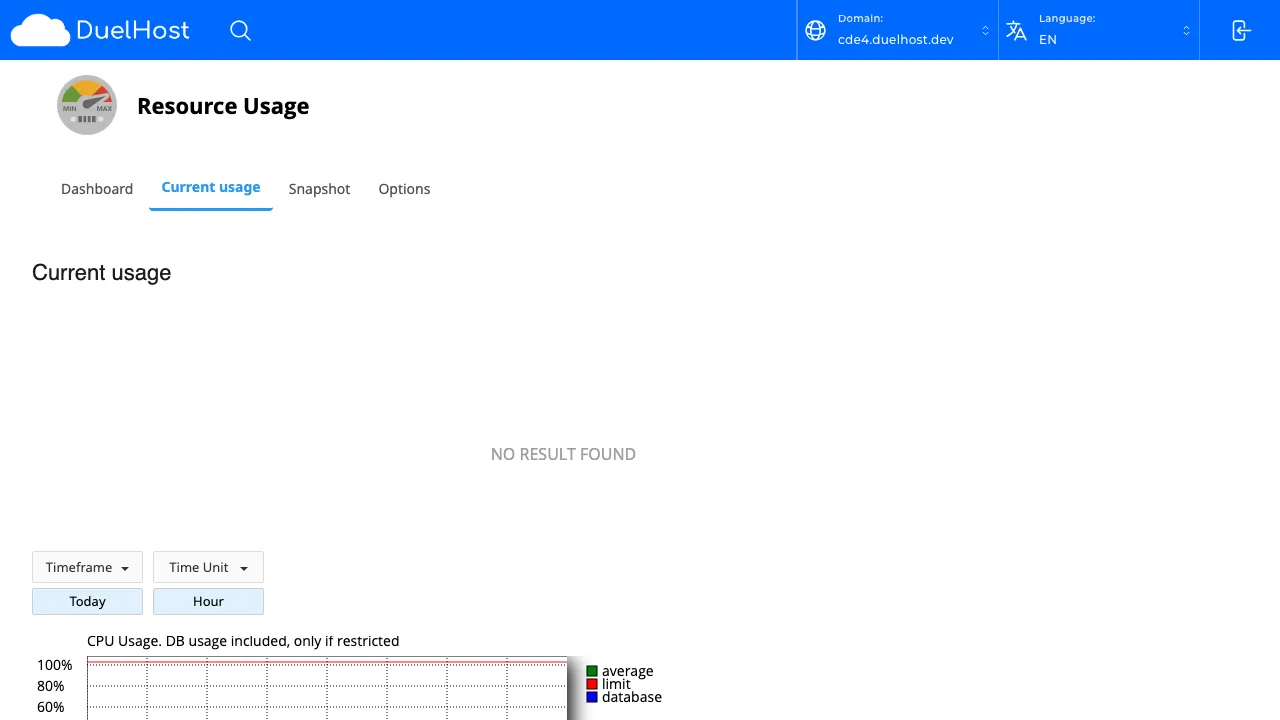
Step 4: View your current resource usage
Tips and notes
- Check your resource usage regularly to avoid unexpected limits
- If you are consistently near your limits, consider upgrading your hosting plan
- Large log files and old backups can consume significant disk space
Need help?
If you run into any issues, our support team is ready to help. Contact us at support@duelhost.dk or through our contact form.