
· DNS & Domains · 2 min read
How to redirect your website
Learn how to set up website redirections in DirectAdmin to send visitors from one URL to another.

Website redirections are useful when you move content to a new URL, change your domain name, or want to send visitors from one page to another. DirectAdmin provides a simple interface for setting up redirects.
Prerequisite: You need an active web hosting plan with DuelHost.
Step-by-step guide
Step 1: Log in to DirectAdmin
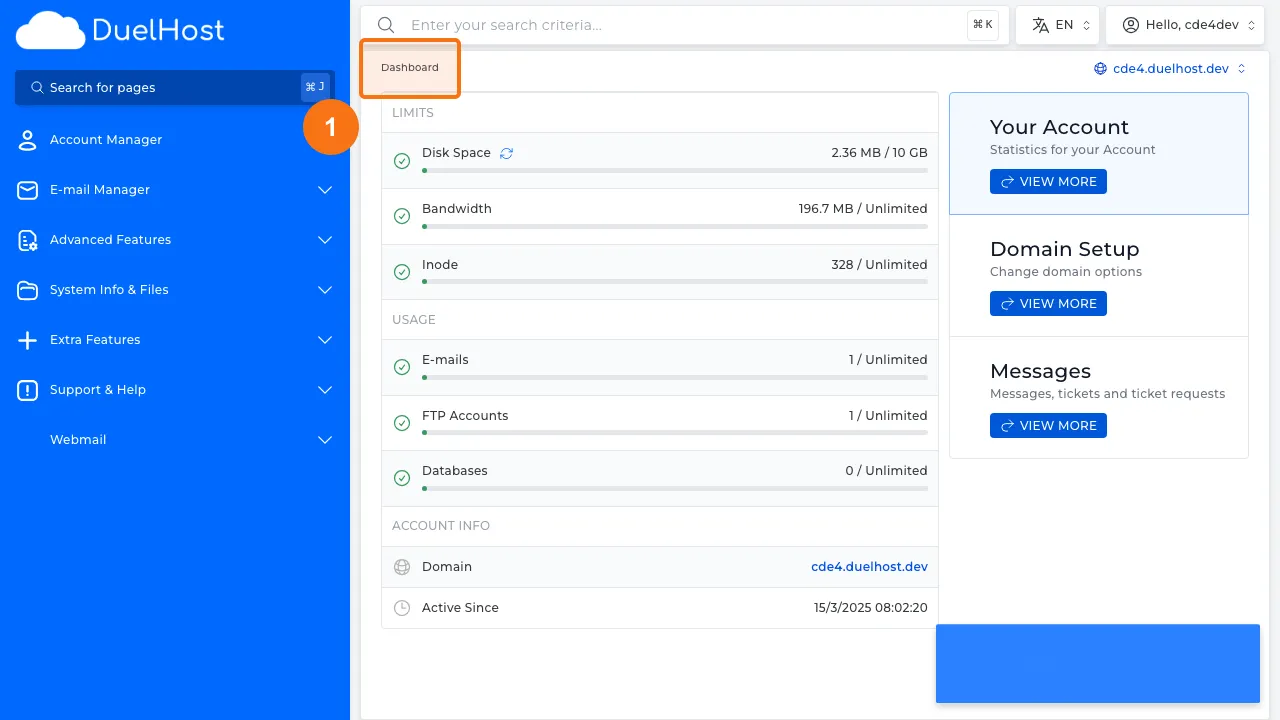
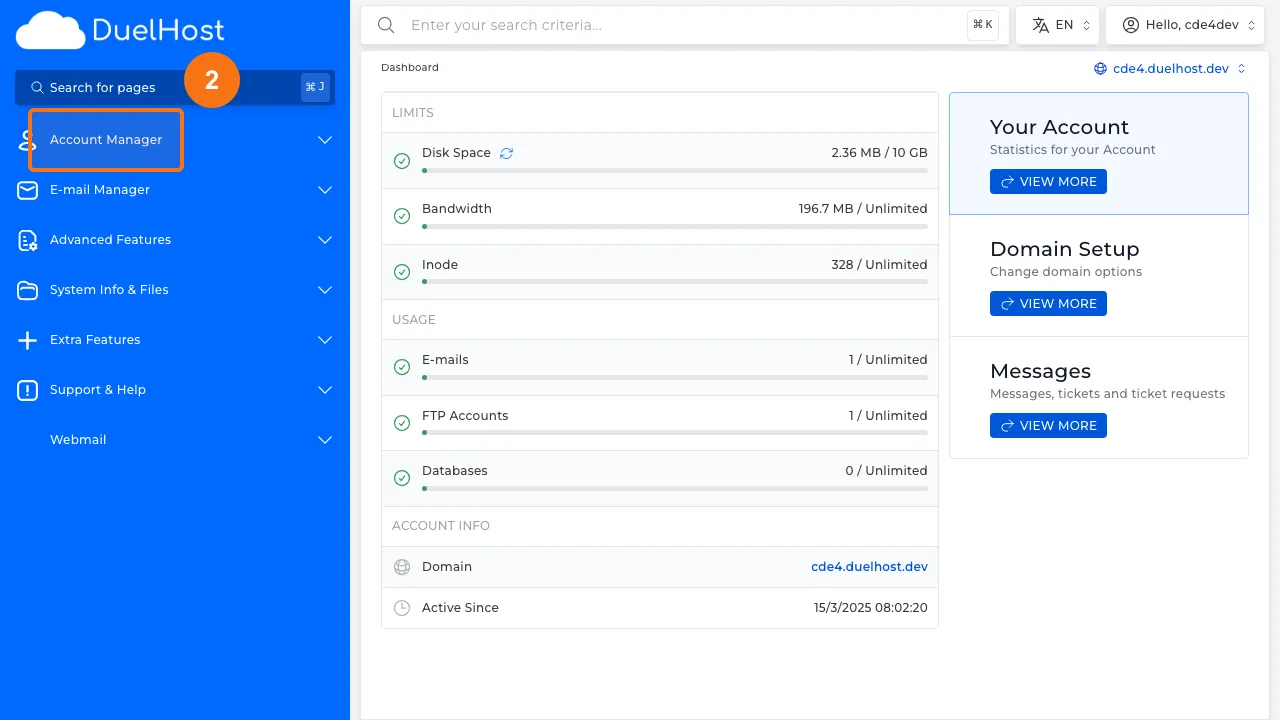
Step 2: Click “Account Manager” in the sidebar
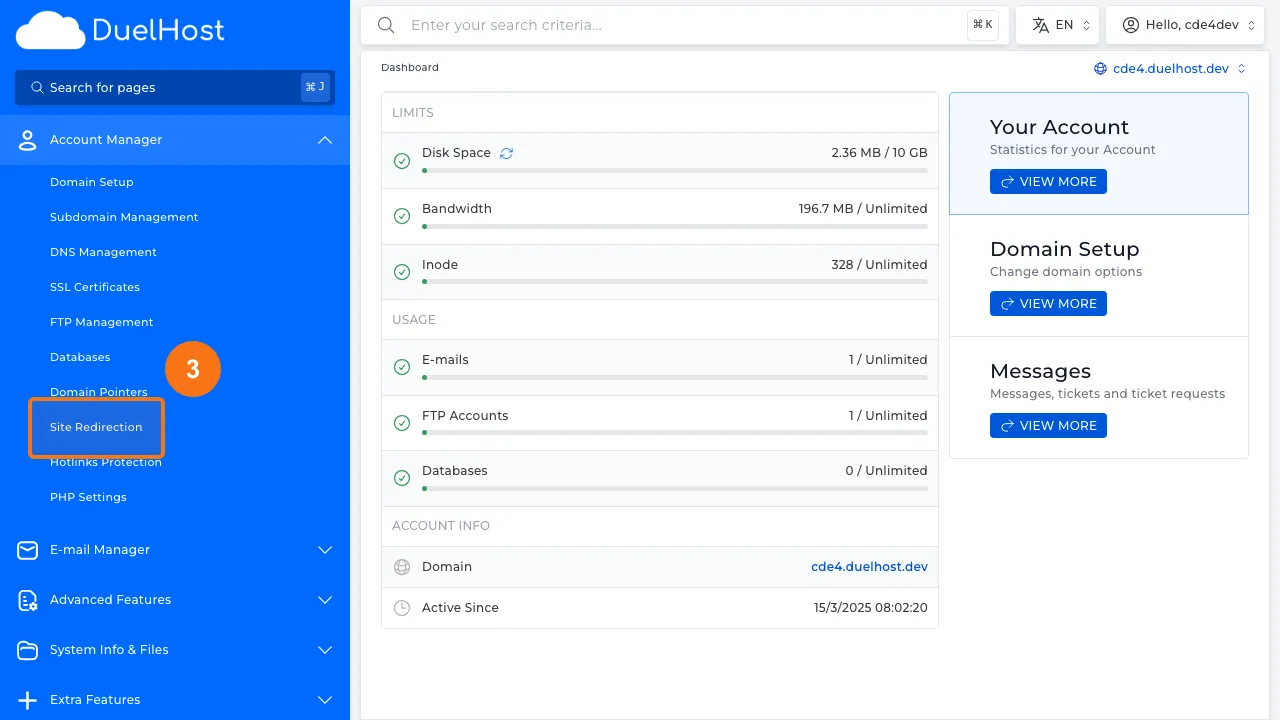
Step 3: Click “Site Redirection” to open redirection settings
Step 4: View redirection settings
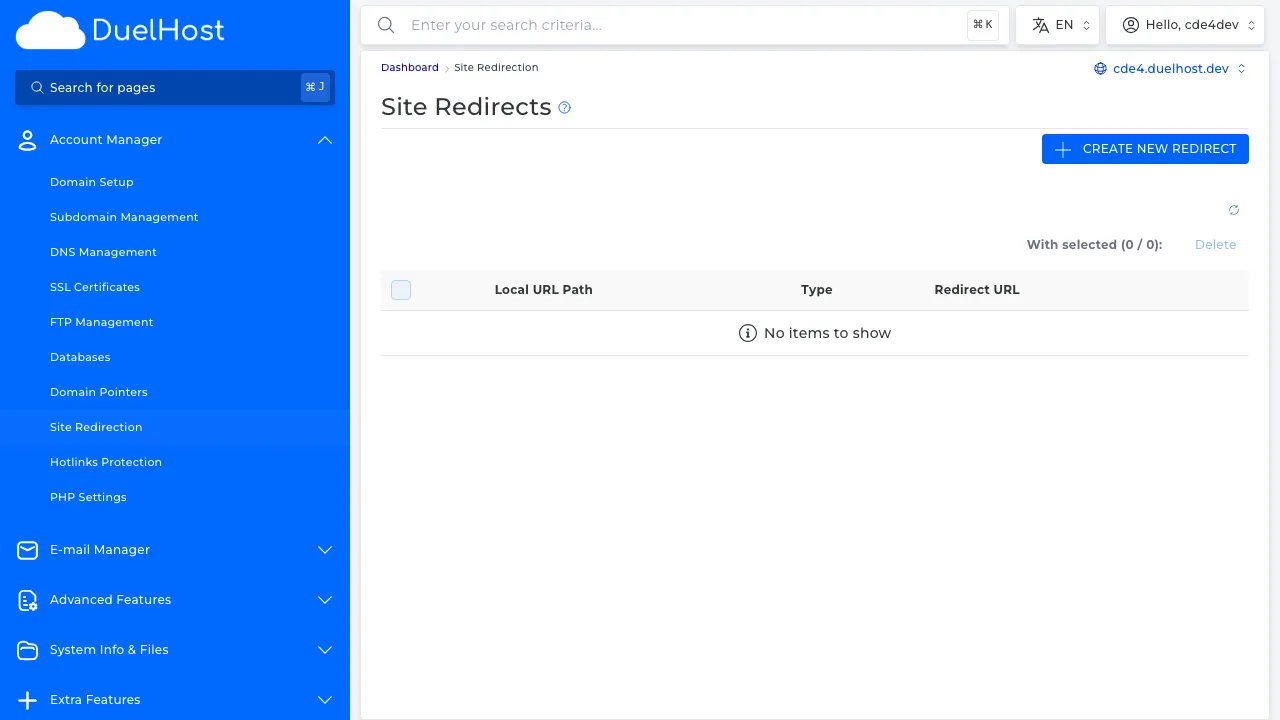
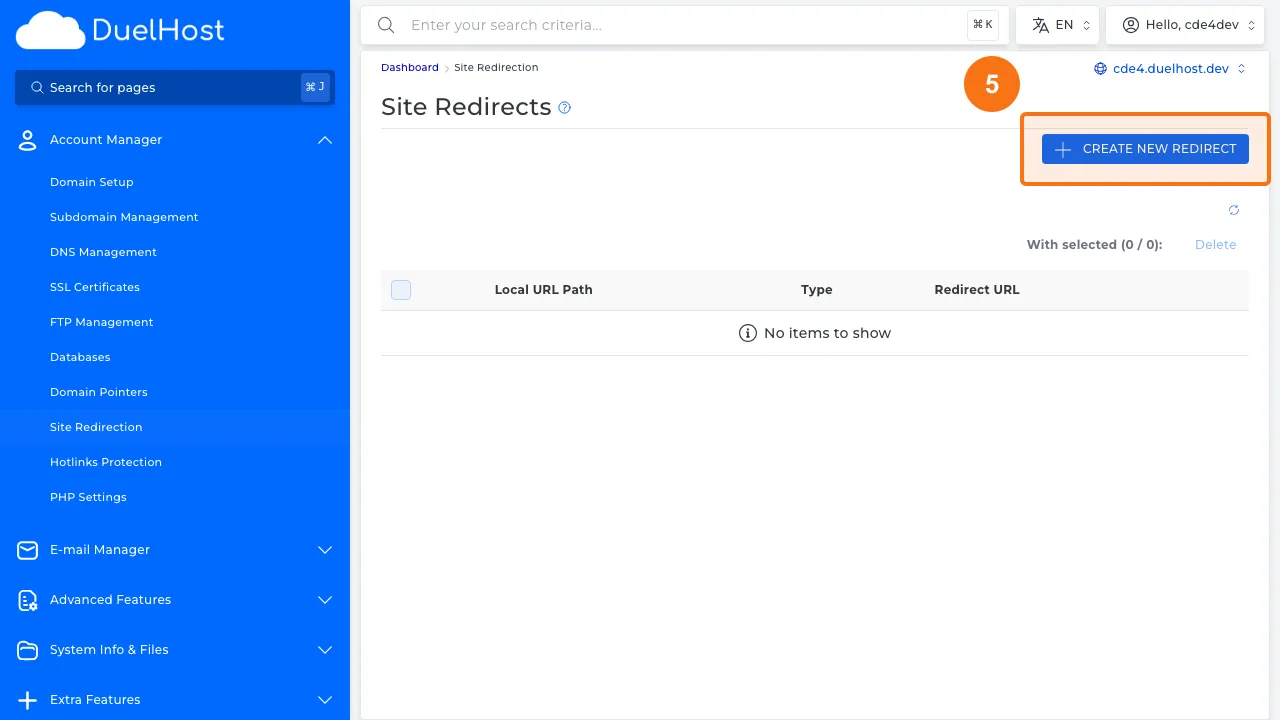
Step 5: Click to add a new redirect
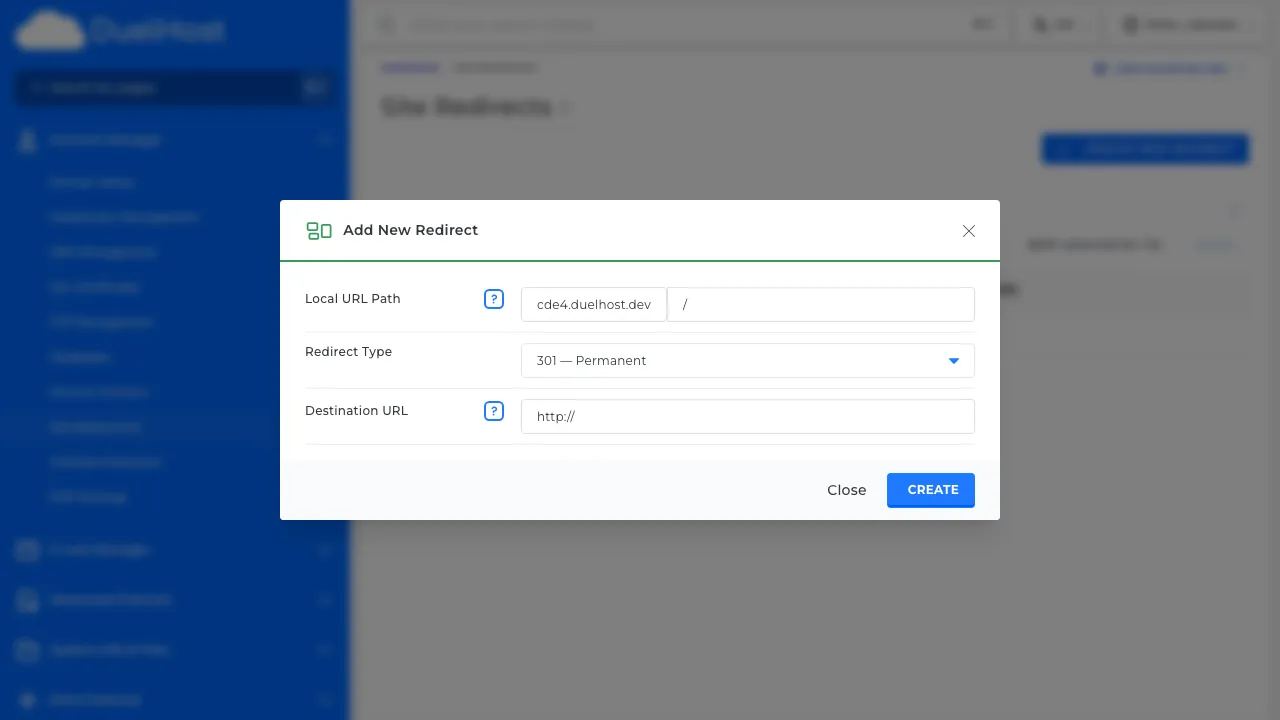
Step 6: View the form — enter the source path and destination URL, select the type (301/302), then click to save
Tips and notes
- Use 301 redirects for permanent moves and 302 for temporary ones
- Test your redirects after setting them up to make sure they work correctly
- Avoid redirect chains (redirecting from A to B to C) as they slow down page loading
Need help?
If you run into any issues, our support team is ready to help. Contact us at support@duelhost.dk or through our contact form.
Del: