
· Email · 1 min read
How to find SPF, DKIM, and DMARC records
Learn how to locate and verify SPF, DKIM, and DMARC records in DirectAdmin to improve email deliverability.
SPF, DKIM, and DMARC are email authentication records that help prevent spoofing and improve the chances of your emails being delivered to the inbox. This guide shows you where to find these records in DirectAdmin.
Prerequisite: You need an active web hosting plan with DuelHost.
Step-by-step guide
Step 1: Log in to DirectAdmin
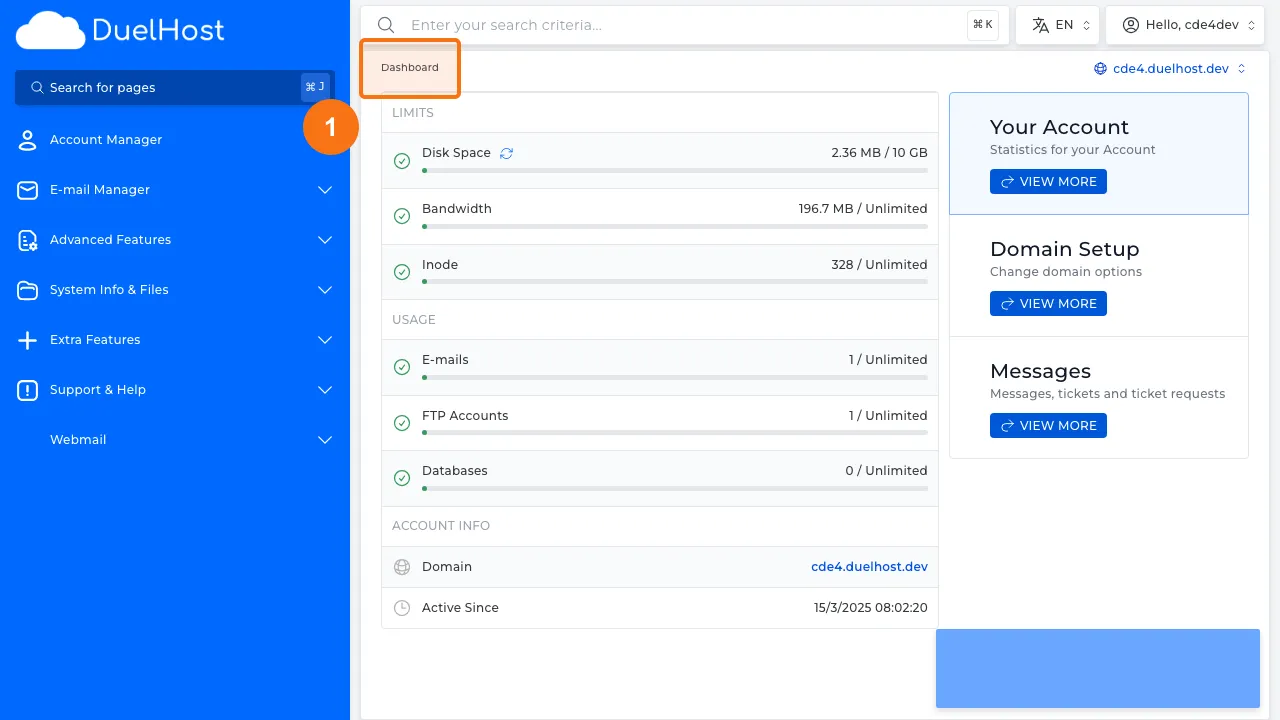
Step 2: Click “Account Manager” in the sidebar
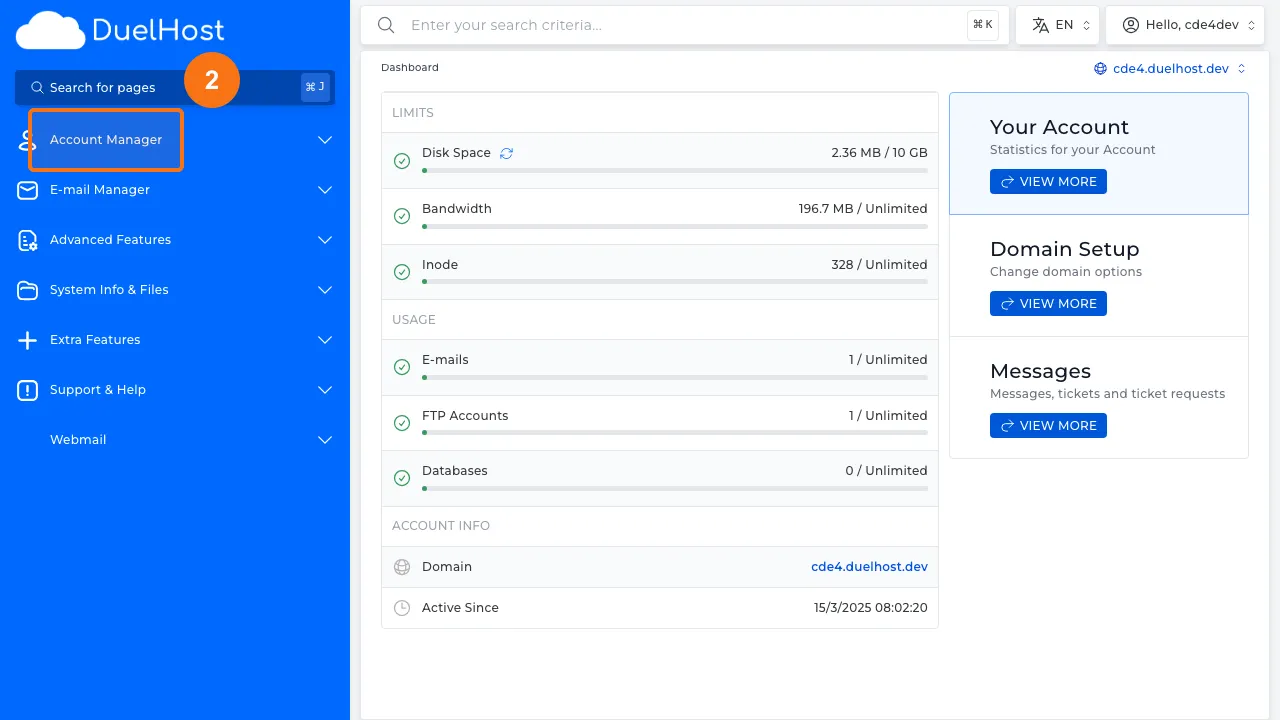
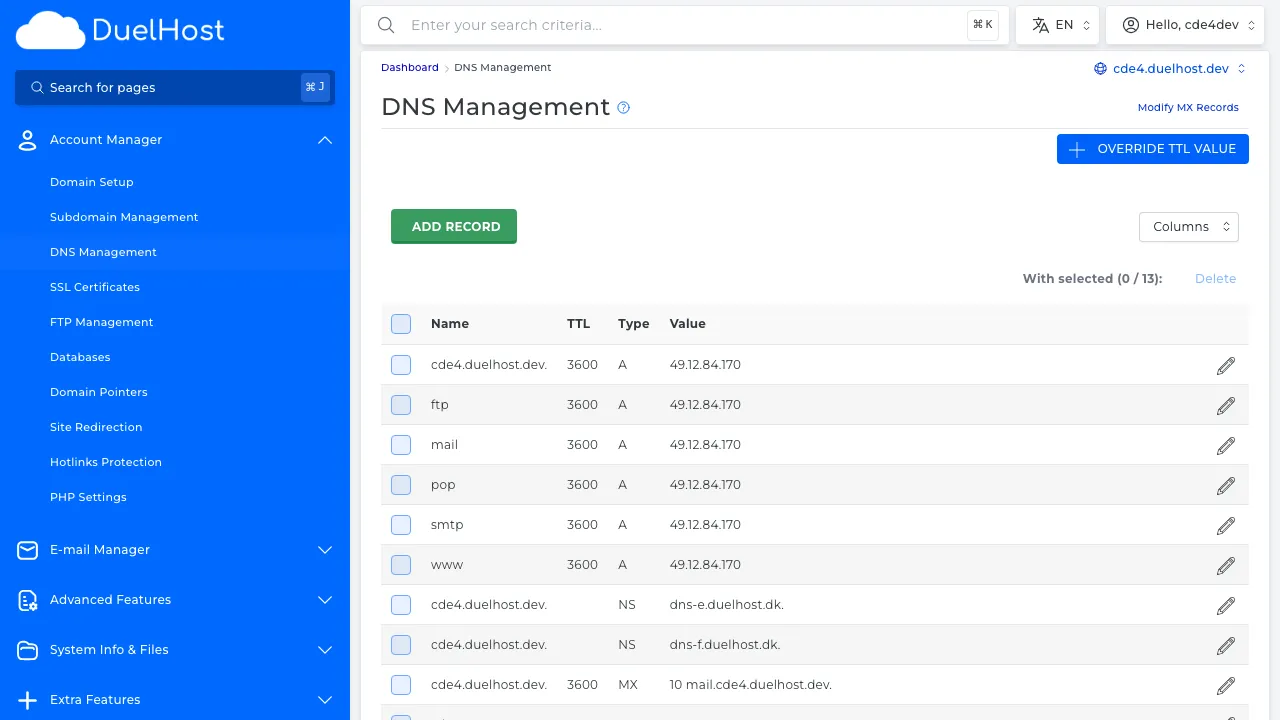
Step 3: Click “DNS Management” to view all DNS records
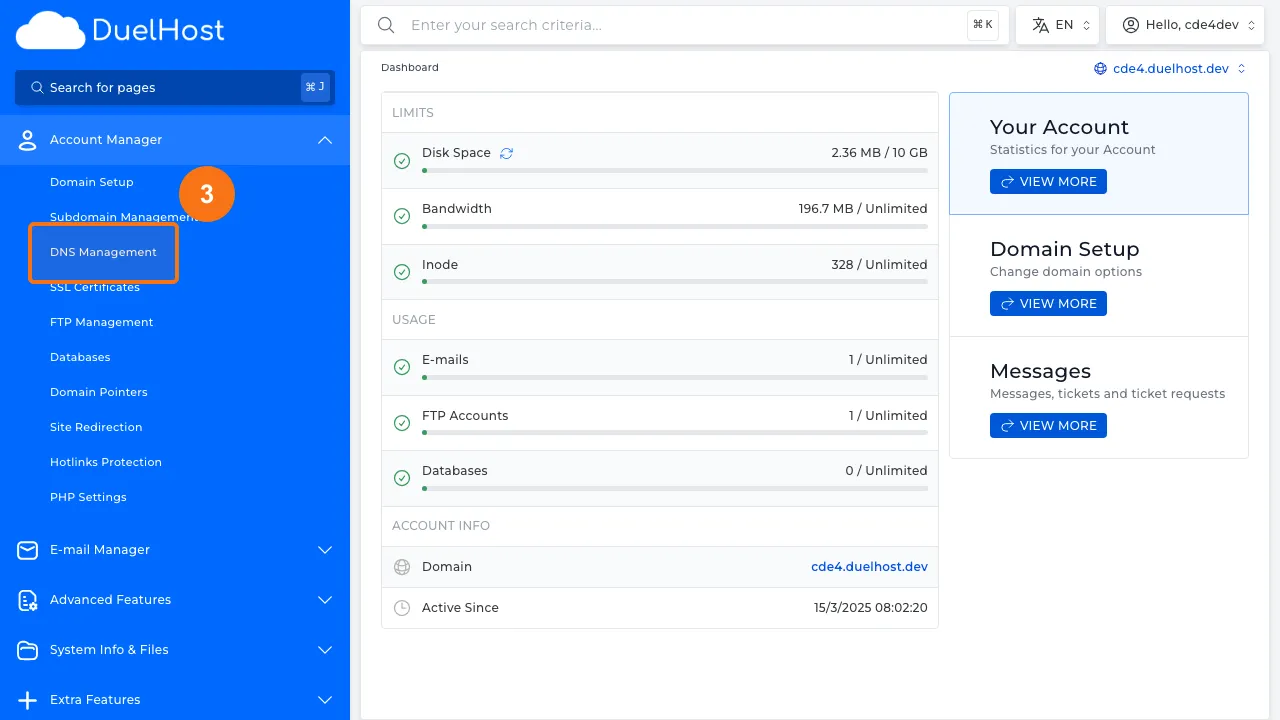
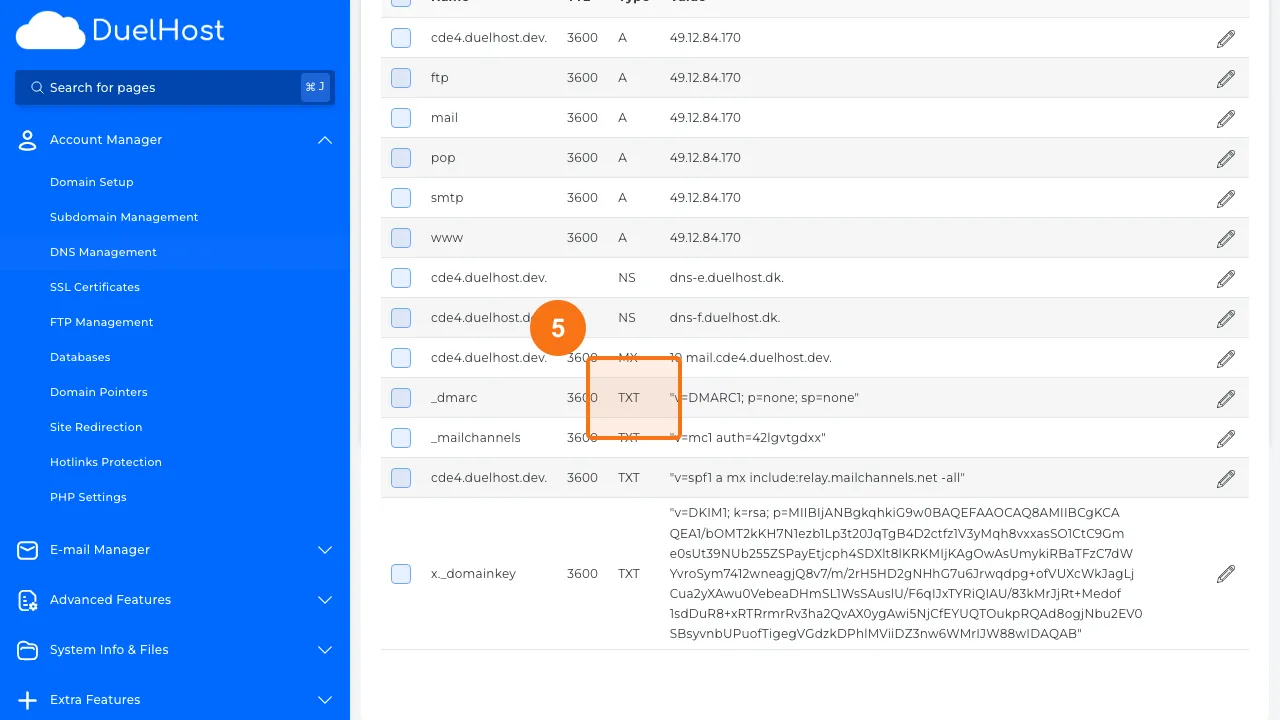
Step 4: View DNS records — find SPF (TXT), DKIM, and DMARC records here
Step 5: Check TXT records for SPF (v=spf1 …) and DMARC (_dmarc)
Tips and notes
- All three records (SPF, DKIM, DMARC) should be configured for best email deliverability
- Use an online SPF/DKIM/DMARC checker to verify your records are working
- Incorrect records can cause your emails to land in spam folders or be rejected entirely
Need help?
If you run into any issues, our support team is ready to help. Contact us at support@duelhost.dk or through our contact form.
Del: