
· WordPress · 1 min read
How to install WordPress
Learn how to install WordPress on your hosting account using DirectAdmin's one-click installer.
WordPress powers a large portion of the web and is the most popular content management system. DirectAdmin makes it easy to install WordPress with just a few clicks, so you can start building your website right away.
Prerequisite: You need an active web hosting plan with DuelHost.
Step-by-step guide
Step 1: Log in to DirectAdmin
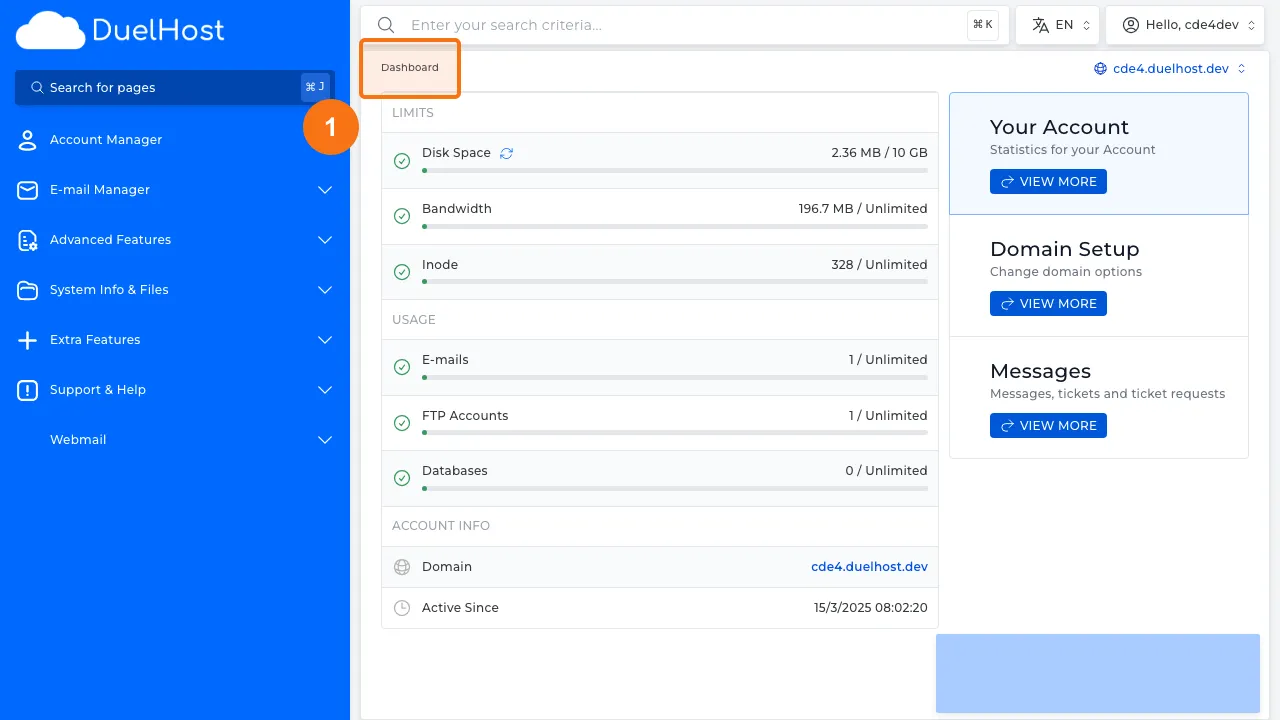
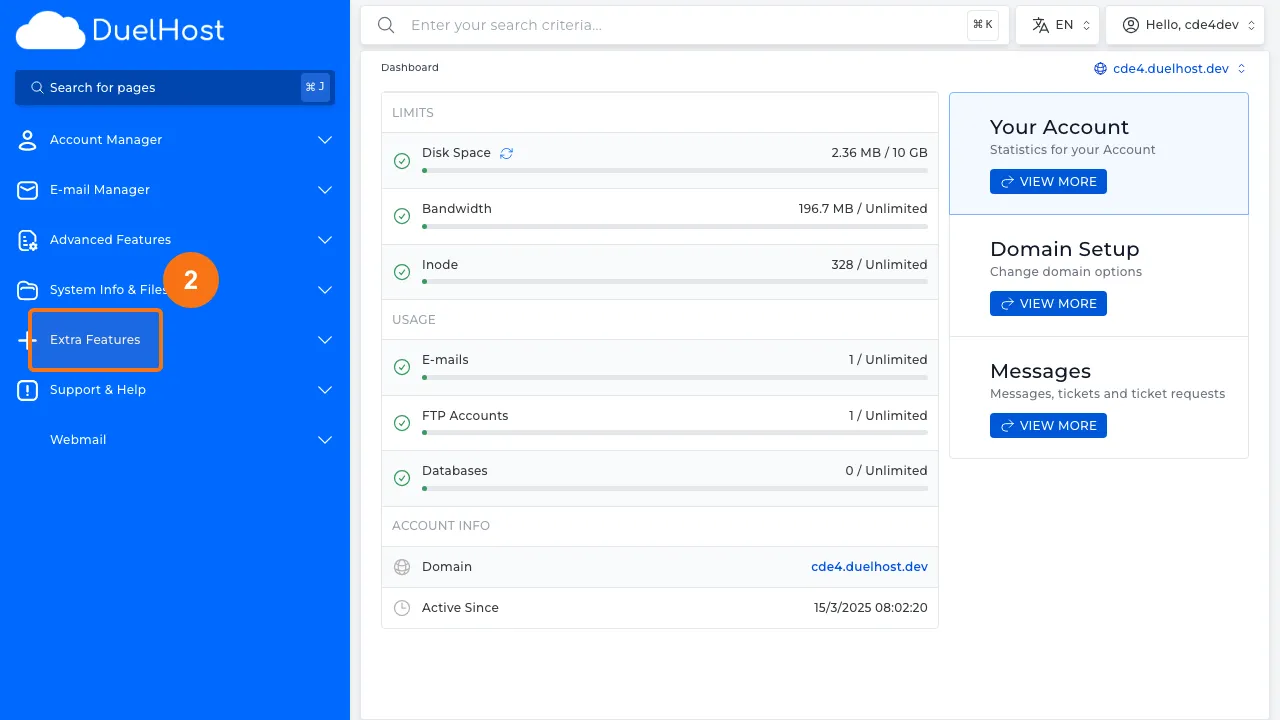
Step 2: Click “Extra Features” in the sidebar
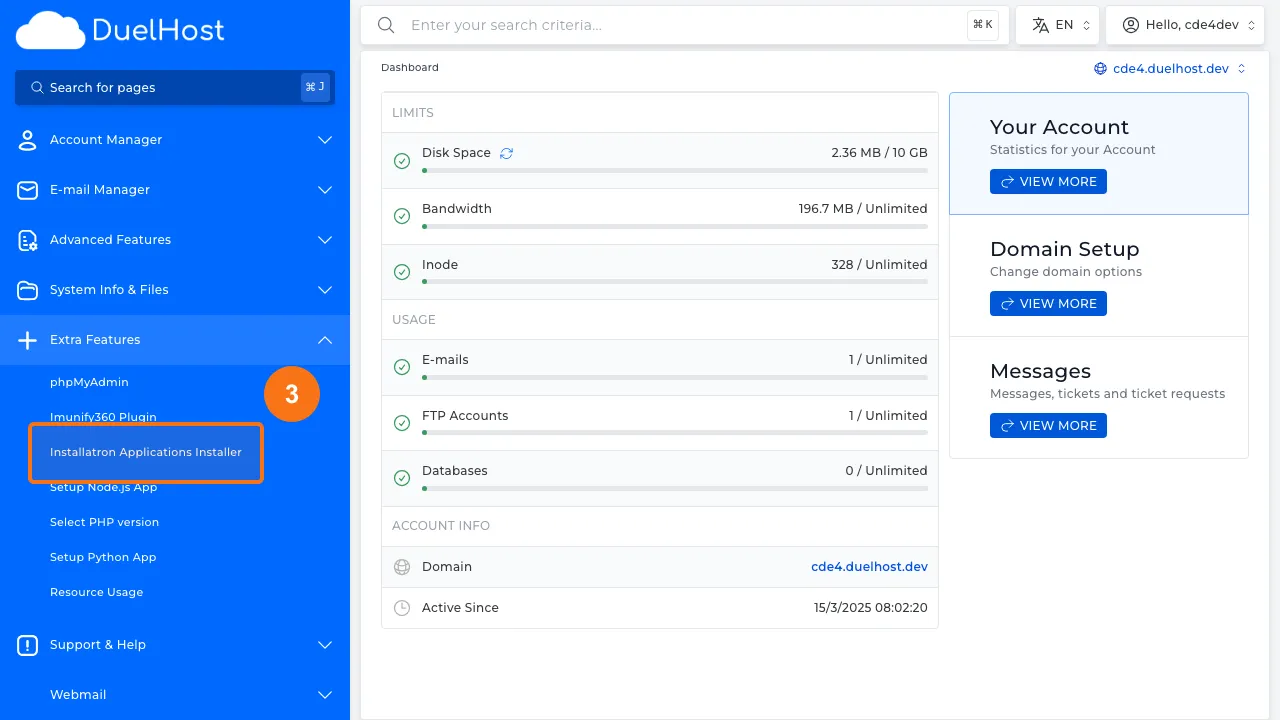
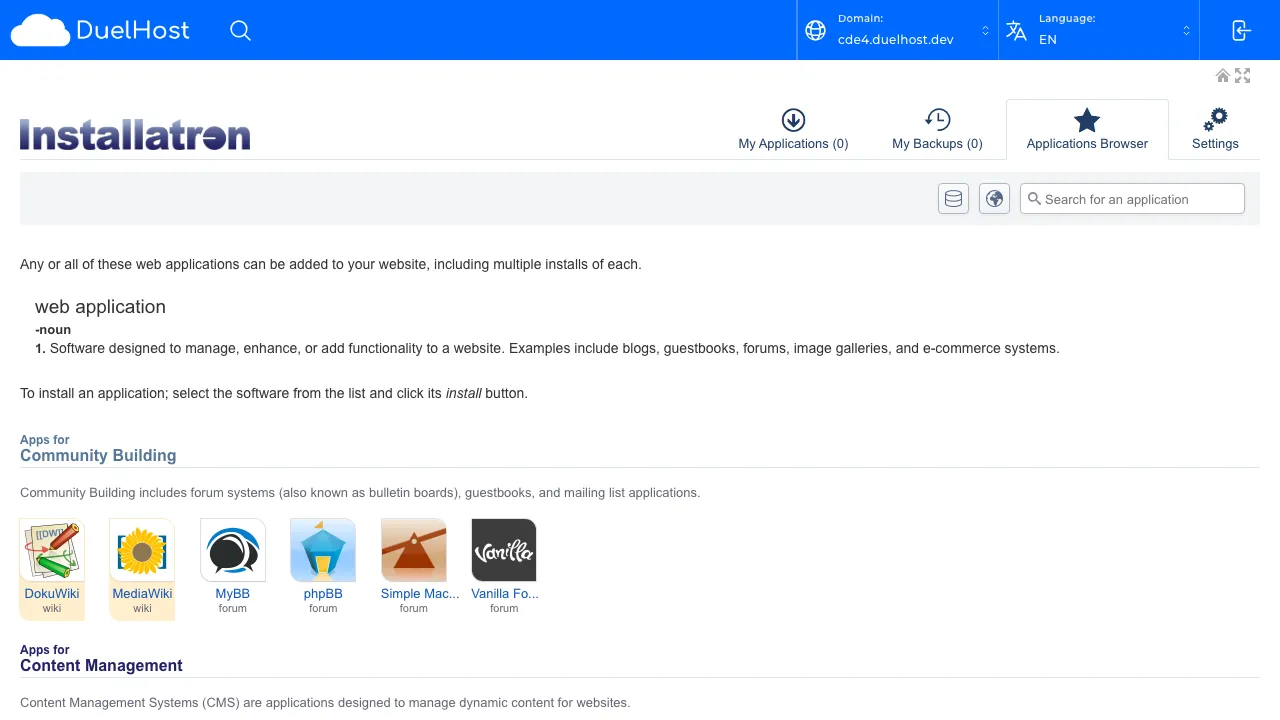
Step 3: Click “Installatron Applications Installer”
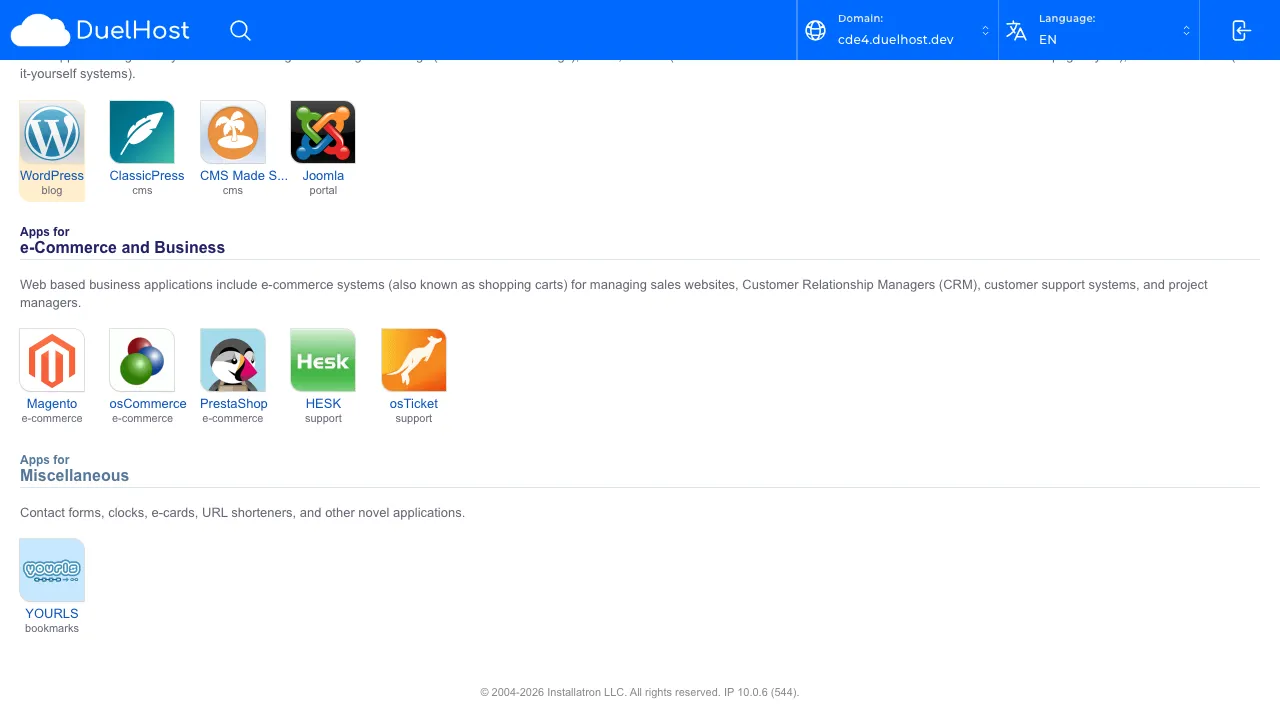
Step 4: View the Installatron overview — scroll down to “Content Management” to find WordPress
Step 5: Find WordPress in the list — do NOT click Install
Tips and notes
- Choose a strong admin password during installation
- Delete the default ‘admin’ username and create a custom one for better security
- Install a security plugin and keep WordPress, themes, and plugins updated
Need help?
If you run into any issues, our support team is ready to help. Contact us at support@duelhost.dk or through our contact form.