
· SSL & Security · 3 min read
Setting up SSL
An SSL certificate encrypts the data sent between visitors and your website. That's why DuelHost offers a completely free SSL certificate to all our customers on all domains. We partner with Let's Encrypt, which delivers and manages the certificates.
An SSL certificate encrypts the data sent between visitors and your website.
That’s why DuelHost offers a completely free SSL certificate to all our customers on all domains. We partner with Let’s Encrypt, which delivers and manages the certificates.
Benefits of SSL
A valid SSL certificate increases trust in your website, and your visitors can safely use it without fear of traffic being intercepted. Secure Sockets Layer (SSL) is a protocol that enables encryption of the information exchanged between your website and your visitors.
Google does not look favorably on websites that are not protected by an SSL certificate. In other words, your site’s organic traffic will be last out of the starting blocks if you don’t use a web host that includes an SSL certificate.
SSL Certificate at DuelHost
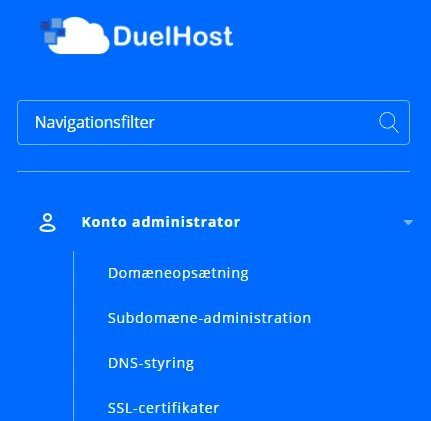
Your domain must be active before we can activate your SSL. Therefore, the domain must either be your primary domain or alternatively added as a new domain in the DirectAdmin control panel. You can create a new domain or subdomain in the control panel via the ‘Account Manager’ menu. Domains and subdomains can be added here via the submenus ‘Domain Setup’ and ‘Subdomain Management’.
We automatically check ‘Secure SSL’, which is then added automatically. There is no reason to change this setup, as DuelHost offers free SSL.
We need to be able to verify the domain for your SSL, so it must either point to our nameserver, or alternatively, DNS must be pointed to the IP address of our server.
It’s really not harder than that. If your certificate is correctly registered, it will be available in the DirectAdmin control panel, where you will find it under ‘SSL Certificates’ in the menu on the left side. You just need to point your domain to HTTPS.
SSL Configuration
By default, DuelHost automatically creates SSL on all domains, so you don’t need to change the setup yourself.
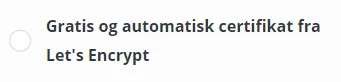
If you want to set up an SSL certificate on your mail domain, however, you should instead choose the option ‘Free and automatic certificate from Let’s Encrypt’, where you have the option to configure the SSL certificate setup yourself.
We recommend that you check the box ‘Let’s Encrypt certificate registrations’ and then click the green ‘SAVE’ button in the bottom right corner, as this ensures that SSL is activated on both the website, your mail domain, and associated FTP account.
Furthermore, we recommend that you check ‘Force SSL HTTPS redirect’ and then click the ‘Save’ button right next to it to ensure that all traffic on the domain is forced through SSL.

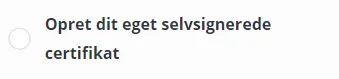
You also have the option to import your own SSL certificate under ‘Create your own self-signed certificate’ or alternatively use a pre-generated certificate with associated key.
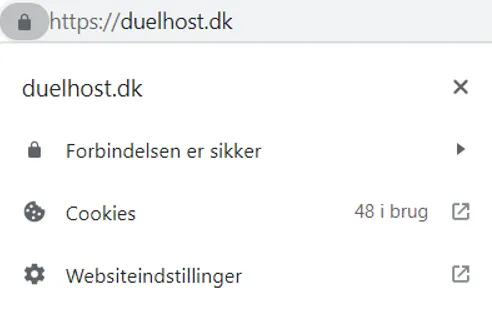
If the SSL certificate is installed correctly, Google Chrome shows a padlock to the left of the URL / website address. When clicking on the padlock, it indicates that the connection is secure:
Having problems?
If your SSL certificate is unexpectedly not registered within 48 hours, it is probably because we have not been able to verify your domain.
In case of problems, you are welcome to contact DuelHost’s support to receive fast and effective help.